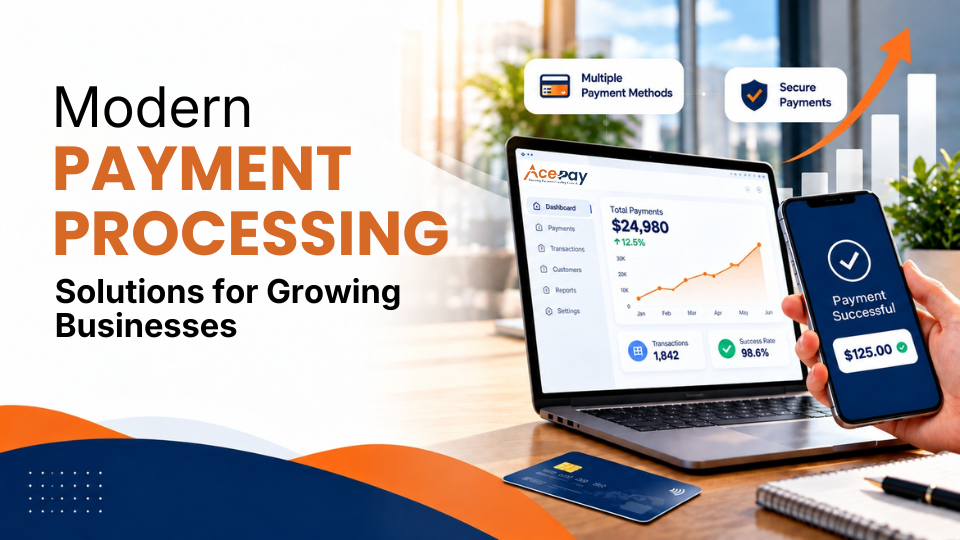
As businesses grow, their payment needs often become more complex. Customers want convenient, secure, and flexible ways to make payments through websites, physical stores, mobile devices, and other channels.
This makes modern payment processing solutions an important part of daily business operations. Reliable payment processing services help businesses to accept different payment methods, process transactions efficiently, protect payment information, and manage growing sales volumes.
Growing businesses may need scalable payment solutions that can support higher transaction volumes and changing customer preferences.
Features like online payment processing, mobile payments, POS integration, recurring billing, digital wallets, and payment APIs can help to create smoother payment workflows.
Businesses should also consider payment security and fraud prevention to protect transactions and reduce financial risks.
Choosing a payment solution involves more than comparing processing rates. Businesses should evaluate payment processing fees, supported payment methods, payment gateway features, hardware, software integrations, reporting tools, settlement times, and customer support.
Companies expanding internationally may also require international payment processing, multiple currencies, cross-border payments, and local payment options.
This blog will walk you through how modern payment processing solutions work, the features growing businesses should consider, and the factors that can help companies compare providers based on their current operations, future growth, security requirements, and technology needs.
Also Read: How Long Credit Card Transactions Take to Process: A Complete Guide for Businesses
What Are Modern Payment Processing Solutions?
Modern payment processing solutions are systems helping businesses to accept, authorize, manage, and reconcile electronic payments across different channels.
Based on the provider, a solution may support:
- Credit and debit card payments
- Digital wallets
- ACH and bank payments
- Contactless payments
- Online checkout
- In-person transactions
- Mobile payments
- Payment links
- Invoicing
- Recurring billing
- Virtual terminals
- Reporting and analytics
Payment processing software can also connect with POS systems, ecommerce platforms, accounting applications, customer-management tools, and other business software.
This means businesses can use payment infrastructure as part of a larger operating system instead of treating payments as a separate activity.
For growing companies, that differentiation matters. Because payment information can influence sales reporting, inventory management, customer records, accounting, refunds, and cash-flow planning.
Why Growing Businesses Need Modern Payment Infrastructure
A payment system that works best for a small business may become difficult for businesses when transaction volume and business complexity increases.
Because business growth can cause new requirements such as more locations, more staff, larger transaction volumes, new payment methods, ecommerce sales, international customers, and recurring revenue.
A growing business may eventually need to:
- Accept payments through several channels
- Manage multiple locations
- Support additional currencies
- Automate recurring transactions
- Connect payment data with accounting software
- Monitor suspicious transactions
- Reconcile larger numbers of transactions
- Provide different employee permissions
- Generate more detailed reports
Modern payment processing solutions help businesses to manage these requirements without creating completely separate payment workflows for every sales channel.
Also Read: Credit Card Processing Fees: Complete Breakdown for Businesses
How to Choose Modern Payment Processing Solutions for Your Business
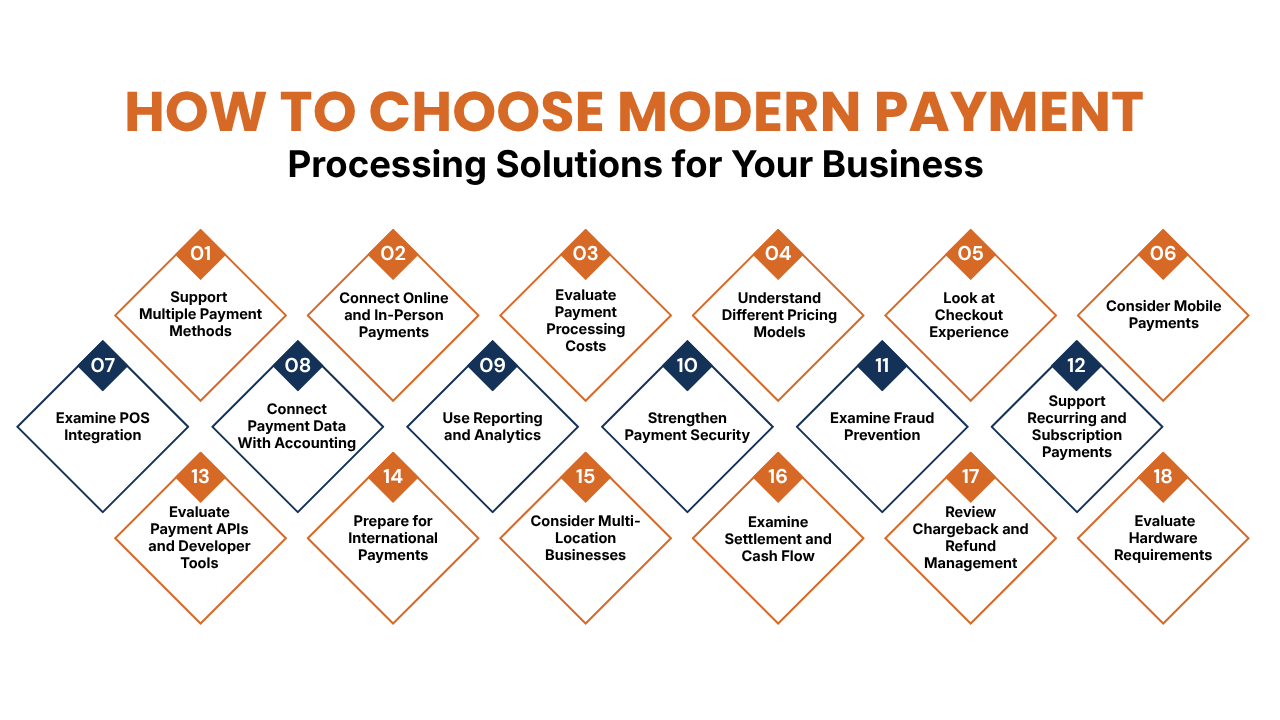
1. Support Multiple Payment Methods
Customers expect businesses to have convenient and flexible payment options. The right payment method depends on the target market, customer preferences, and business model.
Common payment options include:
- Credit and debit cards
- Contactless payments
- Digital wallets
- ACH payments
- Bank transfers
- Payment links
- Recurring payments
- Local payment methods
Businesses should review which payment methods each provider supports and determine whether those options match customer expectations. The goal is not to offer every available method. Rather, choose payment options that customers regularly use and that can support future growth, new sales channels, and changing payment preferences.
2. Connect Online and In-Person Payments
Businesses should choose payment solutions that match how and where they sell. Physical locations may need terminals, mobile card readers, POS integration, digital receipts, refunds, and employee permissions.
Online businesses may prioritize:
- Hosted checkout
- Payment APIs
- Digital wallets
- Payment links
- Recurring billing
- Fraud prevention
- Mobile-friendly checkout
Businesses operating both online and physical channels can benefit from connected payment infrastructure. This can help to maintain consistent transaction records, simplify reporting, and provide a clearer view of customer payments across different sales channels.
3. Evaluate Payment Processing Costs
Pricing is one of the most essential aspects of comparing payment solutions, but businesses should look beyond the advertised transaction rate.
Potential costs can include:
- Percentage-based processing fees
- Per-transaction charges
- Monthly software fees
- Gateway fees
- Hardware costs
- Chargeback fees
- Refund-related charges
- International transaction fees
- Currency conversion costs
- Contract or cancellation fees
Payment processing software may charge transaction-based fees or monthly fees for additional features, while hardware, setup, training, and migration can add to the overall expenses.
Businesses should calculate the expected total cost based on their own transaction volume and average transaction value. A low advertised rate does not necessarily indicate the lowest overall expenses if additional fees apply elsewhere.
Also Read: Payment Processing Solutions for High-Risk Businesses
4. Understand Different Pricing Models
Payment processors can use different pricing structures.
Common pricing models include:
Flat-rate pricing:
Businesses pay a fixed percentage and sometimes a fixed amount per transaction. This can make expenses easier to understand, especially for smaller businesses.
Interchange-plus pricing:
In this pricing model businesses pay the underlying interchange cost and an additional processor markup. This pricing structure can provide more pricing detail but may make statements more complicated.
Subscription pricing:
In this pricing model, the business pays a recurring platform fee and may receive a different transaction pricing structure.
Tiered pricing:
In this pricing model transactions may be placed into different pricing categories based on transaction characteristics.
Businesses should compare pricing models using their own expected payment mix rather than comparing headline rates alone.
5. Look at Checkout Experience
The checkout process is an essential part of the customer journey. A slow or confusing payment experience can create unnecessary friction and make transactions harder to complete.
Businesses should evaluate:
- Number of checkout steps
- Mobile usability
- Available payment methods
- Error handling
- Saved payment options
- Refund processes
- Receipt delivery
- Customer confirmation
For ecommerce businesses, checkout should work smoothly with the website, product information, shipping details, and support services.
In-person businesses should consider terminal speed, contactless payments, receipt options, and staff usability. The overall payment process should remain simple, clear, and convenient across every sales channel.
6. Consider Mobile Payments
Mobile payments can help businesses to accept transactions beyond a traditional checkout counter. They are useful for companies that operate at different locations or serve customers on-site.
Common applications include:
- Events and markets
- Delivery businesses
- Field services
- Restaurants
- Pop-up stores
- Trade shows
- On-site services
Businesses should evaluate portable hardware, device compatibility, internet connectivity, battery life, transaction security, and offline functionality where available.
Mobile payment capabilities can provide greater flexibility for employees and customers while helping growing businesses expand their sales activities across multiple locations and service environments.
Also Read: Best Credit Card Processing Companies for Small Businesses
7. Examine POS Integration
A growing physical business should ensure its payment processor integrates effectively with its point-of-sale system. A connected POS environment can synchronize:
- Sales and payments
- Refunds and receipts
- Inventory
- Employee activity
- Customer information
- Daily reports
Effective POS integration can reduce duplicate data entry and improve transaction management. Businesses should confirm whether their existing POS works with the selected provider or whether a replacement is necessary.
They should also evaluate hardware compatibility, software costs, employee permissions, reporting capabilities, integration requirements, and ongoing maintenance expenses before choosing a payment-processing solution.
8. Connect Payment Data With Accounting
Payment processing should work smoothly with accounting systems to reduce manual tasks and improve financial accuracy. As transaction volume increases, efficient data synchronization becomes more essential.
Useful accounting capabilities include:
- Automated transaction records
- Payment reconciliation
- Refund and fee tracking
- Payout and settlement reports
- Invoice matching
- Accounting software integration
Businesses should check how payment information transfers into their accounting system and whether fees, refunds, payouts, and settlements are recorded correctly. Automated synchronization can reduce repetitive data entry and make financial reporting easier, saving time as transaction volumes grow.
9. Use Reporting and Analytics
Payment processing reports help businesses to understand transaction activity and identify trends. Clear reporting and analytics can support better financial tracking, payment management, and operational decisions.
Useful reporting features may include:
- Total payment volume
- Transaction counts
- Failed payments
- Refunds and chargebacks
- Payment methods
- Payouts and settlements
- Sales channels
- Recurring transactions
Businesses should check whether reports can be exported to spreadsheets or accessed through APIs. For companies operating across multiple locations, centralized reporting can make it easier to compare payment activity, identify differences between stores, and track overall performance.
Also Read: Medical Payment Processing: A Complete Guide for Healthcare Businesses
10. Strengthen Payment Security
Payment security is an important consideration while choosing a payment-processing solution. Businesses need appropriate measures to protect customer information and reduce transaction-related risks.
Modern payment systems may provide:
- Encryption
- Tokenization
- Authentication
- Access controls
- Fraud detection
- Transaction monitoring
- Secure payment pages
Businesses should understand how providers protect payment information and which security responsibility remains with the merchant. They should also review the security controls included with the service and any additional requirements.
Security should be considered when connecting payment processing with websites, mobile applications, POS systems, accounting platforms, and other business software to help protect transactions and customer data.
11. Examine Fraud Prevention
Fraud prevention can help businesses to reduce financial losses, chargebacks, operational expenses, and customer-service issues. Payment providers may offer several controls to identify and manage suspicious transactions.
Useful tools may include:
- Address verification
- Risk scoring
- Transaction monitoring
- Velocity controls
- Device analysis
- Rules-based screening
- Authentication tools
Businesses should evaluate fraud controls as per their specific risks. Factors like transaction value, customer location, sales channels, previous fraud patterns, and card-present or card-not-present transactions can influence requirements.
A local cafe may need different protections from an international ecommerce business or a retailer selling high-value products.
12. Support Recurring and Subscription Payments
Subscription businesses need payment systems that can handle repeated transactions.
Recurring billing capabilities may include:
- Scheduled payments
- Automated billing
- Customer payment profiles
- Payment retries
- Invoice generation
- Subscription management
- Payment reminders
- Failed-payment notifications
Recurring payment tools can reduce manual billing work and help businesses to manage predictable revenue streams. Businesses should also analyze how the system handles expired cards, failed payments, refunds, cancellations, upgrades, downgrades, and changes to customer billing information.
A payment processor should support the actual subscription workflow instead of simply accepting individual card payments.
Also Read: How Credit Card Processing Works Step by Step
13. Evaluate Payment APIs and Developer Tools
Businesses with custom websites, mobile applications, marketplaces, SaaS platforms, or specialized software may require APIs.
A strong developer environment can provide:
- API documentation
- Sandbox environments
- SDKs
- Webhooks
- Test credentials
- Transaction APIs
- Payment-status notifications
Webhooks can help applications respond to events like successful payments, failed payments, refunds, and status changes. Payment processing systems should offer reliable integrations with the business tools and platforms used for daily operations.
Businesses should ask their development teams to find the specific workflows that must be supported before choosing a provider.
14. Prepare for International Payments
International business expansion can create additional payment requirements. Businesses should choose a payment processor that supports the countries, currencies, and payment methods that are relevant to their target markets.
Important capabilities may include:
- Multiple currencies
- Currency conversion
- Local payment methods
- Cross-border processing
- International fraud controls
- Local settlement options
- Country availability
Businesses should compare supported countries, currencies, conversion costs, cross-border fees, settlement currencies, and international payment methods.
A provider that meets domestic payment requirements may have different capabilities or fees in other markets. Reviewing these requirements in advance helps businesses to avoid payment limitations while growing internationally.
15. Consider Multi-Location Businesses
Growing retailers, restaurants, franchises, and service businesses may eventually operate multiple locations. Their payment systems may need centralized management while still providing location-level visibility.
Useful capabilities include:
- Centralized reporting
- Location-level reporting
- Employee permissions
- Shared customer information
- Consistent payment workflows
- Centralized refunds
- Unified POS management
Businesses should also determine whether new locations can be added easily. If business expansion requires separate contracts, disconnected systems, or manual reporting for every location, administrative complexity can increase quickly.
Also Read: How Businesses Accept Credit Card Payments Online
16. Examine Settlement and Cash Flow
Payment acceptance is only one part of the payment process. Businesses should understand when processed funds become available and how settlement schedules may affect daily operations.
Important factors include:
- Standard settlement periods
- Weekend and holiday schedules
- Same-day funding availability
- Potential risk-related delays
- Possible reserves
- Settlement reporting
Settlement timing can influence inventory purchases, payroll, supplier payments, and operating expenses. Businesses should review the provider’s actual funding terms rather than assuming all processors follow the same schedule.
Companies handling high transaction volumes may especially benefit from predictable settlement schedules, as consistent funding can make cash-flow planning and financial management easier.
17. Review Chargeback and Refund Management
Chargebacks and refunds are normal parts of payment operations. A modern payment system should make these processes manageable.
Businesses should ask:
- How are chargebacks communicated?
- What tools are available for responding?
- Are chargeback fees charged?
- How are refunds initiated?
- Can refunds be processed through the POS?
- How quickly are refunds reflected?
- Are dispute and refund reports available?
Internal procedures help businesses to manage refunds and disputes consistently. Employees should know who can approve refunds, what supporting information must be documented, and when problems require escalation.
Offering clear guidelines can reduce confusion, improve accountability, prevent unauthorized actions, and help staff to handle payment-related requests efficiently.
18. Evaluate Hardware Requirements
Physical businesses may require payment terminals, card readers, receipt printers, or other equipment.
Businesses should compare:
- Hardware purchase prices
- Rental costs
- Warranty coverage
- Replacement policies
- Installation charges
- Software fees
- Upgrade costs
- Compatibility
It is also essential to determine what happens to the equipment if the contract ends. Businesses should ask whether hardware can be used with another processor and whether replacement devices are readily available.
Hardware decisions should be considered along with payment fees because equipment expenses can cause significantly to the total cost of a payment system.
Also Read: Mobile Credit Card Processing Guide for Field Businesses
Modern Payment Processing Solutions for Growing Businesses
Growing businesses need payment-processing systems that can support changing customer expectations, increasing transaction volumes, multiple sales channels, and new payment methods.
The right payment processing solution is based on factors like business model, transaction volume, geographic market, online or in-person sales, integrations, security requirements, and pricing structure.
Instead of choosing a provider based only on advertised transaction rates, businesses should compare the features and capabilities that align with their specific requirements.
The following payment-processing providers offer different approaches for online businesses, physical stores, technology companies, and growing merchants.
1. AcePay
AcePay provides payment technology for merchants, offering secure payment solutions, payment terminals, checkout tools, and transaction-management capabilities.
Its platform is well positioned for businesses across multiple industries and emphasizes payment operations, contactless acceptance, and payment reconciliation.
Businesses evaluating AcePay can consider features such as:
- EMV terminals
- Contactless payments
- Payment processing
- Merchant payment tools
- Checkout functionality
- Transaction monitoring
- Payment reporting
- Reconciliation
- Industry-specific payment workflows
AcePay’s website also offers payment solutions for different business sectors, which makes it relevant for companies that want payment infrastructure aligned with their particular operating environment.
Businesses should review the provider’s current pricing , supported payment methods, geographic availability, integrations, security capabilities, and merchant requirements before choosing the service.
2. ConnectPay
ConnectPay offers payment and financial infrastructure, focusing particularly on businesses operating in Europe and international markets. This platform has capabilities like online payments, multi-currency support, APIs, compliance, and business financial services.
Businesses evaluating ConnectPay can consider:
- European payment requirements
- Multi-currency transactions
- Online payment infrastructure
- API capabilities
- Business accounts
- Compliance requirements
- Cross-border payment needs
- Embedded financial services
ConnectPay may be relevant to ecommerce companies, online platforms, fintech businesses, and companies growing across Europe markets. Businesses should review its current availability, supported countries, pricing, and payment methods before making a decision.
Also Read: QuickBooks Credit Card Processing: Features and Alternatives
3. Stripe
Stripe offers payment infrastructure designed for online businesses and technology-driven companies. Its platform includes APIs and tools that developers can use to build customized payment experiences. Some of the important capabilities of this platform are developer tools and online-payment capabilities as important characteristics.
Stripe can be considered by businesses that need:
- Online card payments
- Customized checkout
- Payment APIs
- Recurring billing
- Subscription payments
- Payment links
- Online invoicing
- Fraud-management tools
- Software integrations
- Developer-focused payment infrastructure
The API approach can give technical teams considerable control over how payment functionality is incorporated into websites and applications. Businesses should also check transaction pricing, international availability, supported payment methods, and additional product fees based on their specific requirements.
4. Square
Square provides payment processing along with point-of-sale and business-management tools. This platform is particularly relevant to businesses that accept payments at physical locations while also requiring online capabilities.
Recent comparisons describe Square’s POS ecosystem, payment hardware, inventory management capabilities, and online tools, giving businesses a broader view of its integrated commerce and payment solutions.
Businesses can consider Square for:
- Retail stores
- Restaurants
- Cafes
- Service businesses
- Physical locations
- Mobile businesses
- Online stores
- POS operations
Potential capabilities include:
- Payment terminals
- Card readers
- Contactless payments
- POS software
- Inventory management
- Online ordering
- Reporting
- Employee management
- Online payments
For businesses operating both physical and digital sales channels, connected POS and payment tools can simplify transaction management and reporting.
5. PayPal
PayPal Business is a widely used digital-payment platform that businesses can incorporate into online checkout experiences. Its payment tools can be useful for ecommerce businesses and companies that want to offer customers with familiar digital payment options.
PayPal remains a widely recognized payment option for ecommerce businesses, offering online payment capabilities that can support digital transactions, customer checkout experiences, and international sales.
Businesses can evaluate PayPal for:
- Online checkout
- Digital-wallet payments
- Ecommerce transactions
- Payment buttons
- Invoicing
- Recurring payments
- Payment links
- International customers
PayPal can also be used along with other payment methods instead of necessarily replacing a company’s complete payment infrastructure. Businesses should compare applicable transaction fees, currency-conversion costs, withdrawal arrangements, supported countries, and available integrations before implementation.
Also Read: Best Credit Card Processing Solutions for Small Businesses
6. Helcim
Helcim provides payment processing for Professional Services businesses accepting online and in-person transactions. Its payment model uses interchange-plus pricing that separates underlying card-network costs from the processor’s markup.
Potential capabilities include:
- In-person card payments
- Online payments
- Invoicing
- Virtual terminals
- Payment links
- POS functionality
- Customer management
- Inventory tools
- Accounting-related integrations
Helcim can be considered by businesses that want greater visibility into payment costs. Businesses with increasing transaction volumes may also want to examine how its pricing structure changes as processing volume increases.
Before selecting a provider, companies should calculate expected costs using their own transaction patterns instead of relying only on published examples.
Conclusion
Modern payment processing solutions can support far more than basic card acceptance. Growing businesses can use payment technology to connect online checkout, physical sales, mobile transactions, recurring billing, accounting, reporting, security, and customer management.
Current payment-processing research highlights areas such as data security, online payments, card processing, transaction monitoring, fraud prevention, reporting, and integrations as important parts of the software category.
At the same time, the needs of a growing business depend heavily on its operating model. An ecommerce company may need APIs and international payment methods, while a retailer may prioritize POS hardware and inventory integration. A subscription company may focus on recurring billing, while a service business may need invoicing and payment links.
The most useful comparison is therefore based on actual requirements, total cost, operational fit, security, integration capabilities, and future growth.
Businesses should evaluate what they need today, what they are likely to need next, and whether the payment infrastructure can support both without unnecessary complexity or costly replacement.
If you still have any query about Modern Payment processing solutions for growing businesses then you may book a free demo at AcePay and we are more than happy to assist you.