It has become essential for businesses to manage payments efficiently to improve cash flow, smooth account management, and offering a smooth payment experience for customers.
QuickBooks Credit Card Processing is one of the popular payment solutions for businesses because today businesses want to accept credit card payments and also automatically sync transactions to QuickBooks accounting software.
QuickBooks Payments offers a lot of features like online invoices, recurring billing, that makes payment collection smooth and simplify financial management.
As businesses expand, many organizations seek QuickBooks credit card processing alternatives that provide more flexibility, cost-effective pricing, enhanced reporting tools, and smooth integrations with a wider range of business applications.
As businesses keep increasing, many organizations explore QuickBooks credit card processing alternatives that offer more flexibility, competitive pricing, advanced reporting, and wider integration capabilities.
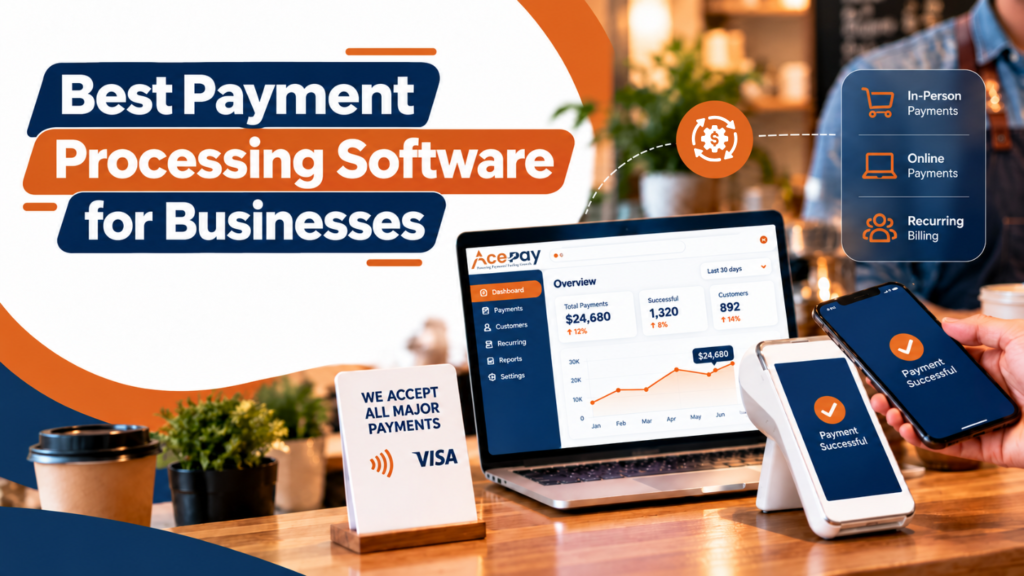
Platforms like AcePay offer secure payment processing, multiple payment options, recurring billing, payment links, and seamless integrations, which makes them a strong choice for businesses who are searching for a scalable payment platform.
This detailed blog will walk you through everything you need to know about QuickBooks Credit Card Processing, that includes its features, pricing, benefits, limitations, and the best QuickBooks payment alternatives available in 2026.
Whether you are running a small business, eCommerce store, professional service provider, or growing enterprise, this blog will help you through the way to compare QuickBooks Payments, analyze leading payment processors, and choose the right payment solution to improve payment acceptance, improve customer satisfaction, and support long-term business growth.
Also Read: How Businesses Accept Credit Card Payments Online
What Is QuickBooks Credit Card Processing?
It is an integrated payment solution that allows businesses to accept credit cards, debit cards, ACH bank transfers, and digital payments directly within QuickBooks.
QuickBook Payments automatically syncs transactions with QuickBooks accounting software that makes invoicing, payment reconciliation, bookkeeping, and financial reporting simple for businesses and thereby reduces manual work for staff.
QuickBooks Credit Card Processing is ideal for:
- Small businesses
- Retail stores
- eCommerce businesses
- Professional service firms
- Consultants
- Contractors
- Healthcare providers
- Nonprofit organizations
QuickBook Payments enables businesses to accept payments through online invoices, payment links, website checkout pages, mobile card readers, virtual terminals, and recurring billing, providing more convenience, quicker payments, and more cash flow.
How QuickBooks Credit Card Processing Works
QuickBooks Credit Card Processing handles online and in-person transactions securely through several automated steps. Whether payment initiation, fund settlement, the system helps businesses to accept payments efficiently while keeping accounting records up to date.
1. Customer Chooses a Payment Method
The process begins when a customer receives an online invoice, payment link, or accesses a website checkout page. Then the customer can make payments using credit cards, debit cards, ACH bank transfers, or digital wallets, providing both convenience and flexible payment options to customers.
2. Payment Information Is Encrypted
Once the customer submits their payment details, then QuickBooks encrypts the payment details before transmitting it. Encryption protects sensitive financial data which reduces the risk of cyber fraud and ensures secure payment processing.
3. Payment Authorization
The encrypted transaction details are then sent to the payment processor and then to the issuing bank of the customers. Then the bank verifies card validity, available funds, fraud indicators, and security credentials before approving or declining the transaction.
Also Read: Mobile Credit Card Processing Guide for Field Businesses
4. Payment Confirmation
After approval, QuickBooks automatically records the payment, updates the invoice status, and sends confirmation to the business and customer which improves payment monitoring and reduces manual work.
5. Settlement and Fund Deposit
Once the approved transaction is settled, then the funds are deposited in the merchant’s bank account as per the funding schedule of the provider. While at the same time, transaction details automatically sync with QuickBooks, thereby simplifying bookkeeping and financial reporting.
Key Features of QuickBooks Credit Card Processing
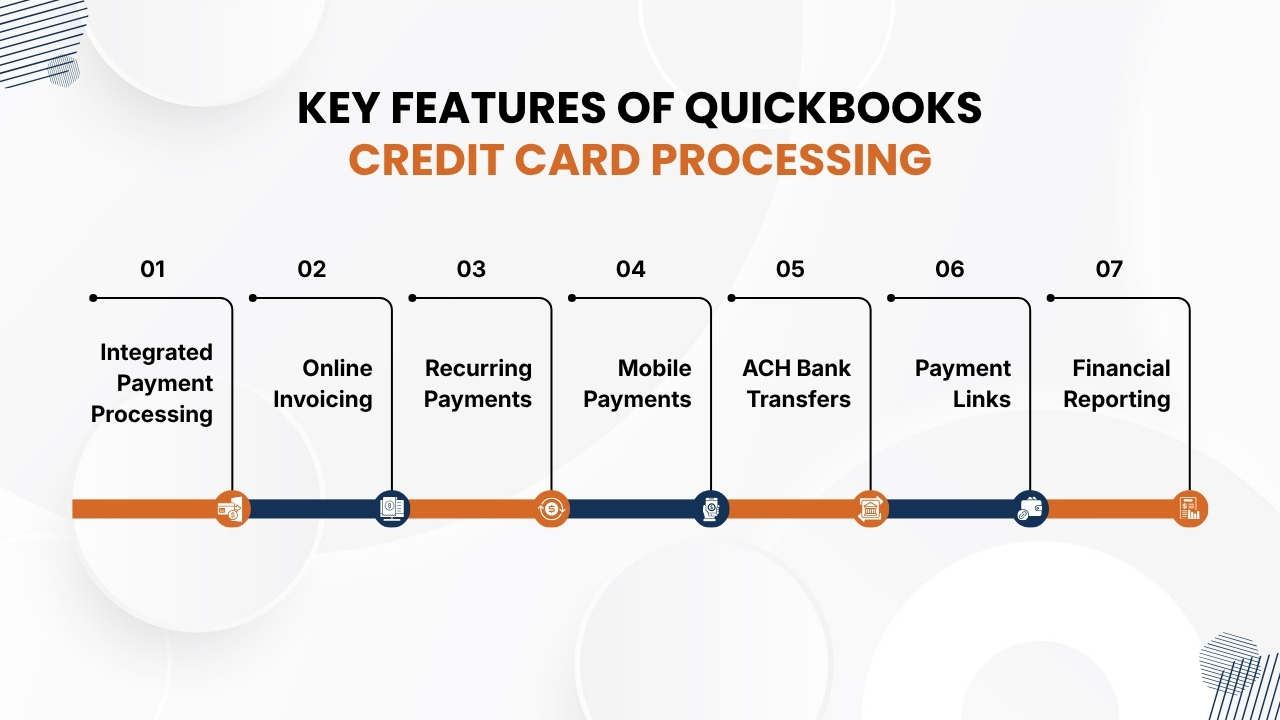
QuickBooks Payments offers a lot of features that helps businesses to simplify payment acceptance, automate financial tasks, and increase cash flow.
QuickBooks Payments by combining payment processing with accounting tools helps businesses to manage transactions more efficiently while maintaining financial records.
Below are the important features of QuickBooks Payments:
1. Integrated Payment Processing
QuickBooks Payments can be smoothly integrated with QuickBooks Online which allows businesses to process payments smoothly without switching between multiple applications.
Each transaction is automatically recorded, so invoices are updated in real time, and payment details are synchronized with accounting records.
This automation reduces manual bookkeeping, reduces data entry mistakes, makes bank reconciliation fast, and improves overall financial accuracy.
When businesses keep payment and accounting data connected, then businesses can save time and get more time to focus on serving customers and improving operations.
Also Read: Credit Card Processing Fees: Complete Breakdown for Businesses
2. Online Invoicing
These payments enable businesses to create online invoices with secure payment buttons that makes it easier for customers to pay instantly.
With QuickBooks Payments Customers can choose to make payments from several payment options such as credit cards, debit cards, ACH bank transfers. Businesses can also customize invoices with their brand names, track payment status, schedule automatic reminders, and track outstanding balances.
Due to online invoicing, payment cycles become short, which reduces need for manual follow-ups, increases cash flow, and provides a more convenient payment experience for customers.
3. Recurring Payments
QuickBooks Payments supports automated recurring billing which is essential for businesses that offer subscription-based products or ongoing services. Customers have to authorize payments once and then the system automatically charges their preferred payment method as per predefined schedule.
This feature makes QuickBooks Payments a good option for membership organizations, maintenance companies, SaaS providers, consulting firms, and other recurring-service businesses.
While automated billing highly reduces admin work of staff, reduces chances of missed payments, increases customer convenience, and offers a stable, predictable revenue stream that supports long-term financial planning.
4. Mobile Payments
QuickBooks supports mobile payment processing through compatible card readers and smartphones which allows businesses to accept payments wherever they operate.
This feature is essential for contractors, consultants, field service professionals, and businesses that operate beyond a traditional office setup. Hence, businesses can accept payments securely at customer locations, job sites, trade shows, events, and other remote locations.
Due to mobile payments businesses can collect funds instantly after completing a service, reducing unpaid invoices, increasing cash flow, and providing a more professional customer experience.
Also Read: How Credit Card Processing Works Step by Step
5. ACH Bank Transfers
In addition to accepting card payments, QuickBooks lets businesses receive payments through ACH bank transfers, which often have lower processing expenses than traditional credit card transactions.
ACH payments are commonly used for large invoices, B2B transactions, recurring billing, and high-value payments. Offering ACH payments as a payment option gives customers more flexibility during making payments and helps businesses to reduce expenses of payment processing.
It is beneficial for organizations that handle large numbers of transactions or receive recurring monthly payments.
6. Payment Links
Through QuickBooks Payments businesses can create secure payment links which customers can use to pay online without needing to visit a physical location or accessing a website.
While these payment links can be shared through email, SMS, and customer portals that make payment collect simple and convenient.
Customers just have to click the link, enter payment details, and complete the transaction securely. Payment links are essential for freelancers, consultants, contractors, and service-based businesses that regularly send invoices or request remote payments.
7. Financial Reporting
QuickBooks Payments has strong reporting and analytics tools that offer visibility into business finances in real-time. Due to integrated dashboards users can track revenue, outstanding invoices, payment history, customer balances, and cash flow from a single location.
It allows businesses to generate detailed reports, analyze payment patterns, track payment collections, and find ways to improve financial performance.
These insights support better budgeting, forecasting, and strategic decisions that help business owners to have complete control over financial operations and plan confidently for future growth.
Benefits of Using QuickBooks Credit Card Processing
QuickBooks Payments helps businesses to make payment collection smooth while improving financial management and operational efficiency.
When QuickBooks Payments integrates payment processing with accounting software, businesses can save time, reduce manual labor, and offer a better experience to customers.
1. Faster Payments
Through QuickBooks Payments customers can pay invoices instantly using credit cards, debit cards, or ACH bank transfers. Due to faster payment processing, reduces outstanding invoices, increases cash flow, and provides businesses with quick access to working capital.
2. Simplified Accounting
Every payment gets automatically synced to QuickBooks Online. It removes chances of duplicate data entry and also reduces bookkeeping mistakes.
While automated reconciliation keeps financial records accurate while saving valuable time of accounting teams.
Also Read: Best Credit Card Processing Companies for Small Businesses
3. Better Customer Experience
It offers multiple payment methods and thereby offers a convenient and smooth checkout experience to customers.
Through QuickBooks Payments customers can pay instantly and securely which leads to higher customer satisfaction, quicker invoice payments, and stronger relationships with customers for the long-term.
4. Improved Financial Visibility
It provides real-time dashboards and detailed financial reports that helps businesses to track revenue, payment history, cash flow, and outstanding invoices. Through these insights businesses can support informed decisions and better financial planning.
5. Increased Productivity
Automation reduces admin tasks as there is no need for manual entering payments, invoice tracking, and reconciliation. It allows employees to spend more time serving customers, improving business operations, and focusing on business growth.
QuickBooks Credit Card Processing Fees
Understanding the pricing structure of QuickBooks Credit Card Processing is essential for managing management payment costs and choosing the right solution.
While QuickBooks Payments offers transparent pricing, businesses should evaluate all associated fees based on their transaction volume and payment methods.
1. Credit Card Processing Fees
Such payments primarily charge a percentage-based fee for processed transactions through the platform. The exact rate is based on the way payment is accepted like online invoices, eCommerce transactions, manually entered card payments, or in-person card swipes.
Businesses that process a large number of transactions should estimate their monthly processing expenses to understand the overall impact on profits instead of focusing only on individual transaction rates.
2. ACH Bank Transfer Fees
These payments support ACH bank transfers that usually cost less than credit card transactions. ACH payments are beneficial for businesses that send high-value invoices or receive recurring payments.
Professional service providers, contractors, healthcare practices, and B2B organizations use ACH payments to reduce processing expenses while offering customers a convenient payment option.
3. Monthly Service Costs
In addition to transaction fees, businesses may incur monthly expenses based on their QuickBooks subscription plan and payment processing features.
These fees can differ based on the tools and services selected. Evaluating monthly costs along with the available features helps to determine whether the platform provides good value for your business.
Also Read: Payment Processing Solutions for High-Risk Businesses
4. Chargeback Fees
When customers dispute a payment, QuickBooks may apply chargeback fees. Businesses can reduce the chances of chargebacks by maintaining accurate records, issuing detailed invoices, and communicating clearly with customers regarding purchases and payment terms.
5. Additional Fees
Businesses should also consider potential extra fees which include international transaction fees, currency conversion costs, instant deposit fees, payment hardware expenses, and optional software add-ons.
Understanding all possible fees helps to create a more accurate budget and prevents unexpected payment processing expenses.
QuickBooks Credit Card Processing: Features
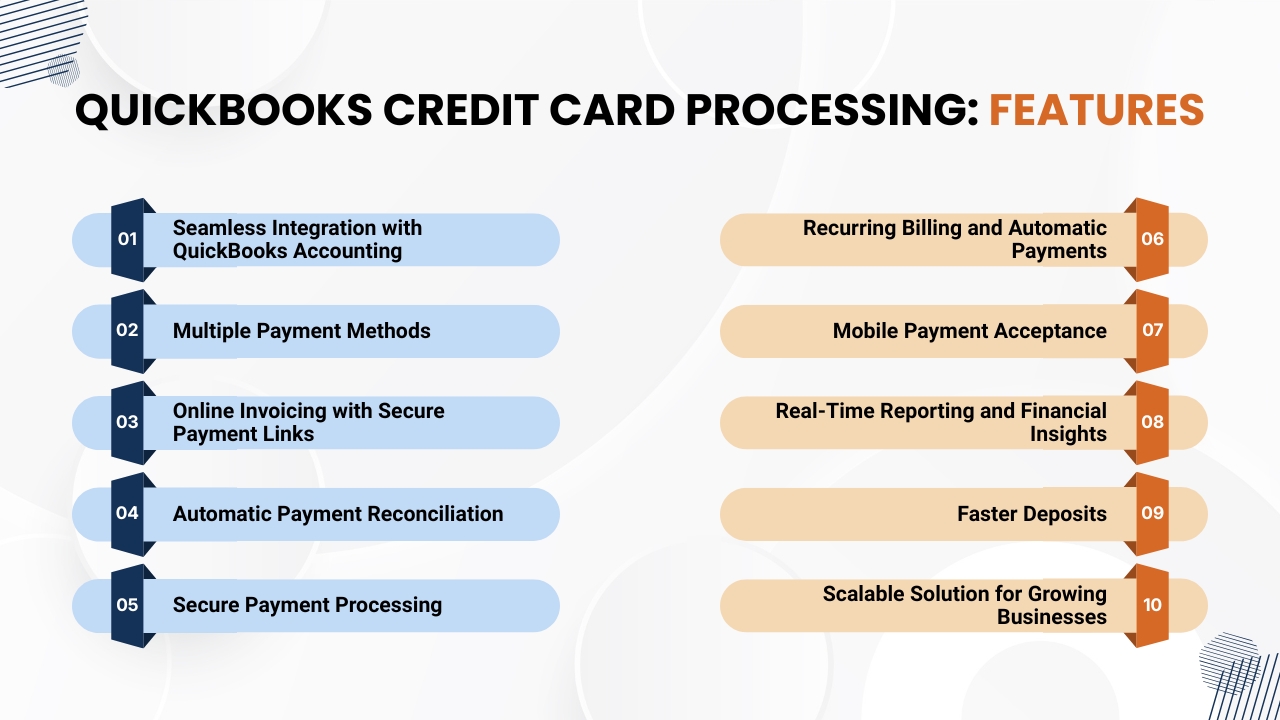
It is a detailed payment solution that enables businesses to accept credit card, debit card, and ACH payments that keep their accounting records synchronized.
Whether you are a freelancer, small business owner, retailer, or service provider, QuickBooks provides features which improve operational efficiency, increase cash flow, and improve the customer payment experience.
1. Seamless Integration with QuickBooks Accounting
QuickBooks Credit Card Process can be integrated with QuickBooks Online and QuickBooks Desktop. This lets businesses ensure that every payment received is automatically recorded and aligned with the appropriate customer invoice or sales receipt.
It removes chances of duplicate data entry, reduces accounting mistakes, and ensures that financial records remain accurate. Due to automatic synchronization of data, bank reconciliation and tax preparation are much easier.
2. Multiple Payment Methods
QuickBooks supports a lot of payment methods, which allows businesses to offer customers more flexibility. Businesses can accept:
- Credit cards
- Debit cards
- ACH bank transfers
- Online invoice payments
- Mobile payments
- Digital wallet payments (where supported)
Offering multiple payment options improves customer satisfaction while increasing the chances of receiving payments quickly.
3. Online Invoicing with Secure Payment Links
These payments allow businesses to create invoices and send them online with embedded payment links. It allows customers to securely pay invoices from computer, tablet, or smartphone using their preferred payment method.
As businesses can automate invoice reminders, it helps them to reduce late payments and increase cash flow rather than spending time on payment collections.
Also Read: Best Credit Card Processing Solutions for Small Businesses
4. Automatic Payment Reconciliation
Payment reconciliation is a time-consuming accounting task for businesses. QuickBooks payments makes this process instant by matching incoming payments with invoices and updates accounting records in real time.
This automation of payments reduces the need for manual work, improves bookkeeping and better financial management.
5. Secure Payment Processing
Security is an important feature of QuickBooks Credit Card Processing. These platforms use encryption, secure payment gateways, fraud monitoring tools, and compliance with payment security to help protect customer payment details.
These security features reduce the risk of fraud transactions while giving customers confidence while making payments.
6. Recurring Billing and Automatic Payments
Businesses with subscription-based services or recurring invoices can schedule automatic payments. These features are essential for consultants, membership organizations, healthcare providers, property management companies, and other service-based businesses.
Implementing automated recurring billing reduces admin work, missed payments, and creates more predictable revenue.
7. Mobile Payment Acceptance
QuickBooks allows businesses to accept payments on the go using its mobile app and compatible card readers. Such payments are useful for contractors, field service professionals, delivery businesses, food vendors, and businesses that operate beyond a physical office.
Accepting payments instantly at the point of service improves customer convenience and increases cash flow.
Also Read: How Long Credit Card Transactions Take to Process: A Complete Guide for Businesses
8. Real-Time Reporting and Financial Insights
These payments provide real-time dashboards which display sales performance, cash flow, outstanding invoices, and customer payment history.
It offers real-time reporting and financial insights that allows business owners to generate financial reports instantly, identify payment patterns, track revenue, and make informed decisions using accurate financial data.
9. Faster Deposits
QuickBooks Payments helps businesses to receive payments quickly after transactions are processed. Faster deposits improve cash flow, which allows businesses to pay suppliers, employees, and operating expenses more efficiently.
As businesses have instant access to revenue, quickbooks payments is an essential payment option for growing businesses with consistent cash flow needs.
10. Scalable Solution for Growing Businesses
When business expands, QuickBooks Credit Card Processing can grow along with it. As this platform supports high transaction volumes, additional users, and integrations with different QuickBooks features and third-party business applications.
Such flexibility lets businesses continue using the same payment systems when the business operation expands, preventing the need for frequent platform changes.
Best Alternatives to QuickBooks Credit Card Processing
Although QuickBooks is a convenient solution for businesses already using QuickBooks accounting software, it may not meet every organization’s needs.
Based on your transaction volume, industry, budget, and desired features, several payment processors provide more flexibility, advanced integrations, or more competitive pricing.
Below are some of the best alternatives to QuickBooks Credit Card Processing.
1. AcePay
It is a payment processing solution essential for businesses who want their payments to be secure, flexible, and scalable. This platform supports credit and debit card payments, ACH transfers, digital invoicing, recurring billing, payment links, and mobile payments.
It has advanced security features such as PCI DSS compliance, SSL encryption, and tokenization which help businesses to protect customer data.
It allows businesses for real-time reporting and can be smoothly integrated with accounting and business management tools that make AcePay a good option for small businesses, eCommerce stores, subscription-based companies, professional service firms, and growing organizations who want all features in a single platform.
2. Stripe
Stripe is a popular payment processor for online businesses and technology companies. This platform offers strong APIs, customizable checkout options, subscription billing, and also support for international payments in different currencies.
This platform also has features like fraud prevention tools, recurring payment management, and high developer resources that makes it an ideal for SaaS businesses, online markets, startups, and companies who want customized payment solutions.
3. Square
It is a popular platform due to its easy to use features. This platform combines point-of-sale(POS) systems, invoicing, inventory management, and customer management tools.
This lets businesses accept payments in-store, online, or through mobile devices. Square is a popular platform among retailers, restaurants, salons, food trucks, and service providers because of its easy setup and business management features.
4. PayPal
It is a worldwide popular payment platform that is trusted by millions of businesses and customers. Implementing PayPal enables merchants to accept credit cards, debit cards, PayPal balances, and digital wallet payments securely during online checkout.
Due to simple integration and strong brand name, PayPal is a good payment option for freelancers, small businesses, online retailers, and businesses serving international customers.
5. Helcim
This platform provides transparent interchange-plus pricing with no long-term contracts or hidden fees. Helcim has features such as payment processing, invoicing, recurring billing, virtual terminals, and customer management tools.
Due to its competitive pricing structure, this platform is a good option for medium sized businesses and merchants processing higher monthly transaction volumes who want predictable processing expenses.
Conclusion
QuickBooks Credit Card Processing offers businesses an efficient way to accept payments while integrating smoothly with QuickBooks accounting software.
Due to its features such as online invoicing, ACH payments, recurring billing, mobile payment support, and automated reconciliation helps businesses to simplify financial management and increase cash flow.
Businesses that already use QuickBooks Payments, it offers a convenient payment solution that reduces manual work and makes daily operations smooth.
However, choosing the right payment processor is based on your business size, transaction volume, industry, and long-term goals. Companies that look for more payment flexibility, advanced reporting, wider integrations, or scalable payment tools may benefit from exploring alternatives.
They must check processing fees, security standards, integration capabilities, customer support, and available payment methods that help them to make informed decisions.
AcePay is a strong alternative as it combines secure payment processing with features like payment links, online invoicing, recurring billing, ACH payments, mobile payment acceptance, and real-time analytics.
This platform provides businesses with flexibility, security, and operational efficiency that makes it suitable for startups, growing businesses, and also for established businesses.
As digital payments keep increasing, it is essential for businesses to invest in a secure and scalable payment solution that helps your businesses to improve customer satisfaction, make financial operations smooth, increase revenue opportunities, and remain competitive in a highly digital market.
If you still have any query about QuickBooks Credit Card Processing, their features and alternatives, then you may book a free demo at AcePay and we are more than happy to assist you.