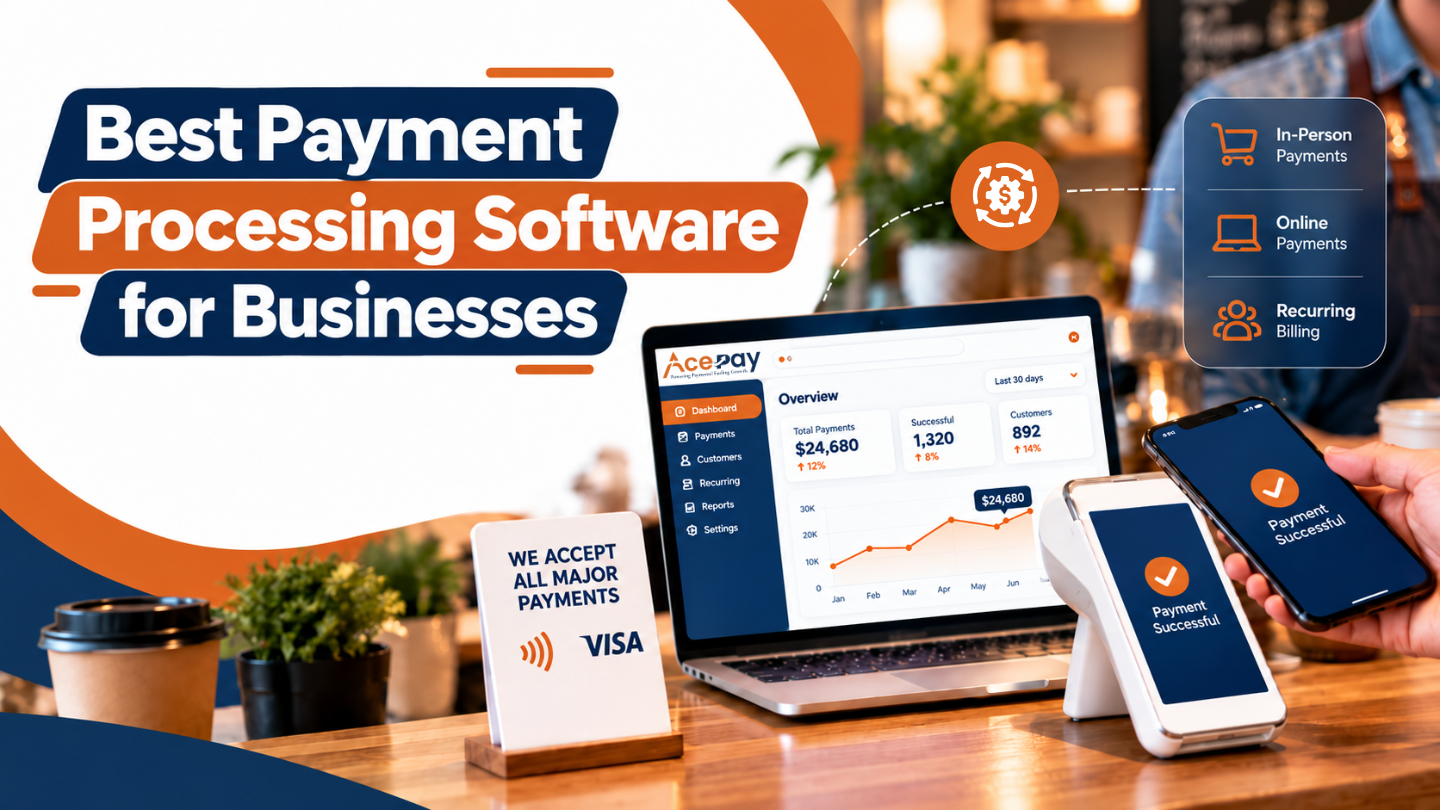
For businesses choosing the best payment processing software has become essential to manage transactions, improve checkout experiences of customers, and meet payment preferences of customers.
Whether you are running your business online, or have a retail outlet, restaurant, or service company, having reliable payment processing software has become essential as it helps them to accept payments securely and manage daily financial operations efficiently.
Modern payment processing solutions support credit cards, debit cards, digital wallets, bank transfers, and mobile payments based on the provider and location.
Many payment processing software platforms provide POS systems, recurring billing, payment links, fraud prevention, and transaction reporting that make payment management simple.
With several providers being available in the market, it has become essential for businesses to compare prices, security features, integration options, and supported payment methods before making a decision.
The right payment processing system for your business should match with your transaction volume, budget, and operational requirements and also support future growth.
AcePay is one good option for businesses searching for flexible online payments, in-person payments, mobile payment processing, and integrated payment solutions.
Based on the services selected, businesses can evaluate features such as payment terminals, invoicing, recurring billing, and payment management tools.
Understanding the strengths of different providers and comparing their capabilities, helps businesses to select the best payment processing software for their business that supports smoother transactions, improves financial visibility and offers a convenient payment experience for customers.
Also Read: How Businesses Accept Credit Card Payments Online
What Is Payment Processing Software?
Payment processing software is a software that helps businesses to accept and manage electronic payments securely. This platform connects customers, payment networks, and financial institutions together to process both in-person or online transactions.
This software also supports payment authorization, settlement, refunds, and reporting.
With payment processing software, businesses can simplify their transactions, monitor payments and improve financial management. AcePay is a good option for businesses who are searching for flexible payment acceptance services.
Common features include:
- Online Payments: helps to accept online payments both credit and debit cards.
- In-Person Payments: helps to process payments through compatible terminals.
- Digital Wallets: Support eligible contactless payments.
- Mobile Payments: Accept payments through mobile solutions.
- Payment Links: Collect payments remotely.
- Recurring Billing: Manage scheduled payments.
- Reporting: Track transactions and settlements.
- Fraud Prevention: Identify suspicious activity.
- Integrations: Connect with ecommerce and business systems.
Best Payment Processing Software for Businesses
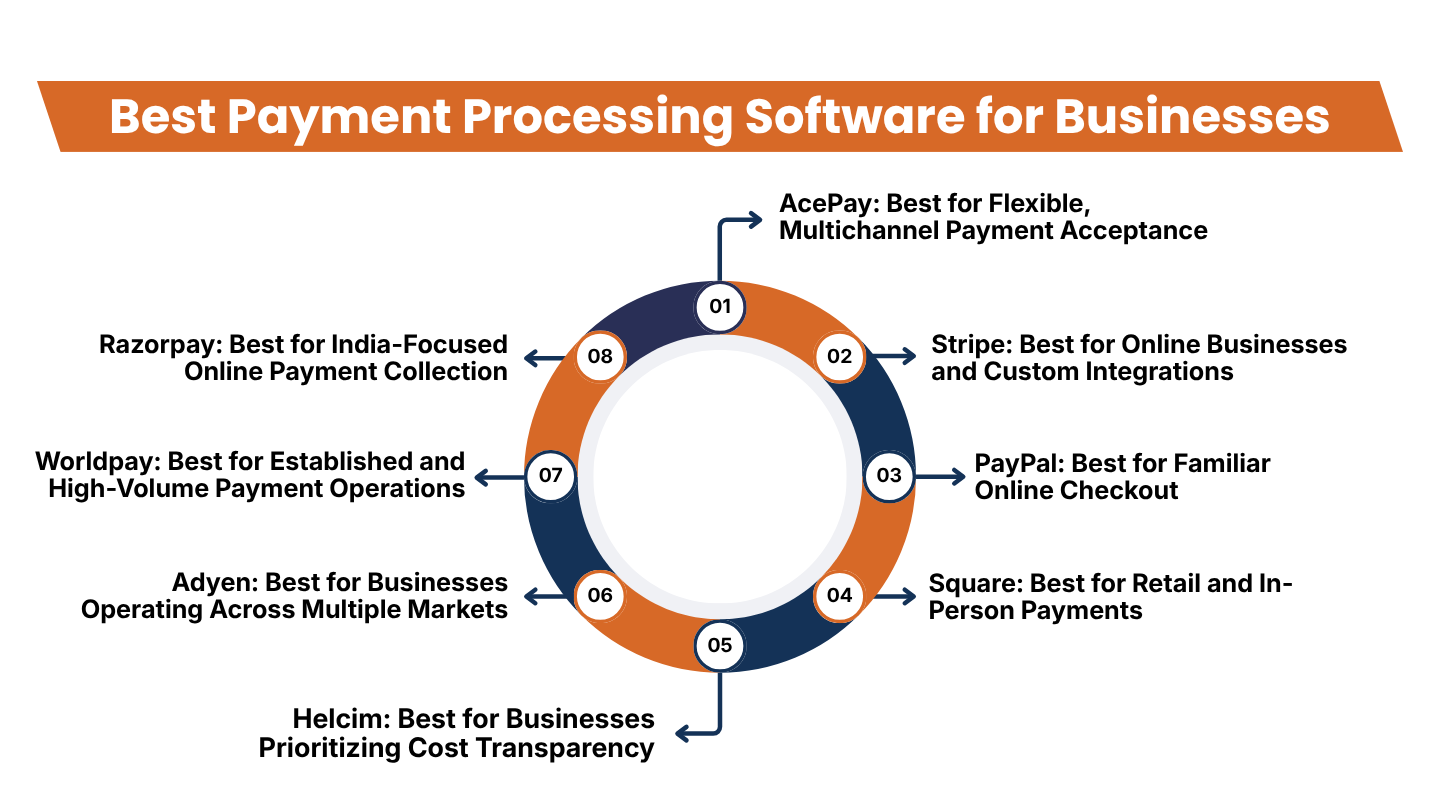
Below are some of the following platforms that serve different business needs. Businesses should compare each payment solution as per their payment channels, transaction volume, technical requirements, and budget before selecting one provider.
1. AcePay: Best for Flexible, Multichannel Payment Acceptance
AcePay is a payment processing solution that enables businesses to accept payments online, in-person, mobile devices, and integrated business tools.
This platform is a good option for businesses wanting to support several payment channels without keeping transactions as a separate process. This platform provides different options such as online payments, mobile acceptance, in-person terminals, and integrated payments.
One major benefit of this multichannel payment solution is that it lets businesses offer different payment options as per their customer preferences.
For instance, an online retailer may collect payments through its website, while a service provider may send an invoice or payment link. Physical stores can use compatible terminals for customers preferring to make payments at the counter.
Key features to consider:
- Online payments for ecommerce and service-based businesses
- In-person payments through compatible payment terminals
- Mobile payment acceptance for businesses operating away from a fixed checkout
- Payment links and invoices for remote collections
- Support for recurring payments where available
- Connections between payment activity, POS systems, reporting, and other business tools
This platform provide different payment options like cards, ACH, digital wallets, and recurring billing. The mobile payment solutions of AcePay allow businesses to accept payments beyond traditional checkout counters, while its in-person options support chip and contactless transactions. Features available for the businesses may differ based on the product and account setup.
Best for: AcePay is a good option for businesses needing online, in-person, and mobile payment options which includes retailers, restaurants, and professional service providers and businesses that collect payments remotely.
What to check before choosing: Businesses need to request a detailed quote carrying transaction fees, hardware costs, monthly charges, supported integrations, settlement timing, and contract conditions. They should also confirm that the solutions provided by AcePay support required payment methods and operating locations.
2. Stripe: Best for Online Businesses and Custom Integrations
Stripe provides flexible payment integration which is essential for ecommerce businesses, digital services, and software companies.
Due to its developer-based approach, Stripe is a relevant option for businesses searching to provide customized checkout experiences to their customers or want to connect payments to their applications.
Stripe supports online payment collection, recurring billing, and payment workflows through hosted or integrated checkout options. Its APIs and event notifications let development teams connect payment activity with order management, customer accounts, and other systems.
Key features:
- Online checkout and payment acceptance
- Integration options for websites and applications
- Recurring payments and subscription billing
- Transaction monitoring and reporting
- Payment lifecycle events for connected systems
- Support for various payment methods, depending on location
Stripe is a good option for businesses needing control over their checkout experiences. For example, a subscription business can connect billing events with account access, while an online retailer uses payment status updates to manage order fulfillment.
Best for: This platform is a good option for ecommerce stores, software businesses, subscription services, and companies with development resources.
Potential limitation: Businesses needing to advance integrations of this platform may require technical expertise. So it is essential for businesses to review transaction pricing, international payment costs, currency conversion, and the availability of some features in their operating countries.
Also Read: QuickBooks Credit Card Processing: Features and Alternatives
3. PayPal: Best for Familiar Online Checkout
PayPal is a popular digital payment service that enables businesses to accept eligible online payments. It has a familiar checkout experience which can be useful for ecommerce stores that want to give customers another way to complete purchases.
Based on the selected product and market, businesses can use PayPal for online checkout, card payments, recurring transactions, and payment management. This platform also provides records of transactions and processes for handling eligible disputes.
Key features:
- Online checkout for supported websites
- PayPal wallet payments
- Eligible card payment options
- Recurring payment capabilities
- Transaction history and reporting
- Dispute and refund management tools
PayPal can be useful as a checkout option for businesses selling products or services online. Providing a familiar payment method helps businesses to accommodate customers who prefer not to enter their card details directly into the checkout page of the new store.
Best for: PayPal is a good option for small businesses, online retailers, digital sellers, and service providers collecting payments from customers through their websites.
Potential limitation: Businesses should review the fees applicable as per their transaction types, cross-border sales, currency conversions, refunds, and disputes. PayPal may also be used along with another processor instead of serving it as the only payment solution.
4. Square: Best for Retail and In-Person Payments
It is a payment and point-of-sale solution that is valid to businesses selling products or services in physical locations. This platform integrates payment acceptance with checkout and business-management tools based on the selected product.
For businesses running a store, cafe, salon, or service counter, Square is a connected POS setup that makes it easier for businesses to record sales and also manage daily transactions.
Key features to evaluate:
- In-person card payment acceptance
- Compatible payment terminals and readers
- Point-of-sale functionality
- Online payment options
- Sales reports and transaction records
- Available integrations and business-management tools
It has a connected payment and POS system that helps businesses to reduce the need to maintain records separately for each transaction. However, businesses should still check if the plan that they have selected covers the inventory, employee management, ecommerce, and reporting functions that they require.
Best for: This platform is a good option for retail stores, restaurants, cafes, salons, and small businesses that accept payments in-person.
Potential limitation: Hardware availability, payment processing rates, and software features can be different for each country and plan. So businesses operating outside supported markets of Square should confirm whether their services are supported before checking about this platform.
Also Read: Small Business Credit Card Processing: Everything Business Owners Need to Know
5. Helcim: Best for Businesses Prioritizing Cost Transparency
Helcim provides payment processing services for businesses that want to manage card payments, online transactions, and invoicing, and related payment operations. This platform includes interchange-plus pricing, that is subject to its applicable terms and eligibility.
Their interchange-plus pricing separates interchange costs from the processor’s markup. Its pricing model can make the components of processing costs easier to understand, although the total payment is based on transaction types, card networks, and other applicable fees.
Key features:
- Online payment acceptance
- In-person payment options
- Invoicing and payment collection
- Recurring payment capabilities
- Transaction reporting
- Tools to support reconciliation and dispute management
Helcim can be considered by the companies that want to compare processing expenses more closely and manage multiple payment activities through a single provider.
Best for: It is a good option for eligible small and medium-sized businesses that are searching for transparent pricing and integrated payment management.
Potential limitation: this platform is available only based on the location of the business and account eligibility. So, it is essential for businesses to compare the complete fee structure rather than assuming an interchange-plus model will be a less-expensive option.
6. Adyen: Best for Businesses Operating Across Multiple Markets
Adyen provides wider payment operations across online or in-person channels. This platform is a good option for companies requiring coordinated acceptance of payments across markets, sales channels, and business systems.
A business running both ecommerce and physical stores may require to have a platform that consistently reports transactions and payment management across different sales channels. Because of its unified payment platform businesses can reduce the need to maintain separate payment systems.
Key features:
- Online and in-person payment acceptance
- Support for multiple payment methods and markets
- Payment routing capabilities
- Transaction reporting and reconciliation tools
- Risk management and dispute workflows
- Integrations for larger business systems
Best for: Adyen is a good option for large retailers, international ecommerce businesses, and companies that have complex payment requirements.
Potential limitation: Implementation and configuration of this platform may need more planning than payment-link solutions. So it is essential for businesses to evaluate integrations, account requirements, pricing, and operational support before choosing it as their payment provider.
Also Read: How to Choose the Right Credit Card Processing Company for Your Business
7. Worldpay: Best for Established and High-Volume Payment Operations
Worldpay provides payment processing services to businesses with different transaction volumes and payment channel requirements. This platform is a good option to merchants that need payment acceptance along with operational reporting, settlement processes, and dispute management.
Businesses that have a high number of transactions on a regular basis and require a platform that is more than a checkout payment system. WorldPay is a good option for businesses needing reporting that helps their finance teams to compare transactions with settlements, identify any discrepancies, and evaluate disputed payments.
Key features to evaluate:
- Card payment processing
- Online and in-person payment options
- Support for eligible alternative payment methods
- Fraud and risk management capabilities
- Settlement reporting and reconciliation
- Dispute and chargeback workflows
Best for: This platform is a good option for established retailers, larger merchants, and businesses that require structured payment operations.
Potential limitation: The implementation process, available payment methods, pricing, and contract terms are based on certain arrangements. So it is essential for businesses to ask for a proposal based on their expected transaction volume and required services.
8. Razorpay: Best for India-Focused Online Payment Collection
Razorpay is a good option for businesses operating in India that collect payments online. Payment solutions of this platform are worth evaluating for ecommerce, service businesses, and digital platforms that require online checkout or payment links.
This platform provides hosted checkout and payment-link workflows with integrations helping businesses to connect payment activities to their internal systems. Features provided are based on the account and product selected.
Key features to evaluate:
- Online payment collection
- Hosted checkout
- Payment links
- Recurring payment options where eligible
- API and webhook integrations
- Transaction reporting and payment status updates
Payment links are a good option for businesses needing to request payment to customers without building a complete ecommerce checkout system. Using API integrations may be a good option for companies wanting to automate their payment status updates or want to connect their transactions to order management.
Best for: This platform is a good option for Indian ecommerce businesses, online service providers, and digital businesses collecting payments online.
Potential limitation: Businesses should verify whether they are provided with specific payment methods, recurring billing, international transactions, and settlement arrangements for their accounts.
Also Read: Credit Card Processing for Small Business: Complete Beginner’s Guide
Essential Features to Look for in Payment Processing Software
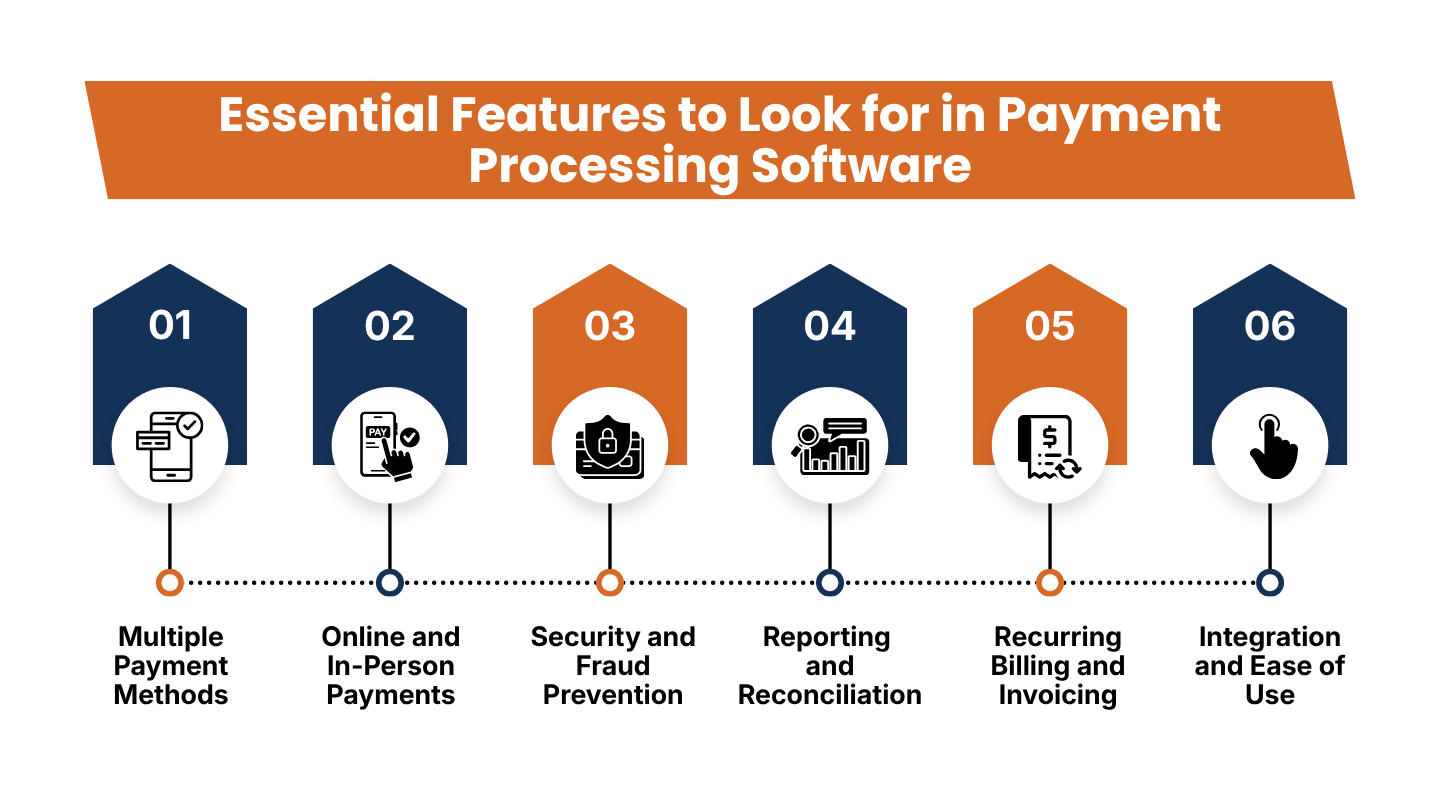
The best payment processing software matches the way a business sells, collects payments from customers, and manages financial records. Below are some features that businesses need to carefully check before choosing a payment processing software.
1. Multiple Payment Methods
Customers today prefer to make payments using their credit cards, debit cards, digital wallets, bank transfers, or other supported payment methods. So offering appropriate payment options to customers as per their preferences can make the checkout process more convenient to customers.
Businesses should check whether the payment methods that their customers prefer are available in their markets and if there are any extra fees for specific transaction types. A provider that supports a large number of payment methods is not always the best choice for businesses if customers hardly use those payment options.
2. Online and In-Person Payments
Companies that sell their products on multiple channels may benefit from a payment provider that supports online and in-person payment.
For example, a retailer may accept card payments at a store and online payments through its website. A service provider might collect an initial payment through an invoice and accept the remaining payment in-person
AcePay is a good option for businesses looking for such multichannel setup as its published offerings include online, mobile, in-person, and integrated payments. Businesses should confirm the exact products and integrations required for their operations.
3. Security and Fraud Prevention
Payment security is essential because transactions include sensitive customer and financial data. Businesses should select a payment processing software that provides appropriate security measures, like PCI DSS compliance, encryption, tokenization, fraud monitoring, and secure authentication.
Providers should also provide tools for managing refunds, disputes, account permissions, and transaction records. Using a payment processor does not remove the need for every security measure.
Rather, businesses must follow compliance requirements and protect their checkout systems, devices, accounts, and software integrations.
Also Read: Mobile Credit Card Processing Guide for Field Businesses
4. Reporting and Reconciliation
Payment reports help businesses to know about sales performance and monitor the movement of funds. Useful reporting features are transaction histories, refund records, processing fees, payout details, and settlement reports.
Reconciliation involves comparing payment records with bank deposits and accounting records. Having clear reports help finance teams to find missing transactions, evaluate payment discrepancies, and prepare financial statements.
Before choosing a provider, it is essential for businesses to check whether its reports can be exported and whether they integrate with the accounting software of the business.
5. Recurring Billing and Invoicing
Subscription companies and service providers often require to collect payments from customers on a schedule. Through recurring billing businesses can automate eligible charges, while invoicing tools help businesses to simplify payment requests and follow-up.
Businesses should also check billing schedules, failed-payment handling, cancellation workflows, invoice customization, and payment reminders. All these capabilities are useful for memberships, retainers, subscriptions, and ongoing services.
6. Integration and Ease of Use
Payment software should work with the systems that a business already uses. Based on the business, their systems include a business that already uses it. Depending on the business, this might include ecommerce platforms, accounting software, customer relationship management tools, inventory systems, or point-of-sale applications.
A straightforward interface can also help employees learn the system and manage transactions with fewer errors. Businesses using APIs should evaluate documentation, technical support, testing tools, and the effort required to maintain the integration.
Also Read: Best Credit Card Processing Solutions for Small Businesses
How to Choose the Right Payment Processing Software
Choosing a provider becomes easier when businesses evaluate their actual payment needs instead of comparing feature lists alone.
1. Start by identifying how customers pay
List the channels your business uses, including websites, physical stores, mobile sales, invoices, and subscriptions. This helps establish which payment methods and hardware are essential.
2. Estimate transaction volume
Review the number and average value of transactions you expect each month. High transaction volumes can change which pricing structure offers the best overall value.
3. Calculate the full cost
Consider transaction fees, monthly charges, hardware, chargeback fees, currency conversion, payout options, and integration costs. Ask for a written breakdown of the charges that apply to your account.
4. Check compatibility
Confirm that the payment provider supports your country, currency, ecommerce platform, POS system, and accounting tools. Do not assume every advertised feature is available in every market.
Also Read: What Is a Payment Processing Platform and How Does It Work?
5. Review support and reliability
Understand the provider’s support channels, issue-resolution process, service commitments, and procedures for investigating failed payments or delayed settlements.
6. Consider future growth
A small business may initially need only payment links or a basic terminal. As it grows, it may require subscriptions, additional locations, online sales, more detailed reporting, or advanced integrations. Choose a solution that can accommodate realistic future needs without paying unnecessarily for features you do not use today.
Conclusion
The best payment processing software for businesses should make accepting payments convenient while helping teams manage transactions, maintain accurate records, and protect customer information. The right solution depends on how a company operates, the payment methods its customers prefer, its transaction volume, and the systems it already uses.
Stripe may suit businesses that need flexible online integrations, PayPal can provide a familiar checkout option, Square is worth considering for in-person sales, and Helcim may appeal to eligible businesses seeking transparent pricing. Adyen and Worldpay are relevant to larger or more complex payment operations, while Razorpay is worth evaluating for India-focused online collections.
AcePay is another option for businesses that need online, in-person, mobile, and integrated payment capabilities. Its suitability depends on the specific products, payment methods, integrations, pricing, and account arrangements available to the business.
Before making a final decision, compare the full cost of ownership, verify regional availability, review security responsibilities, and confirm that the platform integrates with your existing systems. A carefully selected payment processing solution can support smoother transactions, more organized financial operations, and sustainable business growth.
If you have any query about the best payment processing software for businesses then you may book a free demo at AcePay and we are more than happy to assist you.