Choosing the right payment processing companies in the USA is important for businesses wanting to accept payments securely, efficiently, and conveniently.
As today’s customers are highly using cards, digital wallets, mobile payments, and online checkout options for making payments, businesses need reliable payment processing services that can support different transaction methods and customer preferences.
The best payment processors can help businesses to manage credit card processing, online payments, POS payments, digital payments, and payment getaways while maintaining a smooth customer experience.
Businesses should also consider transaction fees, payment security, fraud prevention, PCI compliance, recurring payments, payment integrations, and merchant services when comparing providers.
Among the other companies, businesses may check AcePay as it offers payment solutions designed for different industries and business requirements.
Its services include options for online and in-person payments, recurring billing, payment links, POS systems, reporting, and industry-specific payment solutions. This makes it a provider worth considering alongside other established names in the market.
This blog will walk you through leading payment processing companies, their features, pricing considerations, security capabilities, integrations, and business applications.
By comparing these factors, businesses can better understand how different payment solutions work and identify a provider that aligns with their operational needs, customer expectations, and long-term growth.
Also Read: How to Choose the Right Credit Card Processing Company for Your Business
What Is Payment Processing?
Payment processing is the system that allows businesses to accept, authorize, and complete electronic transactions. When a customer makes a payment with a card, digital wallet, or another payment method, several financial institutions and payment technologies that work together to verify the transaction and transfer funds to the merchant.
A typical payment transaction involves several participants and technologies:
- Customer: Initiates the payment for a product or service.
- Merchant: Accepts the payment from the customer.
- Payment gateway: Securely transfers payment information for online transactions.
- Payment processor: Communicates transaction details between the merchant and financial institutions.
- Acquiring bank: Processes payments on behalf of the merchant.
- Card network: Routes card transactions between participating financial institutions.
- Issuing bank: Approves or declines the customer’s payment.
Modern payment processing can provide much more than basic card acceptance. Depending on the provider, businesses may receive:
- Online and in-person payments
- Digital wallets and mobile payments
- Payment links and invoicing
- Recurring and subscription billing
- Virtual terminals
- Fraud prevention and chargeback management
- Transaction reporting
- Customer management
- API and software integrations
- Multi-location payment support
Businesses should select payment solutions based on their transaction volume, sales channels, customer preferences, security requirements, and operational needs.
Payment Processing Companies to Consider in the USA
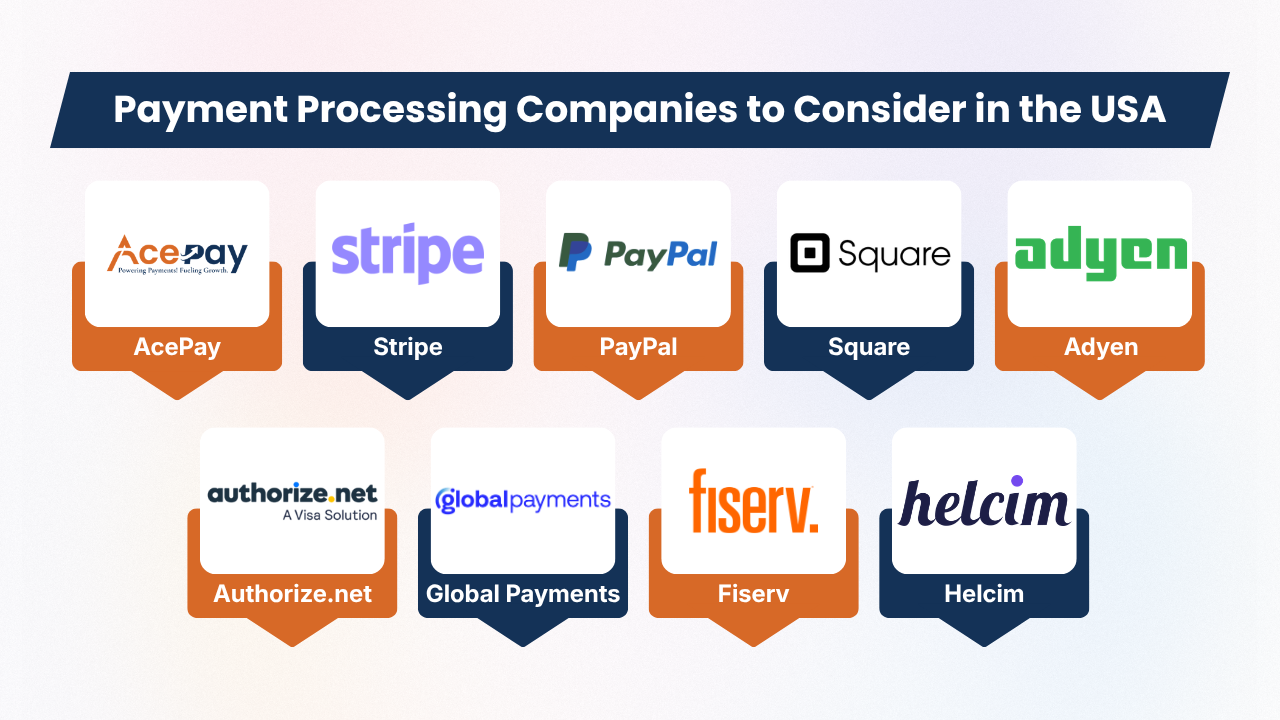
The following companies represent different approaches to payment acceptance. They should not be considered as a universal ranking because businesses have different requirements.
1. AcePay
AcePay is a payment processing provider offering payment technology for businesses across multiple industries. This platform supports an online, in-person, and mobile payment environments.
Its tools include EMV terminals, POS systems, gateway functionality, payment links, reporting, recurring billing, and fraud-protection capabilities.
One aspect that distinguishes AcePay’s positioning is its industry-specific approach. Its website presents payment solutions for retail, healthcare, nonprofit organization, utilities, and government, enterprise businesses, pharmacies, and telemedicine providers, among other industries.
For instance, AcePay’s healthcare offering includes patient payment processing, online billing, virtual invoices, recurring payment options, and practice-oriented payment tools. Its nonprofit solution includes online donations, recurring giving, event payments, donor receipts, and in-person payment options.
For enterprise businesses, AcePay describes support for high-volume payments, multi-location operations, centralized reporting, online payments, fraud controls, and payment visibility across departments and locations.
Businesses considering AcePay should evaluate its specific pricing, processing agreement, equipment costs, integration requirements, supported payment methods, and contract terms for their particular situation.
2. Stripe
Stripe is a payment technology being known for its online and developer-focused payment infrastructure. This platform supports businesses across ecommerce, SaaS, subscriptions, platforms, and marketplaces, due to which this platform is suitable for different digital business models.
Stripe offers tools that let businesses create customized checkout experiences and connect payment functionality with their websites and applications.
Key areas businesses can consider include:
- Online payments: This platform accepts payments through websites and digital platforms.
- Payment APIs: Integrate payment functionality into customized applications and workflows.
- Subscriptions: This platform manages recurring payments for subscription-based businesses.
- In-person payments: It supports payment acceptance through physical locations.
- Payment integrations: It connects payment services with business software and systems.
- Scalability: It supports businesses as their transaction needs develop.
But before choosing Stripe, businesses should review its pricing, payment methods, dispute processes, payout schedules, tax tools, security features, integration requirements, and developer resources to find whether their platform matches with their operational requirements.
3. PayPal
This platform gives businesses multiple ways to accept payments online and in person. This payment ecosystem of this platform supports PayPal, Venmo in the United States, credit and debit cards, digital wallets, installment options, invoicing, payment links, and POS solutions. This platform helps businesses to enable accepting different customer payment preferences.
Key features include:
- Payment links: It enables businesses to create shareable checkout pages and send them through email, text messages, social media, or QR codes.
- Online payments: Accept payments through websites and digital channels.
- In-person payments: Support transactions through compatible POS solutions.
- Invoicing: Create and send invoices to customers for products or services.
- Enterprise tools: Larger businesses can explore APIs and customized payment-processing solutions.
- Flexible payment options: Customers can choose from multiple supported payment methods.
Businesses should review PayPal’s current pricing, transaction fees, supported payment methods, dispute policies, and integration requirements before choosing the service.
Also Read: Small Business Credit Card Processing: Everything Business Owners Need to Know
4. Square
Square combines payment processing, POS systems, and business-management tools within a single platform. Its services can support businesses that accept payments at physical locations as well as through websites and digital channels.
The platform is commonly used by retailers, restaurants, service providers, and mobile businesses that need connected payment and operational tools.
Key features include:
- In-person payments: Accept card and contactless payments using Square hardware.
- Online payments: Process transactions through websites and online checkout tools.
- Payment links: Share payment pages with customers through digital channels.
- Invoices: Create and send invoices for products or services.
- Virtual terminal: Accept payments using a compatible computer-based setup.
- Mobile payments: Support transactions while operating away from a traditional checkout counter.
- Business tools: Access reporting, dispute management, fraud protection, and security features.
Businesses should compare Square’s pricing, hardware costs, integrations, transaction fees, and features with their specific operational requirements before choosing a payment solution.
5. Adyen
Adyen provides payment infrastructure for businesses that need to manage transactions across multiple markets and sales channels. Its platform can support companies that are operating through online stores, mobile experiences, and physical locations, which makes it relevant for businesses with complex payment environments and international operations.
Businesses evaluating Adyen should consider several areas:
- Global payments: Support transactions across different markets and regions.
- Local payment methods: Offer customers payment options suited to their location.
- Omnichannel payments: Connect online and in-person payment experiences.
- Fraud management: Use tools designed to identify and manage potentially risky transactions.
- Reporting: Monitor transaction activity and payment performance.
- Integration: Review APIs, technical requirements, and available integrations.
- Commercial terms: Examine pricing, settlement arrangements, and other contractual conditions before making a decision.
6. Authorize.net
Authorize.net is a payment gateway that helps businesses to accept online payments and connect transactions with existing merchant account arrangements.
This can be useful for businesses that need reliable gateway functionality without choosing a provider mainly for its POS ecosystem. Its features can support different payment and billing needs across online businesses.
Businesses evaluating Authorize.net should consider:
- Payment gateway: Process online transactions through an established gateway.
- Merchant accounts: Check compatibility with existing or preferred merchant-account providers.
- Recurring billing: Review options for subscriptions and scheduled payments.
- Payment methods: Confirm support for the payment types customers commonly use.
- Security: Examine available tools for protecting payment information and reducing fraud risks.
- Integrations: Check compatibility with websites, shopping carts, accounting tools, and other business systems.
- Fees: Compare gateway charges, transaction costs, and other applicable fees before choosing a plan.
Also Read: How Businesses Accept Credit Card Payments Online
7. Global Payments
Global Payments provides payment technology and merchant services for businesses across different industries. Its offerings can support companies that need payment acceptance across multiple channels, including in-person and online transactions.
The provider may be considered by businesses that are looking for broader payment infrastructure and business support.
Businesses evaluating Global Payments should consider:
- Payment channels: Review options for accepting payments online, in stores, and through other sales channels.
- Merchant services: Examine available tools for managing transactions and business payment needs.
- Industry solutions: Check whether the available products match the requirements of the specific industry.
- Enterprise support: Consider service and support options for larger or growing organizations.
- Integrations: Review compatibility with existing POS systems, software, and business platforms.
- Pricing: Compare transaction fees, service charges, contracts, and other costs before making a decision.
8. Fiserv
Fiserv is a large payments and financial technology company that provides solutions for businesses and financial institutions. Its services can support organizations that need payment processing, merchant services, and wider financial technology infrastructure. Its range of solutions may make it relevant for businesses with different operational requirements.
Businesses evaluating Fiserv should consider:
- Payment processing: Review available solutions for accepting and managing customer payments.
- Industry support: Check whether the selected products match the business size and industry.
- Integrations: Examine compatibility with existing software, POS systems, and business platforms.
- Pricing: Understand transaction fees, service charges, contracts, and other costs.
- Scalability: Consider whether the solution can support future business growth.
- Customer support: Review available support channels, service levels, and assistance options before choosing a solution.
9. Helcim
Helcim is a payment processing provider that businesses can consider while working for merchant services and tools to manage customer transactions. This platform may be relevant to small and growing businesses that need support for both in-person and online payments. It offers a wide range of business tools that can help merchants to manage different payment activities from one single platform.
Businesses evaluating Helcim should consider:
- Payment processing: Review available options for accepting customer payments.
- Pricing: Compare transaction rates, account fees, and other applicable charges.
- Hardware: Check available payment terminals and equipment for in-person sales.
- Ecommerce tools: Examine features for accepting payments through online stores.
- Invoicing: Review tools for creating and managing customer invoices.
- Payment methods: Confirm support for commonly used payment options.
- Account requirements: Understand eligibility, setup requirements, and applicable terms.
What Should Businesses Look for in a Payment Processor?
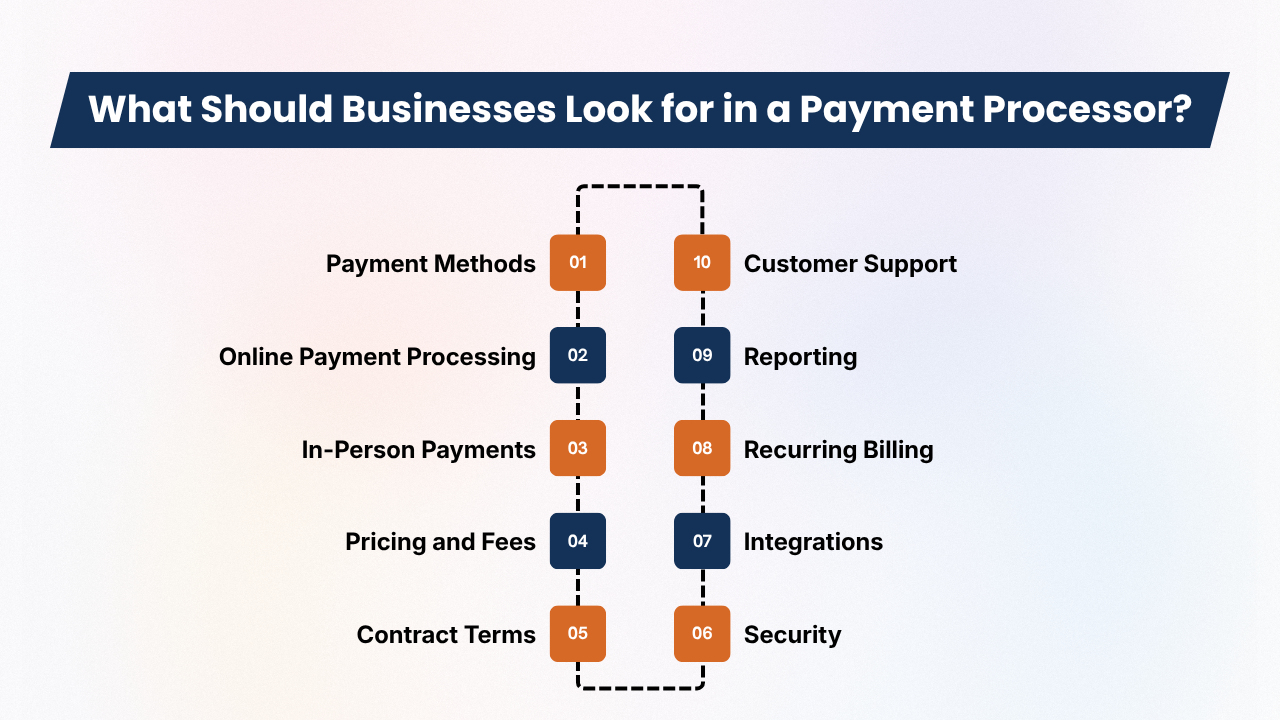
Choosing a payment processor involves more than comparing company names. Businesses should consider how each provider fits their sales channels, customers, technology, budget, and future growth.
Below are the factors that can help merchants to make a more informed comparison.
1. Payment Methods
Begin by identifying the payment methods that customers use most often. These payment methods can include credit cards, debit cards, contactless cards, Apple Pay, Google Pay, PayPal, Venmo, ACH, bank transfers, buy now, pay later options, and recurring payments.
- Customer preferences: Support payment methods customers commonly request.
- Payment flexibility: Consider providers that support multiple payment options.
- Future growth: Make sure the available methods can support changing customer preferences.
2. Online Payment Processing
Ecommerce businesses need a checkout experience that is convenient, secure, and mobile-friendly. Look for features that simplify payments while giving businesses control over their payment workflow.
- Checkout: Consider hosted checkout pages and payment links.
- Integrations: Review APIs and ecommerce integrations.
- Subscriptions: Check recurring payment and subscription capabilities.
- Security: Look for fraud controls and refund-management tools.
Also Read: Best Credit Card Processing Solutions for Small Businesses
3. In-Person Payments
Physical businesses like retailers, restaurants, clinics, salons, and professional services may require payment terminals and POS systems. The processor should support the way customers pay at the point of sale.
- Hardware: Check support for EMV terminals and contactless payments.
- POS: Review POS integration and register capabilities.
- Mobile payments: Consider mobile wallets and Tap to Pay.
- Business needs: Check options for receipts, refunds, tips, and multiple locations.
AcePay, for instance, describes EMV terminals and POS systems as part of its payment ecosystem.
4. Pricing and Fees
Payment processing expenses can include several charges beyond a basic transaction fee. Businesses should request complete pricing details before signing an agreement.
- Processing fees: Compare percentage and per-transaction charges.
- Additional costs: Review monthly, gateway, hardware, ACH, and chargeback fees.
- International costs: Check currency-conversion and international payment charges.
- Contract fees: Ask about early termination and other potential charges.
Compare similar pricing categories rather than treating different types of fees as equivalent.
5. Contract Terms
Businesses should carefully review the provider’s agreement before committing. A low advertised rate may not represent the total expenses if additional contractual charges apply.
- Contract length: Check the initial agreement period.
- Renewals: Understand automatic renewal conditions.
- Cancellation: Review cancellation requirements and fees.
- Equipment: Determine whether hardware is purchased, rented, or leased.
- Processing requirements: Check minimum volume and rate-change provisions.
6. Security
Payment security is essential because businesses handle sensitive transaction information. Providers offer appropriate protections for their payment environment.
- Compliance: Ask about PCI DSS responsibilities and compliance support.
- Protection: Review encryption and tokenization capabilities.
- Fraud prevention: Examine fraud monitoring and authentication tools.
- Data security: Understand access controls and data-protection practices.
Businesses should also clearly understand which security responsibilities remain with them.
Also Read: Credit Card Processing for Small Business: Complete Beginner’s Guide
7. Integrations
Payment processing often needs to connect with other business systems. Strong integrations can reduce manual work and improve the flow of transaction information.
- Business platforms: Check ecommerce, accounting, CRM, and ERP integrations.
- POS systems: Confirm compatibility with existing technology.
- Operations: Review inventory, booking, loyalty, and subscription integrations.
- Development: Ask whether an integration requires additional technical work.
8. Recurring Billing
Subscription businesses, membership organizations, nonprofits, healthcare providers, and professional services may need recurring billing capabilities.
- Scheduled payments: Support automatic recurring charges.
- Payment recovery: Look for failed-payment retries and reminders.
- Customer control: Consider self-service payment management.
- Invoices: Review invoice creation and payment tracking.
AcePay describes recurring billing and scheduled payment capabilities across several industry-specific solutions.
9. Reporting
Clear payment reporting helps businesses to understand transaction activity and monitor financial performance. This becomes highly useful as transaction volume and locations grow.
- Transaction reports: Track daily sales and payment activity.
- Payment analysis: Review payment methods, refunds, and failed transactions.
- Location reporting: Compare activity across different locations.
- Settlement data: Check whether settlement reports are easy to access.
AcePay describes centralized reporting for enterprise businesses and multi-department reporting for public-sector organizations.
10. Customer Support
Payment issues can interrupt sales, so reliable customer support should be part of the evaluation. Because businesses should understand how quickly they can receive assistance when technical or payment problems happen.
- Availability: Check support hours and available channels.
- Technical help: Review assistance for payment systems and integrations.
- Hardware support: Ask how terminal problems are handled.
- Account assistance: Determine whether dedicated account management is available.
- Payment issues: Ask about help with disputes, chargebacks, and failed transactions.
Before choosing a processor, businesses should evaluate the complete service, including payment features, expenses, security, integrations, reporting, and support.
Also Read: QuickBooks Credit Card Processing: Features and Alternatives
Payment Processing by Business Type
Different businesses have different payment requirements, so companies should evaluate payment processors based on their specific operations, customers, and transaction methods.
The right solution may depend on whether a business primarily sells online, accepts payments in person, collects donations, or manages recurring billing.
1. Ecommerce Businesses
Ecommerce companies may focus on online checkout, APIs, digital wallets, international payments, fraud prevention, subscription billing, payment-method flexibility, and developer tools.
- Stripe may be evaluated for its online and API capabilities.
- PayPal may be considered for consumer-facing payment options and payment links.
2. Retail Stores
Retail businesses often need payment processing solutions that support both daily transactions and store operations. Important features may include:
- POS hardware for accepting in-person payments
- Contactless payments for faster checkout
- Inventory integration for tracking products
- Receipts and refunds for customer service
- Multiple locations for centralized management
- Customer management and transaction records
- Reporting for monitoring sales performance
Square and AcePay offer in-person payment and POS capabilities that retailers can evaluate based on their operational needs.
3. Healthcare Practices
Healthcare businesses may require patient payments, co-pay collection, online billing, virtual invoices, recurring payments, reporting, and secure payment workflows. AcePay markets healthcare and dental payment solutions covering these types of capabilities.
4. Nonprofits
Nonprofits may need online donations, recurring donations, event payments, donor receipts, payment links, mobile giving, and in-person donations. AcePay offers nonprofit payment options that include these capabilities.
5. Government and Utilities
Government agencies and utilities may need online bill payments, permit and tax payments, invoices, in-person and phone payments, departmental reporting, and organized transaction records. AcePay describes payment tools for utility providers, municipalities, public agencies, and government offices.
Also Read: Medical Payment Processing: A Complete Guide for Healthcare Businesses
Payment Processing for Small Businesses vs. Enterprises
Small businesses often focus on simplicity, affordability, and ease of use. They may prefer a payment solution that brings several essential functions together, reducing the need to manage separate systems.
Key priorities may include:
- Payment acceptance for everyday transactions
- POS hardware for in-person sales
- Reporting for monitoring business activity
- Invoicing for customer payments
- Basic business tools for routine operations
Large organizations usually have more complex payment requirements because they may operate across multiple locations, markets, or business systems.
Their priorities may include:
- Multiple locations and centralized administration
- Multiple currencies for international transactions
- Advanced APIs and ERP integrations
- Custom checkout experiences
- High transaction volumes
- Detailed reporting and analytics
- Fraud management
- Dedicated support
As a result, the same payment provider can serve very different needs based on business size. A small retailer may focus on quick setup and straightforward tools, while a multinational organization may focus more highly on integration flexibility, centralized management, transaction capacity, and advanced payment controls.
How Much Does Payment Processing Cost?
There is no single standard price for payment processing because costs can differ according to the business, transaction type, and payment setup. Businesses should evaluate the complete pricing structure instead of assuming that one percentage applies to every transaction.
Factors that can influence payment-processing costs include:
- Transaction volume and average transaction value
- Card type and payment method
- Industry and risk level
- Sales channels and international transactions
- Contract structure
- Payment gateway and merchant-account arrangements
- Hardware and other associated services
Published pricing should be checked directly with the payment provider because rates and fees can differ by transaction type. For instance, PayPal publishes different United States rates for different payment methods, showing why businesses should review the specific pricing that applies to their transactions.
Business directories should also be interpreted carefully. Some online directories provide hourly-rate information for listed service providers, allowing businesses to compare pricing and estimate potential expenses before choosing a suitable provider.
These figures show the rates charged by service providers and are separate from card-processing expenses. Businesses should review current prices and consider their expected transaction volume, payment methods, and average order values while estimating expenses.
Also Read: Mobile Credit Card Processing Guide for Field Businesses
A Simple Payment Processor Comparison Checklist
Choosing a payment processor requires more than comparing advertised rates. Businesses should evaluate providers based on their payment needs, technology, security requirements, operational features, pricing, and support.
A simple checklist can make the comparison more organized and practical.
1. Payment Acceptance
Check whether the processor supports the payment methods your customers commonly use:
- Credit and debit cards
- Digital wallets
- ACH payments
- Mobile payments
- Online transactions
- In-person payments
2. Technology
Review the available tools and integrations:
- API access
- Hosted checkout
- Payment links
- POS integration
- Ecommerce platforms
- Recurring billing
3. Security
Consider the security features provided, including:
- PCI compliance support
- Encryption
- Tokenization
- Fraud detection tools
- Chargeback management
Also Read: Credit Card Processing Fees: Complete Breakdown for Businesses
4. Business Operations
Look for features that simplify daily financial tasks:
- Transaction reporting
- Invoicing
- Refund management
- Multi-location support
- Accounting integrations
5. Commercial Terms
Compare the complete pricing structure rather than one advertised rate:
- Processing fees
- Per-transaction charges
- Monthly fees
- Hardware costs
- Contract requirements
- Cancellation terms
6. Customer Support
Evaluate available assistance:
- Phone support
- Technical support
- Account management
- Onboarding assistance
- Hardware support
Using the same checklist for every provider helps businesses make a consistent comparison based on their actual requirements rather than relying solely on rankings or promotional claims.
Conclusion
Choosing among the top payment processing companies in the USA requires more than comparing advertised processing rates. Businesses should consider how each provider fits their payment methods, sales channels, technology, security requirements, and day-to-day operations.
A processor that works well for a small retailer may not offer the same advantages for an ecommerce business, restaurant, subscription company, or growing enterprise.
Before signing an agreement, review transaction fees, monthly charges, hardware expenses, contract terms, cancellation policies, and my additional expenses.
It is also essential to examine features like digital wallet acceptance, recurring billing, fraud prevention, reporting, accounting integrations, and customer support.
Businesses should also estimate expenses using their expected transaction volume, average transaction value, payment methods, and sales channels. Reviewing current prices directly with each provider can help to avoid outdated assumptions.
Ultimately, the right payment processor is one that provides the necessary capabilities, transparent pricing, reliable support, and suitable scalability for the business’s specific needs.
If you still have any query about Top payment processing companies in the USA, then you may free demo at AcePay and we are more than happy to assist you and we are more than happy to assist you.