Choosing the right payment processor for small businesses is essential as it helps them to manage transactions, control expenses, and offer a smooth experience to customers.
Whether you are running a retail store, restaurant, service business, or online shop, a reliable payment processing solution helps to accept payments efficiently and maintain better cash flow.
However, with many payment providers providing different pricing structures and features, finding the right payment option for businesses requires careful evaluation.
While comparing payment processors, it is essential to consider important factors like transaction fees, supported payment methods, security features, settlement times, customer support, and integration with existing business systems.
The right provider should meet your requirements and also support future growth. Businesses should also check hardware expenses, contract terms, and reporting capabilities before choosing a payment process.
Platforms like AcePay provide payment processing options like EMV terminals, POS systems, and online payment tools designed for different business needs.
Based on the available configuration, such solutions help small businesses to simplify checkout, manage transactions, and access essential payment information.
Businesses must review AcePay along with other providers that help to determine whether its features align with your operational requirements and budget.
This blog will walk you through how to choose a payment processor, compare pricing, assess security, and identify important features. Understanding these factors, helps small business owners to make informed decisions and choose a payment processing provider that supports efficiency, customer satisfaction, and sustainable business growth.
Also Read: Modern Payment Processing Solutions for Growing Businesses
How to Choose the Best Payment Processor for Your Small Business
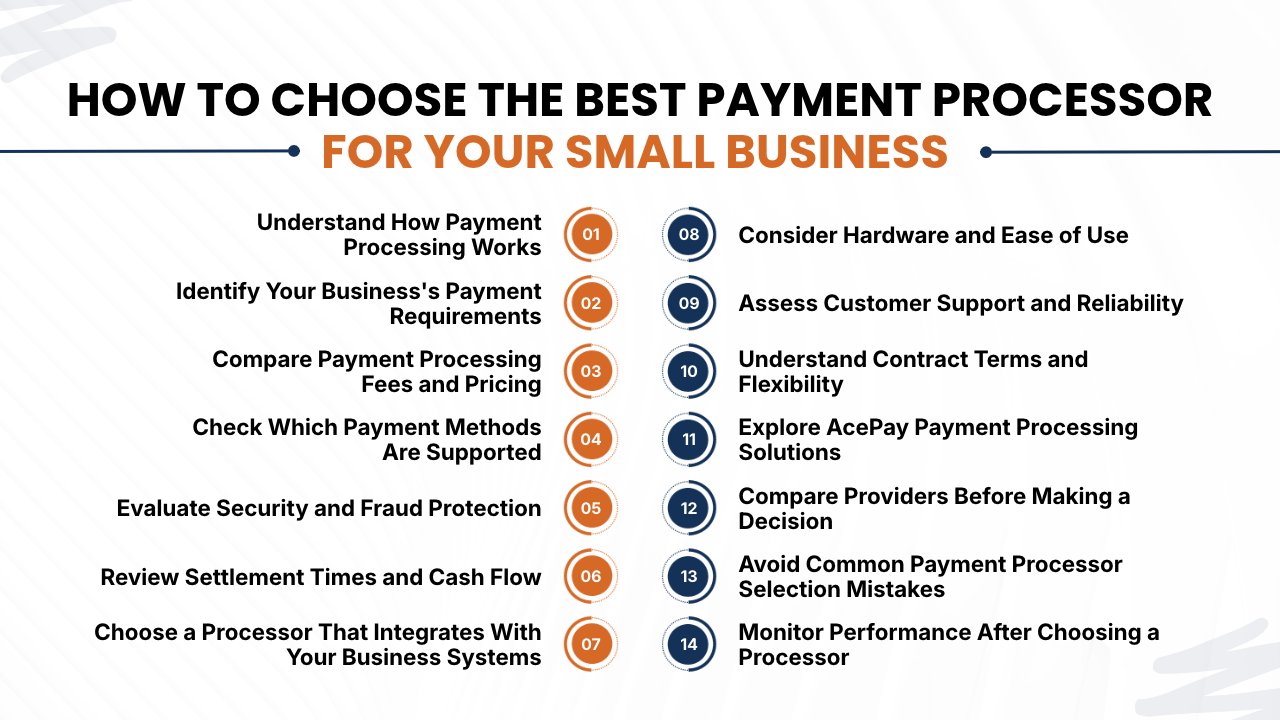
1. Understand How Payment Processing Works
Before comparing providers, it is essential for businesses to understand the way payment processing works.
A payment processor helps to transmit transaction data between the merchant, payment networks, and banks involved in the payment process.
Based on the provider and setup, the overall payment solution includes a payment gateway, merchant account services, and checkout hardware.
A usual card transaction has three main phases:
- Transaction initiation: Customers make payments using a credit card, debit card, or another payment method that is supported.
- Authorization: Then the transaction data is sent through the valid payment infrastructure so the issuing bank can either approve or decline the payment.
- Settlement: Then the approved transactions are processed for the transfer of funds to the designated bank account of the business excluding applicable fees.
Understanding these phases helps business owners to ask better questions about transaction approval rates, payment failures, settlement schedules, and transaction reporting.
It is also essential to differentiate between a payment processor and a payment gateways. A payment gateway collects and securely transmits payment information, especially for online transactions, while processing services help to route transactions through the payment system. Some payment providers provide both payment processors and payment gateways as part of an integrated solution.
Before signing an agreement, businesses must consider the services that are included and whether additional providers, accounts, or software are required.
2. Identify Your Business’s Payment Requirements
The next step is to identify your business’s payment requirements. Businesses must begin by identifying where customers make payments, and the payment methods that they prefer, and the way their team manages transactions.
For instance, a retail store may require a countertop terminal, contactless payments, and integration with inventory software. An online business may look for a secure checkout page, payment links, recurring billing, and ecommerce integrations. A service provider might be required to accept remote payments and send invoices to customers.
Choosing a payment processor involves evaluating payment channels, customer preferences, recurring billing needs, business locations, reporting requirements, and growth plans. Keeping a note of requirements will help to remove unsuitable options before comparing prices of payment processors.
They must avoid paying for features that do not support your existing operations or growth plans. At the same time, they must consider whether the payment provider supports your locations, higher transaction volumes, and new sales channels in the future.
Also Read: Payment Processing Services Explained for Business Owners
3. Compare Payment Processing Fees and Pricing
Comparing payment processing fees and pricing directly affect your operating costs and profit margins. Even if there is a small difference in transaction expenses can become important when your business processes thousands of payments each month.
Each payment provider may have a different pricing structure, so it is essential to compare the complete expenses instead of considering only the advertised transaction rate.
Common charges include:
- Transaction fees: A percentage of the transaction amount, a fixed fee per transaction, or a combination of both.
- Monthly fees: Recurring charges for processing services, software, or account maintenance.
- Setup fees: Fees for account activation, configuration, onboarding, whenever applicable.
- Hardware costs: Costs for payment terminals, card readers, or other equipment.
- Chargeback fees: Charges associated with disputed transactions.
- Additional service fees: fees for additional features, integrations, international payments, or specialized services.
Every provider does not charge all these fees. They must request a complete pricing schedule and check whether the quoted rate is based on transaction volume, payment type, or contract terms.
4. Check Which Payment Methods Are Supported
Customers expect to make payments as per their convenience and limited payment choices can create unnecessary problems during checkout. A suitable small business payment processor must support payment options that your customers regularly use.
Depending on the provider and your location, these may include:
- Credit cards
- Debit cards
- Contactless card payments
- Mobile wallets
- Online card payments
- Payment links
- Recurring payments
- Other locally supported payment methods
If you are running a physical store, they must check whether the payment provider supports tap, chip, and swipe transactions through compatible terminals.
For an ecommerce business, they must check the available payment checkout methods and whether customers can complete purchases on mobile devices.
While if you are running your business internationally, they must check cross-border transactions, supported currencies, conversion fees, and international card acceptance.
If you sell internationally, ask about cross-border transactions, supported currencies, conversion fees, and international card acceptance. Such capabilities may need additional approval or configuration.
Businesses must assume that every advertised payment method is instantly included in your account. Rather they must confirm availability, eligibility, and pricing before choosing a payment processor.
5. Evaluate Security and Fraud Protection
Security should be an important consideration while choosing a payment processor for small businesses. Payment systems must handle sensitive customer details, and inadequate protections can expose businesses and customers to fraud, data breaches, and financial losses.
Businesses must look for payment processors that give information about their security features clearly and provide security protection for your payment environment.
Important considerations include:
- PCI DSS compliance: ensures that the provider complies with PCI DSS and understands its own business responsibilities.
- Encryption: They must check whether sensitive payment details are encrypted during payment transmission.
- Tokenization: They must check if payment processors can be replaced with tokens to reduce exposure of sensitive customer data.
- Fraud detection: They must check whether the payment solution provides tools to identify fraud transactions or unusual payment activities.
- Access controls: Businesses must ensure that admin accounts and employee permissions are managed appropriately.
- Dispute support: Businesses must understand the way how the payment processor helps merchants respond to chargebacks and payment disputes.
PCI DSS features are applicable to organizations that are involved in payment card processing, regardless of business size. The exact validation requirements are based on the payment brands and acquiring arrangements.
While businesses must ensure that using a payment provider does not instantly take every security responsibility from your business. Following recommended procedures, train employees, protect account credentials, and keep payment equipment and software appropriately maintained.
Also Read: How to Compare Payment Processing Providers
6. Review Settlement Times and Cash Flow
While comparing payment processors it is essential for businesses to check how quickly processed funds become available in their business bank account. Because payment settlement times can affect their ability to purchase inventory, pay staff members, cover rent, and manage everyday expenses.
Some providers provide scheduled daily settlements, while others use different funding cycles based on the payment method, account status, and agreement.
They must check fund transfer frequency, settlement timelines, holiday delays, faster payout fees, potential fund holds, and the way refunds or chargebacks affect your available balance.
Settlement time of funds must be clearly explained by the payment provider before onboarding. Merchants or businesses must not assume that a payment accepted today will instantly reach your bank account the same day.
They must also review the funding terms carefully, especially if your business has limited capital. Having predictable payment settlement times and clear transaction records can make cash-flow planning easier.
7. Choose a Processor That Integrates With Your Business Systems
Integrating a payment processor to your business must fit into your current workflow instead of creating more additional work.
For instance, integrating payments with point-of-sale(POS)systems can simplify checkout and transaction reports. Integrating with ecommerce helps businesses to synchronize online orders, while accounting integrations can reduce the need to add financial information manually.
Consider whether the provider supports the following integrations:
- POS software
- Ecommerce platforms
- Accounting applications
- Inventory management systems
- Customer relationship management tools
- Invoicing and billing software
- Reporting and analytics tools
Such integration features differ by provider and product configuration. They must confirm that the software you use is supported and that the integration includes the features that you require.
They must ask if the integration features require additional subscriptions, third-party applications, technical assistance, or development work.
Selecting a well-integrated payment solution can reduce duplicate data entry, simplify payment reconciliation, and help to maintain payment records accurately. For small businesses with less admin resources, such benefits can be as essential as the processing rate.
8. Consider Hardware and Ease of Use
Businesses accepting in-person payments may require compatible terminals or card readers. Selecting appropriate hardware equipment can improve checkout speed and make daily transactions easier for staff members.
Common hardware options include countertop terminals, portable payment devices, and mobile card readers. Some businesses may also benefit from integrated POS systems that integrate payment acceptance with sales and inventory functions.
When comparing hardware, evaluate:
- Supported payment methods
- Contactless and chip-reading capabilities
- Connection options, such as Wi-Fi or cellular connectivity
- Battery life for portable devices
- Ease of setup and operation
- Compatibility with your POS software
- Warranty and replacement policies
While ease of use also matters just as technical specifications. While complicated checkout procedures can slow down employees and frustrate customers.
Before purchasing equipment, it is essential for businesses to check the features included in a processing package, available for purchase separately, or is subject to a rental agreement. They must also check replacement expenses and check if additional terminals can be added as your business grows.
If possible, businesses must test the equipment or request a demonstration before making a long-term commitment.
Also Read: Credit Card Processing for Small Business: Complete Beginner’s Guide
9. Assess Customer Support and Reliability
Even a well-designed payment system can experience technical problems. Because a terminal may stop connecting, a transaction may fail, or a business may require assistance while understanding a discrepancy in settlements.
Having a reliable payment processor customer support can help to resolve problems before it affects sales.
They must compare providers based on their support channels and service arrangements. It includes technical assistance, email, live chat, online documentation, or account management support.
Confirm support hours, emergency assistance, technical issue reporting, dispute resolution, onboarding guidance, and employee troubleshooting resources before selecting your payment processor.
It is essential for businesses to check the reliability of payment processors. They must look for information regarding system availability, service interruptions, backup procedures, and the way the provider provides support during outages.
For businesses that rely mostly on electronic payments, even if there is a short interruption can affect revenue. Check if a supported backup payment process is available and understand its limitations.
Businesses must not analyze a judge only by promotional claims. They must review the service agreement and clarify support commitments that actually apply to your account.
10. Understand Contract Terms and Flexibility
Before choosing a small business payment processor, it is essential to review the contract carefully. Checking prices is also essential, but contract conditions can also affect your total expenses and ability to change providers.
Pay attention to:
- Contract length
- Early termination fees
- Automatic renewal conditions
- Hardware ownership or return requirements
- Monthly minimums
- Pricing changes
- Account closure procedures
- Data access and portability
- Refund and chargeback policies
Some providers also provide month-to-month subscriptions, while other providers may require longer subscriptions. While the right choice of payment processor is based on your business needs, pricing, and risk toleration.
Merchants must be informed if their promotional pricing expires and whether fees may change during the agreement. If you lease equipment, you must check the full payment obligation instead of just looking at the monthly amount.
Businesses must check how they can export transaction records if you change processors. Providing access to past financial data helps them with bookkeeping, tax preparation, and business analysis. Businesses must never sign an agreement if their important fees, funding terms, or termination conditions are unclear.
11. Explore AcePay Payment Processing Solutions
AcePay is a payment processing provider offering tools intended to support businesses that accept payments through different channels. Its published offerings include EMV terminals, POS systems, the Vaultix Gateway, and merchant cash advance services.
When evaluating AcePay for your business, consider how its published features align with your operational requirements.
This platform offers EMV terminals that support chip, tap, and swipe transactions. Such devices may be valid to retailers and other businesses that accept payments in person.
Before choosing a terminal, businesses must confirm supported payment methods, hardware costs, connectivity requirements, and compatibility with your existing POS setup.
This platform offers functionalities including payment, inventory, reporting , and customer activity. Having an integrated setup may help businesses to manage checkout and access operational information at one place.
AcePay’s published POS systems offer functionality covering payments, inventory, reporting, and customer activity. An integrated setup may help eligible businesses manage checkout and access operational information in one place.
Check the features that are included in the particular system available to you. They must check if there are any additional charges for hardware, software subscriptions, or for integrations.
Its gateway also provides options for browser-based payments, including remote billing, phone orders, invoices, and service-related transactions.
AcePay highlights real-time processing visibility and transaction insights among its features. Depending on the service configuration, reporting tools may help businesses monitor transaction activity and review sales information.
Before selecting a plan, check which reports are available, how frequently information updates, and whether transaction data can be exported for accounting or reconciliation.
AcePay describes its offering as including fraud protection and PCI-related security features. Businesses should still verify the relevant compliance documentation, security responsibilities, and available fraud controls for their proposed setup.
The company also advertises onboarding assistance, transparent pricing, and customer support. Ask for a written quote that explains processing rates, hardware costs, contract terms, settlement schedules, and any additional charges.
AcePay may be worth evaluating if its payment tools match your business model. However, compare its actual offer with competing providers rather than assuming that every feature is included or that a single solution will suit every small business.
Also Read: Small Business Credit Card Processing: Everything Business Owners Need to Know
12. Compare Providers Before Making a Decision
After identifying your business needs, businesses must shortlist suitable payment processors and compare their pricing, security, supported payment methods, settlement schedules, hardware expenses, integrations, and customer support.
Before selecting a payment processor, businesses must review contract terms, cancellation fees, reporting features, and scalability to understand the value that each provider offers.
They must estimate processing costs using your actual transaction volume and average purchase value. Request for detailed quotes to find monthly charges and additional expenses.
If any demonstration or trials are available, then they must test checkout procedures, payment processing, and reporting capabilities before choosing a payment processor.
Businesses must consider requirements while evaluating providers. Retailers may need reliable card terminals, while service businesses may need online invoices and remote payment options.
Comparing providers systematically helps to choose a payment processing solution that is affordable, secure, reliable, and usable while also supporting future business growth.
13. Avoid Common Payment Processor Selection Mistakes
Small businesses can make expensive decisions while they focus on only one part of a payment solution.
Avoid these common mistakes:
Choosing solely on the lowest rate: A processing with low transaction fee may still cost more overall due to monthly charges, costly equipment, or limited support.
Ignoring contract conditions: If there are any early termination penalties and hardware obligations can make switching providers more costly than expected.
Overlooking settlement schedules: Any delayed access to funds can create cash-flow difficulties.
Assuming all payment methods are included: Businesses cannot assume all payment methods are included because certain wallets, international cards, or recurring payment functions may require additional setup or approval.
Neglecting security responsibilities: Businesses must understand their own obligations even when using an external processor.
Paying for unnecessary features: A complex system may increase costs without providing impactful benefits to a small operation.
Failing to test the system: Avoiding setup checks can cause avoidable checkout problems after launch.
Businesses must take time to verify these details can help you avoid unexpected costs and operational disruption.
Also Read: Best Payment Processing Software for Businesses
14. Monitor Performance After Choosing a Processor
Selecting a payment processor is not a one-time task. As your business changes, you should review whether your provider continues to meet your needs.
Monitor key indicators such as processing costs, transaction approval rates, failed payments, settlement delays, chargebacks, and support response times.
Compare monthly statements with your own transaction records to identify unexplained fees or discrepancies. If your sales volume increases significantly, ask whether a different pricing arrangement could reduce costs.
Review customer feedback as well. Frequent checkout difficulties or limited payment options may indicate that your payment setup needs improvement.
If your provider offers reporting tools, use them to understand transaction patterns and identify recurring problems. Keep records of issues and their resolutions so you can assess service quality over time.
You should also revisit your requirements whenever you launch an online store, open another location, introduce subscriptions, or expand into new markets.
Regular reviews help ensure your payment processing solution remains suitable as your business grows.
Conclusion
Choosing the right payment processor for small businesses requires a careful review of pricing, supported payment methods, security, settlement times, integrations, hardware, customer support, and contract conditions. The best solution is not necessarily the cheapest one; it is the provider that delivers dependable payment acceptance at a sustainable overall cost.
Start by identifying your business requirements and estimating your monthly processing expenses. Then compare providers using consistent criteria, verify their terms, and test important features before committing.
AcePay is one option to evaluate, with published offerings that include EMV terminals, POS systems, the Vaultix Gateway, reporting capabilities, and merchant cash advance services. Review the specific products, eligibility requirements, fees, and contract terms available to your business before deciding.
Ultimately, a well-chosen payment processing solution can simplify transactions, support cash-flow management, improve the customer checkout experience, and provide a reliable foundation for future growth.
If you still have any query about how to choose a payment processor for small businesses then you may book a free demo at AcePay and we are more than happy to assist you.