
For many small businesses, accepting credit card payments is essential for serving customers and completing sales efficiently. Credit card processing for small businesses involves several technologies and financial institutions working together to authorize, process, and settle transactions.
Understanding the way the system works can help business owners to choose the right payment processor, control expenses, and offer a secure checkout experience.
When a customer makes payment by card, the transaction may pass through a payment gateway, merchant account, card network, issuing bank, and acquiring bank before funds reach the business.
Each participant plays a different role in completing the payment. Businesses also require understanding of credit card processing fees, which includes interchange fees, processor markup, transaction fees, monthly charges, and potential chargeback fees.
Choosing the right credit card processing solution also requires evaluating pricing models like flat-rate pricing, interchange-plus pricing, tiered pricing, and membership pricing. Providers such as AcePay offer payment processing solutions designed to help businesses manage and accept card payments.
Security is another important consideration, making PCI compliance, encryption, tokenization, and fraud prevention essential features of a reliable payment strategy.
This beginner’s blog will walk you through the fundamentals of credit card processing, common fees, payment equipment, security requirements, pricing structures, and selecting providers.
With this knowledge, small business owners can compare cbd payment processors confidently and build a payment system that supports affordability, security, convenience, and long-term business growth.
What Is Credit Card Processing?
Credit card processing is the system that allows a business to accept payments made with credit or debit cards. When a customer makes payments by card, several financial institutions and payment companies work together to authorize the transaction, transfer the funds, and deposit the money into the merchant’s account.
Although the transaction may appear instantaneous to the customer, several steps happen behind the scenes.
For instance, when a customer purchases a $100 product:
- The customer provides a card or enters card details.
- The payment terminal or online checkout collects the transaction information.
- The payment processor sends the transaction through the card network.
- The cardholder’s bank then reviews the transaction.
- The transaction is either approved or declined.
- Approved transactions are either collected and settled.
- Processing fees are deducted.
- The remaining funds are then deposited into the merchant’s bank account.
This process involves multiple components, and each component with a specific role.
Also Read: How to Choose the Right Credit Card Processing Company for Your Business
Why Credit Card Processing Matters for Small Businesses
Customers want convenient payment options. Businesses restricting customers to cash or cheques can create unnecessary friction and may result in lost sales.
Credit card acceptance can help small businesses:
- Provide convenient payment options
- Improve the checkout experience
- Accept online and in-person payments
- Support contactless transactions
- Increase purchasing flexibility
- Enable recurring billing
- Sell through multiple channels
- Reach customers who prefer digital payments
Modern payment systems also support digital wallets and mobile payments. As per the recent industry guidance, businesses increasingly need to support multiple payment methods, which includes contactless payments and digital wallet to meet changing customer expectations.
Meanwhile, the goal for a small business should not simply be to accept credit cards. Their objective should be to create a payment system that is secure, affordable, reliable, and easy to manage.
How Credit Card Processing Works
Understanding the credit card payment process makes it easier to evaluate processors and identify unnecessary fees.
A usual card transaction involves several phases.
1. The Customer Initiates the Payment
The credit card processing journey starts when a customer chooses to make payments for a product or service. At a physical store, customers may make payments by inserting a chip card, tapping a contactless card, or using a digital wallet, or swipe a card where supported.
If customers are purchasing products online, then customers enter their payment details through a secure checkout page. Businesses that accept telephone orders may use a virtual terminal to enter card information.
For online purchases, customers enter their payment details through a secure checkout page. Businesses that accept telephone orders may use a virtual terminal to enter card information. Each payment method may require different security requirements and transaction risks.
2. Payment Information Is Captured
After the customer initiates payment, the POS system, card terminal, mobile application, or payment gateway collects the necessary transaction details.
The data is then securely transmitted through the payment infrastructure. For online transactions, the payment gateway helps to transfer payment information between the customer, merchant, and payment processor while supporting secure communication.
Also Read: How Businesses Accept Credit Card Payments Online
3. The Transaction Is Sent to the Processor
The payment processor receives the transaction information and routes it through the appropriate card network. Major card networks are Visa, Mastercard, American Express, and Discover.
The payment processor connects the merchant with the card network, acquiring bank, and customer’s issuing bank to help authorize and complete the transaction.
4. The Issuing Bank Authorizes the Transaction
The issuing bank evaluates the transaction before authorizing the transaction. The bank may verify whether sufficient credit is available, the card’s status, transaction details, and potential fraud indicators. The bank then sends an approval or decline response through the payment network.
5. The Merchant Receives the Response
The transaction approval or decline is sent back to the payment terminal, POS system, or online checkout platform. If the transaction is approved, then the customer receives confirmation and the purchase can proceed.
But if the payment is declined, the merchant then may ask the customer to use another payment method.
6. The Transaction Is Settled
If a transaction is approved, then it does not mean the payment has been deposited into the merchant’s bank account immediately. Approved transactions are collected and submitted for settlement.
The processor helps transfer the approved funds to the merchant, with applicable processing fees and other charges deducted before the remaining balance reaches the business bank account.
Also Read: How Credit Card Processing Works Step by Step
Key Components in Credit Card Processing
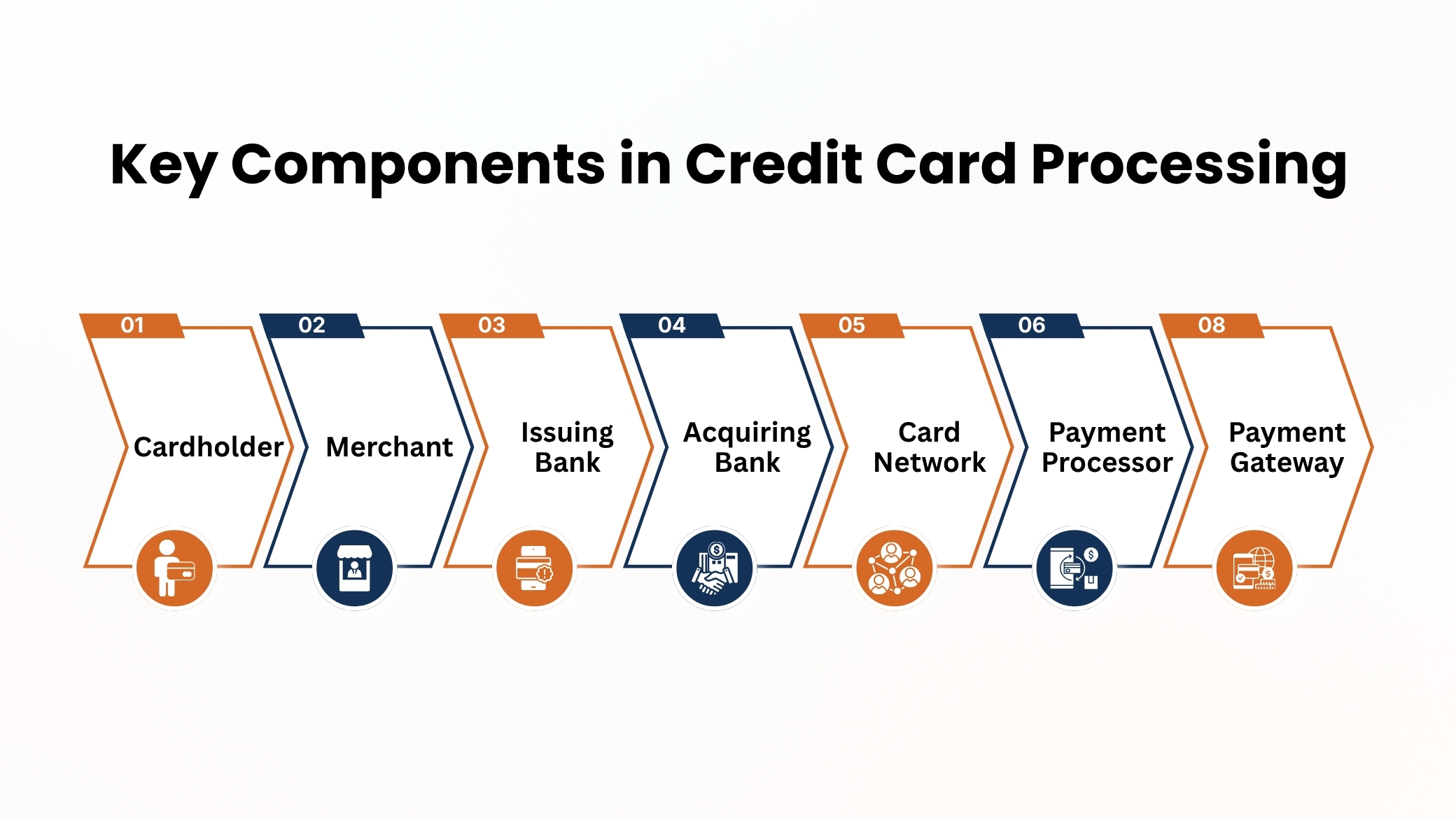
A credit card transaction involves several important participants, and understanding their individual roles helps to clarify the way the payment processing franchise system works.
1. Cardholder
The cardholder is the customer who uses a credit or debit card to purchase products or services. The cardholder’s issuing bank reviews and authorizes the transaction based on available funds, credit, and security checks.
2. Merchant
The merchant is the business accepting the card payment. Restaurants, retail stores, professional service providers, and online businesses can all operate as merchants.
3. Issuing Bank
The issuing bank is the bank that offers the customer’s credit or debit card. It evaluates transactions and determines whether payments should be approved or declined.
4. Acquiring Bank
The Acquiring bank which is also known as the merchant bank, works with the merchant to enable card payment acceptance. This helps to receive and process funds generated through card transactions.
5. Card Network
A card network provides the infrastructure that connects banks and helps route payment transactions. Major networks include Visa, Mastercard, American Express, and Discover.
6. Payment Processor
The payment processor manages the communication and transmission of transaction data between the merchant, acquiring banks, card network, and issuing bank. It helps to handle authorization, transaction processing, and settlement.
7. Payment Gateway
A payment gateway securely transfers payment details between a merchant’s checkout system and the payment processing network. It is particularly essential for online businesses and can connect websites, applications, and e-commerce platforms with payment processors.
Together, these seven components help to ensure that card transactions are securely authorized, processed, and settled from the customer to the merchant.
Also Read: QuickBooks Credit Card Processing: Features and Alternatives
What Does a Small Business Need to Accept Credit Cards?
The exact requirements are based on the way business operates.
A traditional physical business may need:
- Merchant processing services
- A card reader or payment terminal
- POS software
- Internet connectivity
- A business bank account
An online business may need:
- Payment gateway
- E-commerce platform
- Payment processor
- Secure checkout
- Business bank account
A mobile business may need:
- Mobile card reader
- Smartphone or tablet
- Payment application
- Internet connection
Some modern providers combine several of these services into a single platform, reducing the number of separate systems a small business needs to manage.
What Is a Merchant Account?
A merchant account is a specialized account that is used to receive and process card payments. Traditionally, businesses would establish a merchant account separately from other payment services.
Today, many payment providers offer bundled solutions that combine payment processing, gateway services, and merchant account functionality. Before choosing a provider, determine whether you need a dedicated merchant account or whether a bundled payment solution better fits your business.
Also Read: Best Credit Card Processing Solutions for Small Businesses
What Is a Payment Gateway?
A payment gateway is the technology that securely transmits the payment information between a customer, merchant, and payment processing system.
For instance, when a customer enters card information on an online checkout page, the payment gateway helps to securely transmit that information for authorization.
Payment gateways can also provide:
- Payment encryption
- Transaction authentication
- Reporting
- Fraud prevention
- Tokenization
- Integration with e-commerce platforms
A payment gateway is particularly essential for businesses that accept card-not-present transactions.
What Are Credit Card Processing Fees?
Processing fees are among the most important expenses that small businesses need to understand. Rather than looking only at the advertised transaction rate, businesses should evaluate the total cost of payment acceptance.
Depending on the provider, fees may include:
- Interchange fees
- Card network assessment fees
- Processor markup
- Monthly fees
- Payment gateway fees
- PCI compliance fees
- Chargeback fees
- Batch fees
- Statement fees
- Equipment costs
- Early termination fees
- Currency conversion fees
Not every payment processor applies the same fees or charges. Businesses should carefully review each provider’s complete pricing structure, which includes transaction, monthly, gateway, equipment, and chargeback fees, before signing an agreement to prevent unexpected expenses and understand the actual cost of payment processing.
Also Read: Payment Processing Solutions for High-Risk Businesses
Understanding Interchange Fees
Interchange fees are charges associated with card transactions and are generally determined by card networks and issuing banks.
These fees can differ based on factors like:
- Card type
- Transaction type
- Merchant category
- Card-present or card-not-present status
- Risk characteristics
- Other network rules
Interchange fees are different from the processor’s markup. Understanding these differences is essential because a processor may advertise a low processing rate while adding other expenses elsewhere.
What Is Processor Markup?
Processor markup is the amount a payment processor adds additional to underlying transaction expenses. For instance, an interchange-plus pricing model separates interchange expenses from the processor’s markup, offering more transparency.
Higher-volume merchants can use this pricing model to gain more visibility into processing costs and find whether their overall payment costs are competitive.
Common Credit Card Processing Pricing Models
Small businesses can choose from several credit card processing pricing models, each with different fee structures and cost considerations.
1. Flat-Rate Pricing
Flat-rate pricing charges a fixed percentage, a per-transaction fee, or both for each payment. This pricing model is easy to understand, predictable, and convenient for startups and small businesses.
However, costs can become higher as transaction volume increases, which makes this pricing model less attractive for businesses with substantial processing activity.
2. Interchange-Plus Pricing
Interchange-plus pricing separates the underlying interchange expenses from the payment processor’s markup. This pricing model offers more pricing transparency and can be cost-effective for businesses with higher transaction volumes. However, in this pricing model, statements may be more complex, and additional monthly fees can apply.
Also Read: Small Business Credit Card Processing: Everything Business Owners Need to Know
3. Tiered Pricing
Tiered pricing categorizes transactions into groups like qualified, mid-qualified, and non-qualified, with different fees for each category.
Although this approach can appear straightforward, businesses may find expenses difficult to predict because transaction types can receive different pricing.
4. Membership or Subscription Pricing
Membership pricing usually involves a monthly subscription fee combined with lower transaction markups. This approach can be beneficial for businesses processing high payment volumes.
However, merchants should compare the complete annual expenses, which includes membership and transaction fees, before choosing this pricing model.
How Much Does Credit Card Processing Cost?
Credit card processing costs will be different for businesses because providers use different pricing models and fee structures. The total cost depends on transaction volume, average purchase value, payment methods, industry, and additional expenses.
Businesses should compare the overall processing costs instead of depending only on advertised rates.
Important cost factors include:
- Transaction volume: Monthly sales can affect pricing.
- Payment method: Card-present and online transactions may have different costs.
- Processor markup: Additional processor charges affect total expenses.
- Monthly fees: Service, gateway, or account fees may apply.
- Chargebacks: Disputes can create additional costs.
- Equipment: Terminals and payment hardware may increase expenses.
Comparing effective rates helps businesses to choose an appropriate processor.
Also Read: How Long Credit Card Transactions Take to Process: A Complete Guide for Businesses
Card-Present vs. Card-Not-Present Transactions
The way a card is accepted can affect processing expenses and fraud risk.
1. Card-Present Transactions
Card-present transactions happen when customers physically use their cards at a business location. Examples include retail stores, restaurants, salons, and medical offices.
Customers can make payments by inserting a chip card, tapping a contactless card, or swiping where supported. The physical card offers additional verification and can help reduce certain transaction risks.
2. Card-Not-Present Transactions
Card-not-present transactions happen when customers do not physically present their cards, like online purchases, phone orders, recurring payments, or mail orders.
These transactions can involve more fraud risk. Businesses should use secure payment gateways, authentication, fraud monitoring, and tokenization to secure payment information and reduce unauthorized transactions.
Credit Card Processing Equipment
Small businesses can choose from several types of payment equipment.
1. Traditional POS Terminal
It is a countertop device used by businesses with fixed checkout locations. It commonly supports chip and contactless payments, which helps customers complete transactions quickly and securely.
2. Mobile Card Reader
A mobile card reader connects to a smartphone or tablet, which allows businesses to accept payments from different locations. Mobile card readers are useful for contractors, food trucks, market vendors, pop-up shops, and mobile service providers.
3. Smart Payment Terminal
A smart payment terminal combines payment acceptance with business management features. Based on the system, it may support POS functions, inventory tracking, employee management, and sales reporting.
4. Virtual Terminal
A virtual terminal lets employees manually enter card information for remote payments, like telephone orders. As these are generally card-not-present transactions, businesses should use appropriate security and fraud prevention measures.
Also Read: Best Credit Card Processing Companies for Small Businesses
Online Credit Card Processing
E-commerce businesses require a secure and reliable payment system that integrates smoothly with their websites. Online credit card processing lets customers enter payment details, receive authorization, and complete purchases online.
A usual online payment setup includes:
- E-commerce website: It offers an online shopping platform.
- Secure checkout: allows to collect customer payment information securely.
- Payment gateway: Transfers payment data securely.
- Payment processor: It handles transaction authorization and processing.
- Merchant account: It receives processed payments.
- Business bank account: It receives settled funds.
A strong solution should offer mobile-friendly checkout, security, reporting, and smooth integration with existing business technology.
Credit Card Processing Security
Businesses should consider security as a core business requirement instead of an optional feature. A payment system may have highly sensitive customer details, so businesses should take appropriate steps to protect payment data.
1. PCI DSS Compliance
It establishes security requirements for businesses that handle cardholder data. Small businesses should understand their compliance responsibilities and choose payment providers that provide appropriate security support.
Using hosted checkout solutions and tokenization can reduce a business’s direct handling of sensitive customer payment information.
2. Encryption
It protects payment information by converting sensitive customer data into a secure format during transmission. Businesses should use reputable payment processors with appropriate encryption technologies to help protect customer information and reduce unauthorized access.
3. Tokenization
It replaces sensitive card details with a unique token, reducing exposure to the original card number. This feature is especially useful for recurring payments, subscriptions, and cards stored for future transactions.
4. Employee Access Controls
Businesses must restrict access to customer payment information based on employee responsibilities. Strong passwords, unique credentials, appropriate permissions, regular training, and secure procedures can help to avoid unauthorized access and secure customer payment information.
Also Read: Mobile Credit Card Processing Guide for Field Businesses
How to Choose a Credit Card Processor
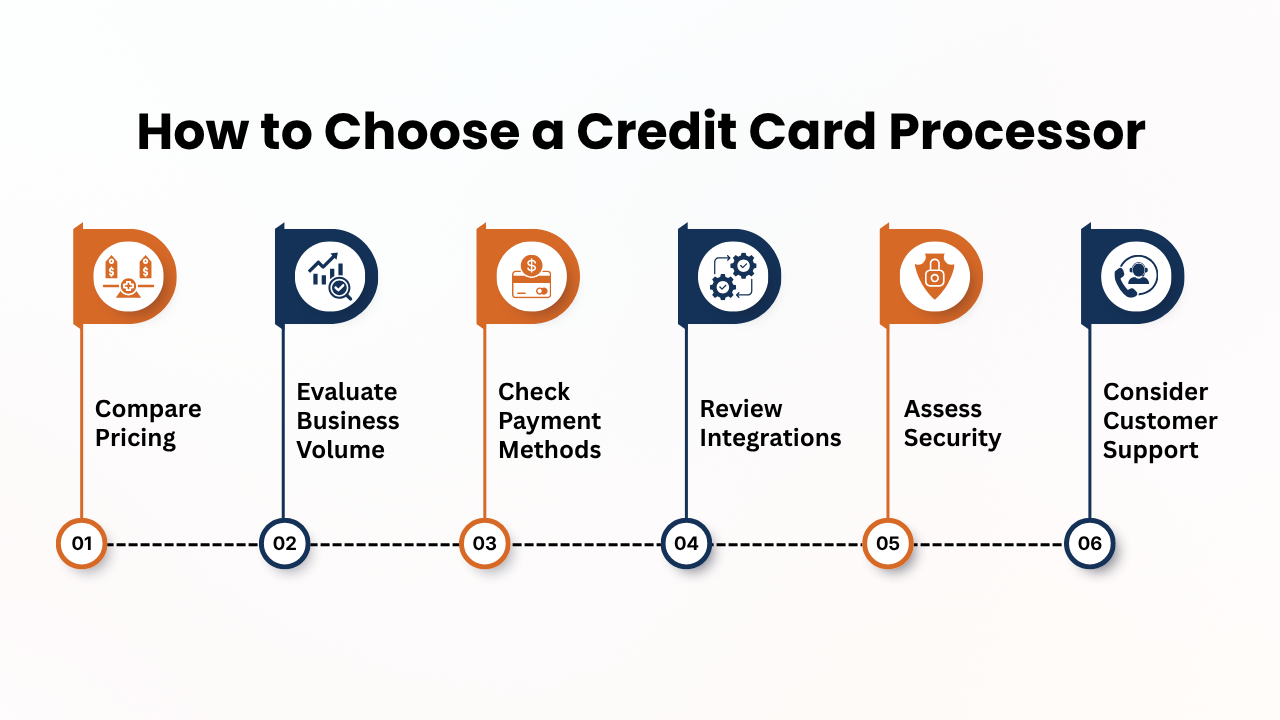
Choosing a processor is a crucial financial decision. Businesses must not choose a provider based only on its advertised transaction rate.
Consider the following factors:
1. Compare Pricing
They must review the processor’s complete pricing structure instead of focusing only on the advertised transaction rate. Check percentage fees, per-transaction charges, monthly fees, payment gateway expenses, PCI fees, chargeback fees, equipment expenses, and contract-related charges.
2. Evaluate Business Volume
Businesses must consider average monthly processing volume and transaction size. A provider suitable for a business processing $5,000 monthly may not provide the best value for a company handling $100,000 or more.
3. Check Payment Methods
They must ensure that the processor supports the payment methods that your customers prefer. It includes credit cards, contactless payments, digital wallets, online transactions, recurring billing, and international cards.
4. Review Integrations
They must select a processor that works with your existing POS, e-commerce, accounting, inventory, customer management, and subscription systems. Good integration can reduce manual work and improve transaction reporting.
5. Assess Security
They must review security features like PCI compliance support, encryption, tokenization, and tracking, and authentication tools. Implementing strong security can help to protect payment information and reduce financial risks.
6. Consider Customer Support
Having reliable customer service is essential when payment problems affect sales. Businesses must check available support channels, response times, operating hours, and whether assistance is available when your business needs it.
How to Reduce Credit Card Processing Costs
Reducing processing costs does not necessarily mean selecting the provider with the lowest advertised rate.
Rather, businesses must focus on your total cost of payment acceptance.
1. Compare Effective Rates
Businesses must not focus only on the advertised processing rate. They must calculate the effective processing rate by dividing total processing fees by total card sales. It provides a clearer overview of your actual payment acceptance costs.
2. Negotiate Processing Fees
Businesses having higher transaction volumes may have opportunities to negotiate processor markups, equipment expenses, monthly charges, or other fees. They must request competitive pricing and compare offers from multiple providers.
3. Review Statements Regularly
Businesses must track payment processing statements to identify new fees, rate increases, unexpected charges, chargeback expenses, and equipment expenses. Regular reviews help businesses to detect unnecessary expenses quickly.
4. Use Efficient Payment Methods
They must encourage secure and efficient payment methods like chip and contactless transactions. These options can provide customers with convenient checkout experiences while supporting smoother payment operations.
5. Avoid Unnecessary Equipment
They must purchase or rent only the equipment that your business actually needs. A small service business may require only a mobile card reader, while a larger retailer may benefit from a complete POS system. They must avoid paying for unused features or hardware.
Also Read: Credit Card Processing Fees: Complete Breakdown for Businesses
Credit Card Processing for Different Types of Small Businesses
Different businesses must have different payment requirements.
1. Retail Businesses
Retailers usually require POS terminals, barcode integration, inventory management, contactless payments, digital wallets, and sales reporting to manage daily transactions efficiently.
2. Restaurants
Restaurants may be beneficial from countertop terminals, tableside payments, QR ordering, online ordering, POS integration, tipping features, and digital wallet support.
3. E-Commerce Businesses
Online retailers usually require secure payment gateways, checkout systems, fraud prevention, digital wallets, recurring billing, and e-commerce integrations.
4. Professional Services
Professional services like consultants, contractors, and service providers can be beneficial from invoicing, payment links, virtual terminals, recurring billing, and mobile payment options.
5. Subscription Businesses
Subscription companies should consider recurring billing, tokenization, card updater services, failed-payment management, and customer payment management tools.
Conclusion
Credit card processing is an important part of running a modern small business, that allows merchants to accept convenient payments while creating a smoother customer experience.
However, choosing the right payment solution needs more than comparing advertised transaction rates. Business owners should check the complete cost structure that includes interchange fees, processor markups, monthly charges, equipment expenses, gateway fees, and chargeback expenses.
Understanding pricing models, payment methods, security requirements, and contract terms helps businesses to avoid unnecessary costs and choose a suitable provider.
Strong security practices like PCI compliance, encryption, tokenization, and fraud prevention, are equally essential for protecting sensitive customer payment information.
Businesses should also consider POS and e-commerce integrations, customer support, funding speed, and scalability. As transaction volumes and customer expectations keep changing, reviewing processing expenses regularly can help to maintain efficiency.
By understanding how credit card processing works and carefully comparing available providers, small businesses can build a secure, cost-effective payment system that supports customer satisfaction, cash flow, and long-term growth.
If you still have any query for credit card processing for small business as beginner’s guide then you may book a free demo at AcePay and we are more than happy to assist you.
Choosing the right credit card processing company is a crucial decision for any business that accepts card payments. The processor you choose can directly affect your payment processing fees, transaction reliability, customer experience, security, and overall profitability.
With numerous providers providing different pricing models, contract terms, payment solutions, and support opinions, comparing them carefully is essential.
A suitable credit card processor should do more than process transactions. Businesses should evaluate factors like interchange fees, processor markups, monthly charges, PCI compliance, chargeback support, payment security, integration capabilities, funding speed, and customer service.
The right provider should also support the ways your customers prefer to pay, whether through in-store terminals, online checkout, mobile payments, or recurring billing.
Businesses should also consider their transaction volume, average ticket size, industry, sales channels, and future growth while comparing providers.
A pricing structure that works well for a small business may not be the most cost-effective option for a growing company with higher transaction volumes.
In this blog, you will learn how to choose the right credit card processing company for your business by comparing pricing, features, contracts, integrations, customer support, and scalability.
We will also discuss common processing fees, questions to ask providers, potential warnings, and how solutions like AcePay can fit into a business’s payment processing strategy.
What Is a Credit Card Processing Company?
A credit card processing company enables businesses to accept electronic payments from customers. This processing begins when a customer taps, inserts, swipes, or enters card information, then several components work together to authorize and complete the transaction.
The payment ecosystem can involve:
- The customer or cardholder
- The merchant
- The payment processor
- The acquiring bank
- The issuing bank
- The card network
- The payment gateway
- The POS system or payment terminal
The processor helps to transmit transaction information between the merchant, financial institutions, and card networks. For online transactions, a payment gateway securely transfers payment information from the checkout page to the processing system.
Although customers usually see a transaction completed within seconds, many processes like authorization, clearing, and settlement occur behind the scenes.
Understanding this process is important because the provider you choose can influence:
- Processing costs
- Payment acceptance
- Transaction reliability
- Funding speed
- Fraud protection
- Chargeback management
- Reporting
- Customer support
- POS integration
Therefore, choosing a processor should be treated as a crucial business decision instead of simply searching for the lowest processing rate.
Also Read: Payment Processing Solutions for High-Risk Businesses
Why Choosing the Right Credit Card Processor Matters
Payment processing affects more than your ability to accept cards. It can affect profitability, cash flow, operational efficiency, and customer satisfaction.
For instance, consider two businesses that each process $100,000 in card transactions every month. If one business pays a slightly higher advertised rate but has no unnecessarily monthly charges, while another pays a lower percentage combined with multiple additional fees, the second business may actually have the higher total processing expenses.
A processor can also affect the checkout experience. Unreliable terminals, declined transactions, connectivity problems, restricted payment options, and slow support can disrupt sales and can negatively affect the customer experience.
On the other hand, a well designed payment system can help businesses:
- To process transactions efficiently
- To accept multiple payment methods
- To reduce manual reconciliation
- To improve reporting
- To protect payment information
- To manage recurring payments
- To integrate with business software
- To improve customer convenience
The goal should therefore be to find a payment processing partner that balances cost, functionality, security, reliability, and support.
Also Read: How Credit Card Processing Works Step by Step
Key Factors to Consider When Choosing a Payment Processor
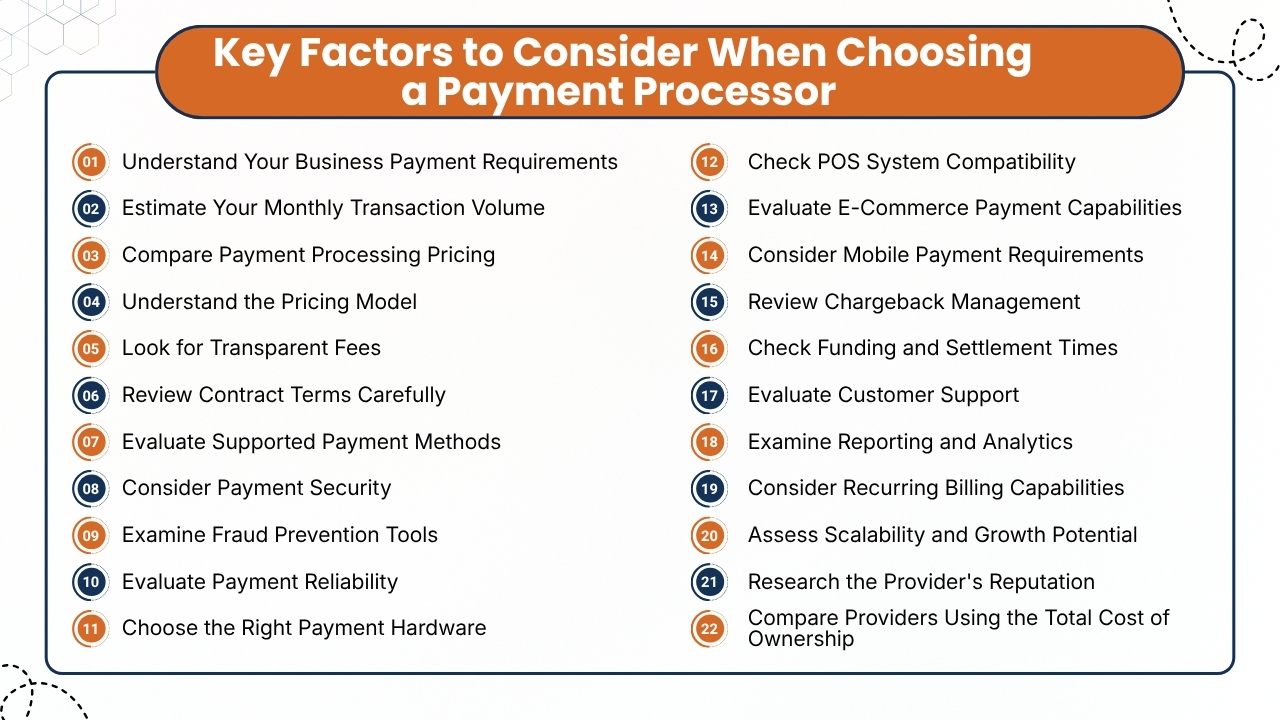
Choosing the right payment processing is a crucial decision for businesses that accept credit cards, debit cards, digital wallets, and other electronic payments.
The provider you choose can influence your processing expenses, payment reliability, customer experience, security, cash flow, and ability to grow.
A suitable provider should do more than process transactions. It should offer transparent pricing, reliable technology, appropriate payment methods, strong security, useful integrations, responsive support, and flexible services that align with your business model.
Before signing a contract, businesses should compare providers carefully and consider both current requirements and future growth. Below are some points that businesses can help to evaluate different payment processing companies and choose a solution that fits your business.
1. Understand Your Business Payment Requirements
The initial step while choosing the right credit card processing company for your business is to accept payments. Different businesses have different processing requirements, so there is no single payment solution that works equally well for everyone.
Consider whether you accept payments:
- In physical stores
- Through an e-commerce website
- By phone
- Through mobile devices
- Using invoices
- Through subscriptions
- Across multiple locations
- From international customers
Also evaluate your average transaction value, monthly processing volume, number of transactions, and expected growth. Understanding these requirements gives you a clear framework for comparing providers and avoids you from choosing a service based only on promotional pricing.
2. Estimate Your Monthly Transaction Volume
Transaction volume can highly affect the cost of payment processing. A business processing a few thousand dollars each month may have different needs from a company processing hundreds of thousands of dollars.
Before requesting quotes, calculate:
- Average monthly sales
- Average transaction value
- Number of monthly transactions
- Credit card volume
- Debit card volume
- Online transaction volume
- In-person transaction volume
Offering accurate information to processors helps them to give you more relevant pricing estimates. Businesses should also consider expected growth. A provider that works for your current volume should ideally remain competitive as transaction volume increases.
Also Read: Best Credit Card Processing Companies for Small Businesses
3. Compare Payment Processing Pricing
Pricing is one of the most crucial factors while selecting a payment processor. However, businesses should avoid comparing providers based only on the advertised percentage rate.
Payment processing costs can include:
- Interchange fees
- Assessment fees
- Processor markup
- Monthly fees
- Gateway fees
- Statement fees
- Batch fees
- PCI-related fees
- Chargeback fees
- Equipment costs
- Cancellation fees
Compare detailed pricing information from each provider before making a decision. A processor with a slightly higher transaction rate may actually cost less overall if it has fewer additional charges. Comparing the complete pricing structure gives you a more accurate view of the provider’s value.
4. Understand the Pricing Model
Payment processors may use different pricing models. Understanding the way each pricing model works can help businesses to identify the options that best align with their business.
Common pricing models include flat-rate pricing, interchange-plus pricing, tiered pricing, and membership pricing.
- Flat-rate pricing provides simple, predictable transaction costs, making it an attractive option for small businesses with straightforward payment processing needs.
- Interchange-plus pricing separates the underlying card expenses from the processor’s markup, which makes the pricing structure easier to examine.
- Tiered pricing groups transactions into different categories, but businesses should understand how transactions are classified.
Membership pricing may combine a recurring fee with lower transaction markups. Compare models based on your transaction volume, card mix, and business needs instead of choosing the model with the lowest advertised rate.
Also Read: Credit Card Processing Fees: Complete Breakdown for Businesses
5. Look for Transparent Fees
Transparent pricing makes it easier to calculate your actual processing expenses. If there are hidden or poorly explained fees can make an apparently inexpensive payment processor highly more expensive.
Ask providers to explain every fee before signing an agreement.
Pay particular attention to:
- Monthly minimums
- PCI compliance fees
- Gateway charges
- Statement fees
- Batch fees
- Annual fees
- Chargeback fees
- Early termination fees
- Equipment fees
If any fee is unclear, request a written explanation before agreeing to the terms. A reputable provider should offer a clear pricing breakdown and explain how each fee is calculated before you sign up.
6. Review Contract Terms Carefully
Businesses must review the payment processing agreement carefully before signing. They must pay attention to contract length, cancellation policies, renewal terms, termination fees, and other conditions that may affect future expenses.
Look for:
- Contract length
- Automatic renewal
- Cancellation requirements
- Early termination fees
- Equipment obligations
- Monthly minimums
- Rate-change provisions
- Notice periods
Some payment processors provide flexible month-to-month agreements, while other providers require longer-term commitments. Businesses before signing, must consider their business’s growth plans, expected transaction volume, changing payment requirements, and the potential expenses of switching providers in the future.
Also Read: How Long Credit Card Transactions Take to Process: A Complete Guide for Businesses
7. Evaluate Supported Payment Methods
Today more customers increasingly expect businesses to offer convenient payment options.
Based on your industry, your processor may need to support:
- Credit cards
- Debit cards
- Contactless payments
- Mobile wallets
- Digital wallets
- ACH payments
- Recurring payments
- Online payments
- Alternative payment methods
For e-commerce businesses, supporting multiple digital payment methods can make checkout more convenient. For physical businesses, contactless and mobile wallet acceptance can improve the customer experience.
Choose a provider that supports the payment methods that their customers use today while allowing them to add new options in the future.
8. Consider Payment Security
Payment security should be a major priority while choosing a provider. Businesses process sensitive payment information and need systems that help to protect transactions and customer data.
Important security capabilities may include:
- PCI DSS compliance support
- Encryption
- Tokenization
- Secure authentication
- Card verification
- Address verification
- Fraud monitoring
Ask the provider which security measures it handles and what responsibilities remain with your business. Strong payment security helps to reduce fraud risks, protect customer information, and maintain customer trust throughout the checkout process.
Also Read: Best Credit Card Processing Solutions for Small Businesses
9. Examine Fraud Prevention Tools
Fraud transactions can cause financial losses, chargebacks, and operational disruptions. Choose a payment processor that provides effective fraud detection tools to find suspicious transactions, reduce potential risks, and protect your business from avoidable payment-related losses.
Based on the provider, these may include:
- Transaction monitoring
- Risk scoring
- Fraud filters
- Velocity checks
- Card verification
- Address verification
- 3-D Secure authentication
Businesses should understand the way fraud prevention tools operate and whether they can be customized. Effective fraud detection should identify suspicious transactions accurately while reducing unnecessary declines, ensuring legitimate customers can complete payments smoothly.
10. Evaluate Payment Reliability
Payment reliability directly impacts revenue because technical payment failures can cause lost sales, frustrate customers, disrupt checkout, and negatively affect the overall customer experience.
Evaluate the processor’s:
- System reliability
- Transaction processing infrastructure
- Terminal performance
- Connectivity options
- Error handling
- Backup capabilities
- Monitoring systems
Physical businesses should consider whether terminals can maintain reliable connectivity. Online businesses should evaluate the reliability of the payment gateway and checkout infrastructure.
A dependable payment processing system should reduce unnecessary interruptions and provide clear support when problems happen.
11. Choose the Right Payment Hardware
Businesses accepting in-person card payments should choose reliable terminals and card readers that support their preferred payment methods, customer needs, and transaction requirements.
Hardware options may include:
- Countertop terminals
- Mobile card readers
- Wireless terminals
- Smart POS devices
- Contactless terminals
When comparing hardware, consider:
- Purchase price
- Rental costs
- Warranty
- Replacement policy
- Software compatibility
- Connectivity
- Contactless support
The cheapest terminal is not always the best option. Businesses should choose equipment that is reliable, easy for employees to operate, and appropriate for their environment.
Also Read: How Businesses Accept Credit Card Payments Online
12. Check POS System Compatibility
Your payment processor should work effectively with your existing point-of-sale(POS)system. Integration can help businesses to automatically synchronize transaction information with their POS and other operational systems.
Check whether the provider integrates with:
- POS software
- Accounting platforms
- Inventory systems
- E-commerce platforms
- CRM systems
- Booking software
- Subscription platforms
Strong integrations can reduce manual data entry, reduce errors, and make financial reconciliation easier. Before signing up, confirm that the processor is compatible with the exact software and hardware your business uses.
13. Evaluate E-Commerce Payment Capabilities
If your business sells online, the payment gateway is an important part of the customer experience, helping to process transactions securely while offering a smooth, convenient, and reliable checkout process.
Look for features such as:
- Secure online checkout
- Mobile-friendly payments
- Multiple payment methods
- Saved payment options
- Recurring billing
- Refund processing
- Fraud prevention
- Transaction reporting
The checkout process should be simple and intuitive. If there are complicated forms, limited payment options, or errors can cause friction and lead to cart abandonment, so it is essential for businesses to test the experience across mobile and desktop devices.
14. Consider Mobile Payment Requirements
Mobile payment solutions are especially valuable for businesses operating at events, markets, customer locations, or other mobile settings where traditional payment terminals may not be practical.
Mobile processing may require:
- Portable card readers
- Wireless terminals
- Smartphone compatibility
- Tablet compatibility
- Mobile wallets
- Reliable wireless connectivity
A mobile payment solution should be easy for employees to set up and use. Businesses should consider offline payment capabilities during temporary connectivity issues.
Implementing flexible payment technology can help businesses to accept transactions securely and conveniently across events, markets, customer locations, and other mobile environments.
Also Read: QuickBooks Credit Card Processing: Features and Alternatives
15. Review Chargeback Management
Chargebacks happen when customers dispute transactions through their card issuer. Managing disputes can consume time and create additional expenses.
Ask providers whether they offer:
- Chargeback alerts
- Dispute management tools
- Documentation support
- Transaction records
- Dispute tracking
- Chargeback reporting
Businesses should also understand the processor’s chargeback fees and dispute procedures. If your business experiences frequent disputes, examine the reasons carefully. Repeated chargebacks may indicate problems with billing descriptions, customer service, product delivery, or transaction processes.
16. Check Funding and Settlement Times
Businesses that need predictable access to their sales revenue. Therefore, settlement and funding times should also be considered before choosing a processor.
Ask:
- When are funds deposited?
- Are weekends included?
- Are holidays treated differently?
- Can funding be delayed?
- Are reserves required?
- Under what circumstances can funds be held?
Predictable funding is particularly essential for small businesses managing payroll, inventory, rent, and supplier payments.
Before opening an account, businesses should ensure the processor clearly explains its settlement schedule, funding timelines, and any conditions that could affect when funds become available.
17. Evaluate Customer Support
Having reliable customer support is essential during payment issues, transaction failures, or technical problems affecting daily business operations.
Before choosing a payment processor, businesses should evaluate the available customer support channels and understand how quickly assistance is provided to customers.
Consider whether the provider offers:
- Phone support: to resolve urgent payment problems
- Email support: to resolve account-related queries
- Live chat: to provide quick assistance
- Technical support : during integration and system problems
- Knowledge bases : during self-service troubleshooting
- Dedicated account representatives: for providing ongoing guidance to customers.
- Extended support hours: During evenings or weekends.
Businesses should also ask about usual response and resolution times. Companies operating outside standard business hours should confirm whether customer support is available during evenings, weekends, and holidays.
A processor may offer advanced payment technology, but responsive and knowledgeable customer support can make it much easier to resolve unexpected problems quickly.
Also Read: Mobile Credit Card Processing Guide for Field Businesses
18. Examine Reporting and Analytics
Payment reporting and analytics can give businesses a clearer understanding of transaction activity, sales performance, and overall payment patterns.
Detailed reporting can also simplify reconciliation and help restaurant managers to identify unusual transactions or changes that may require attention.
Useful reporting features may include:
- Transaction summaries to review payment activity
- Sales reports to monitor revenue performance
- Refund reports to track returned payments
- Chargeback reports to monitor disputes
- Settlement reports to reconcile deposited funds
- Payment method reports to compare transaction types
- Location reports to evaluate individual business locations
- Employee reports to monitor transaction activity
Businesses should also consider whether they are able to access reports easily, customize, export, and understand. Companies operating in multiple locations should look for centralized reporting that allows managers to compare locations, sales channels, and payment performance from one system.
19. Consider Recurring Billing Capabilities
Businesses that operate subscription or membership models require payment processing features which are specifically designed for recurring transactions.
Recurring billing functionality may include:
- Automatic payments
- Subscription management
- Scheduled billing
- Payment reminders
- Expired card updates
- Failed payment recovery
- Customer billing portals
Reliable recurring billing can reduce admin work and make it easier to maintain predictable revenue. Before choosing a provider, confirm whether recurring payments are supported and understand the associated expenses.
20. Assess Scalability and Growth Potential
Your payment requirements may change as your business grows. Therefore, select a provider that can support increasing transaction volumes and growing operations.
Consider whether the provider can support:
- More transactions
- Additional locations
- New payment methods
- E-commerce growth
- Mobile payments
- Subscription services
- International customers
- Omnichannel payments
Every time changing payment processors when your business expands can create unnecessary expenses and operational disruption. A scalable provider should be able to grow alongside your business.
21. Research the Provider’s Reputation
Before choosing a decision, research the provider’s reputation among merchants and customers.
Look for recurring comments about:
- Customer service
- Billing practices
- Unexpected fees
- Account holds
- Funding delays
- Technical problems
- Contract issues
- Cancellation experiences
While evaluating a payment processor, businesses cannot depend on a single review. Rather they must look for consistent patterns across multiple sources and ask other businesses about their experiences.
A provider’s reputation can show potential issues that may not be apparent from marketing materials.
22. Compare Providers Using the Total Cost of Ownership
Businesses should evaluate the total cost of ownership(TCO) while comparing payment processing providers instead of focusing only on advertised transaction rates.
A provider with lower processing fees may still be more expensive if it includes additional charges or requires costly equipment and services.
Consider the following costs:
- Processing fees: It includes charges applied to each transaction
- Monthly fees: It includes recurring account or service charges
- Equipment costs: It includes costs for terminals and card readers
- Gateway costs: It includes fees for online payment processing
- Additional charges: It includes setup, statement, PCI, or other applicable fees
Businesses should also consider indirect costs, including:
- Manual reconciliation
- Payment failures
- System downtime
- Poor integrations
- Chargeback management
- Employee training
A provider with slightly higher processing rates may provide better overall value if it provides reliable technology, reduces admin work, and improves operational efficiency. Comparing total cost ownership offers a more realistic view of the solution’s long-term financial impact.
Also Read: Small Business Credit Card Processing: Everything Business Owners Need to Know
How to Choose the Right Processor for Different Business Sizes
1. Small Businesses
Small businesses often benefit from payment processors that are simple, affordable, and easy to manage.
Key priorities of small businesses include:
- Simple and transparent pricing
- Affordable payment equipment
- Easy setup and user-friendly software
- Reliable customer support
- Basic reporting features
A straightforward solution may offer better value than complex Enterprise Merchant Solutions.
2. Growing Businesses
As businesses expand, their payment needs usually become more sophisticated. Growing companies may require:
- Advanced reporting and analytics
- Stronger integrations
- Recurring billing capabilities
- Multiple payment channels
- Improved fraud controls
- Scalable POS systems
Flexibility and scalability become highly crucial as transaction volumes and operational requirements increase.
3. Large Businesses
Large organizations often require customized payment solutions designed for complex operations. Important considerations include:
- Multi-location support
- Enterprise integrations
- High-volume transaction processing
- Advanced security and analytics
- Dedicated account management
- Customized reporting
- Negotiated pricing
Larger businesses should compare providers based on transaction volume, operational requirements, and long-term requirements.
Conclusion
Choosing the right credit card processing company can have an important effect on business expenses, payment reliability, customer experience, and long-term growth.
The decision should start with a clear understanding of your transaction volume, payment methods, technology requirements, and business goals.
They must compare pricing models, total fees, contract terms, security features, POS integrations, payment gateways, funding speed, customer support, reporting, and scalability.
Businesses must not focus only on the lowest advertised processing rate. A transparent provider with reliable technology and strong support may provide more value than a cheaper transparent provider option with complicated fees or restrictive contract terms.
Businesses should request written proposals from multiple providers, analyze their existing processing statements, calculate total costs, and test technology before making a final decision.
AcePay is one provider merchants can consider alongside other payment-processing companies, including options within the Payment Processing Franchise market. Its current offering includes payment processing, EMV terminals, POS systems, gateway capabilities, reporting, fraud protection, and recurring billing tools.
Whether you choose AcePay or another processor, the most important objective is the same which is to select a payment processing partner that provides transparent costs, secure transactions, reliable technology, strong customer support, and the flexibility to grow with your business.
If you still have any query about how to choose the right credit card processing company for your business then you may book a free demo at AcePay and we are more than happy to assist you.
Today, to run a business successfully, you need to provide fast, secure, and convenient payment options to customers. Whether you run a retail store, restaurant, eCommerce website, service-based businesses, mobile businesses, accepting card payments has become important to offer a good experience to customers.
When businesses understand small business credit card processing, it helps businesses to choose the right payment solution, reduce transaction costs, and improve daily operations while also securing customer information.
This detailed blog of Small Business Credit Card Processing: Everything Business Owners Need to Know will walk you through the way payment process works, the role of credit card processing, merchant accounts, payment gateways, and POS systems, as well as the fees and pricing models involved.
This blog will also help you compare credit card processors, manage online and in-store payments, maintain PCI compliance, reduce fraud risks, and choose a payment solution that fits your business needs and future growth.
Whether you are planning to launch a startup or upgrade your payment system, choosing the right small payment processing provider can help businesses improve cash flow, enhance customer satisfaction, and support long-term growth. Acepay provides reliable payment processing solutions designed to help businesses simplify transactions, securely accept payments, and build a smoother payment experience for their customers.
It is essential for small businesses to know about the latest payment solutions, security standards, and industry best practices, as it helps businesses to accept credit card payments confidently, make checkout experiences smooth for customers, and build a reliable payment solution that helps businesses to remain competitive in a highly cashless market.
Also Read: QuickBooks Credit Card Processing: Features and Alternatives
Why Credit Card Processing Is Important for Small Businesses
For businesses accepting credit card payments is no longer a convenience instead it has become essential to run a business successfully.
Modern consumers expect payment options to be fast, secure, and flexible, and businesses that offer multiple payment options have more chances to increase sales, increase customer satisfaction, and support long-term growth.
1. Increase Sales Opportunities
If customers get payment options like credit or debit cards, then they may spend more than while paying with cash. By offering electronic payment options also helps to reduce cart abandonments during purchases and captures more sales.
2. Enhance the Customer Experience
Because credit card processing offers fast, secure, and convenient checkout options that helps businesses to provide a smooth shopping experience for customers which increases customer satisfaction levels, repeat purchases, and long-term customer loyalty.
Also Read: How Businesses Accept Credit Card Payments Online
3. Improve Cash Flow
Most electronic payments are deposited into the business account within one to three business days, offering consistent cash flow and making financial planning easier for businesses.
4. Build Business Credibility
When businesses accept major credit cards and digital wallets allows businesses to improve brand image and ensures customers that their business is reliable and trustworthy.
5. Support Multi-Channel Sales
It helps businesses to accept payments in-store, online through mobile devices, or over the phone, offering a smooth purchasing experience across multiple sales channels.
Also Read: Mobile Credit Card Processing Guide for Field Businesses
How Credit Card Processing Works
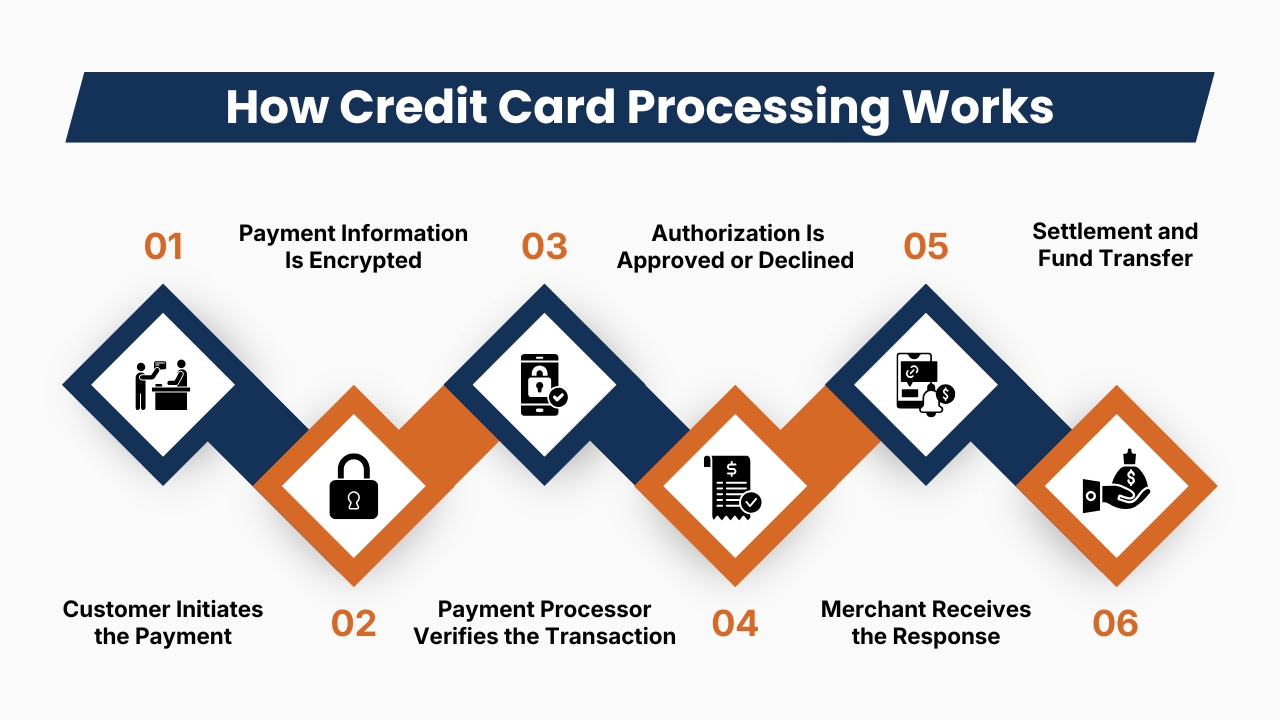
Every credit card transaction is completed within seconds by several financial institutions and technology providers working together behind the scenes to process the payment securely and efficiently.
1. Customer Initiates the Payment
Customers may choose his preferred payment method while making a purchase online. He may use an EMV chip card, swipe a magnetic stripe card, tap a contactless card, use a digital wallet, or enter card details during online checkout. Then the payment terminal or website securely collects the payment details of the customer.
2. Payment Information Is Encrypted
Before the transaction is transmitted, sensitive customer data is encrypted to secure customer data. Encryption secures card numbers, expiry dates, security codes, and other payment details from any unauthorized access.
3. Payment Processor Verifies the Transaction
The payment processor securely sends the transaction through the appropriate card network, like Visa, Mastercard, American Express, or Discover, to the customer’s issuing bank for verification.
Also Read: Best Credit Card Processing Solutions for Small Businesses
4. Authorization Is Approved or Declined
The issuing bank then reviews available funds for credit, validates the card, performs fraud checks, and confirms security requirements. Within seconds, the issuing bank either approves or declines the transaction.
5. Merchant Receives the Response
If the payment is getting approved, then an authorization message is sent back to the merchant’s payment terminal or online checkout that allows the purchase to be completed. And if the payment is declined, then the customer can choose another payment method.
6. Settlement and Fund Transfer
At the end of the business day, approved transactions are submitted for settlement. Then the funds are transferred from the issuing bank through the card network to the acquiring bank, and deposited into the merchant account, and usually transferred to the business bank account within 1 to 3 business days.
Also Read: How Long Credit Card Transactions Take to Process: A Complete Guide for Businesses
Key Components of Credit Card Processing
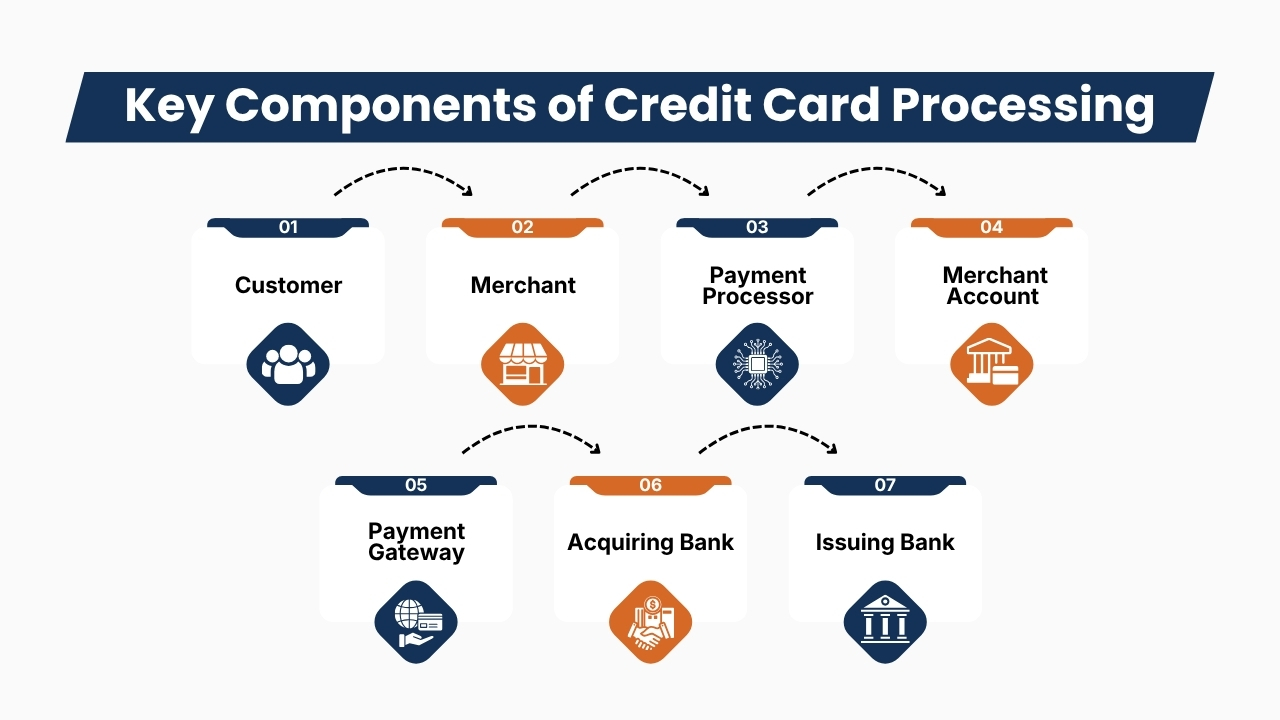
Credit card processing depends on several interconnected components that work together to authorize, process, and settle electronic payments securely.
It is essential to know the role of each component because it helps small business owners to better manage payment operations and choose the right payment processing solution.
1. Customer
The payment process begins with a customer purchasing a product or service using a credit card, contactless card, or digital wallet. The customer’s payment details are securely collected through a payment terminal, mobile device, or online checkout page.
2. Merchant
The merchant is the business accepting electronic payments for its products or services. Using a point-of-sale(POS)system or online payment platform, the merchant submits the transaction for authorization and completes the sale once payment approval is received.
3. Payment Processor
It works as the core communication link between the merchant, card network, acquiring bank, and issuing bank. It securely routes transaction data, performs fraud detection, requests payment authorization, processes settlements, generates detailed transaction reports to ensure accurate and efficient payment processing.
Also Read: Credit Card Processing Fees: Complete Breakdown for Businesses
4. Merchant Account
A merchant account is a specialized account that temporarily holds approved card payments before the funds are transferred to the business’s primary bank account.
Many modern payment providers integrate merchant account services into their platforms, which makes setup and management easier for small businesses.
5. Payment Gateway
A payment gateway encrypts and securely transmits payment details from the customer to the payment processor. It is essential for accepting online, mobile, subscription-based, and remote payments while protecting sensitive financial data during transmission.
6. Acquiring Bank
The acquiring bank partners with the merchant to process approved card transactions. It receives settlement funds from the card network, manages the merchant account, and deposits the funds into the business bank account after settlement.
7. Issuing Bank
The issuing bank offers the customer’s payment card and is responsible for verifying available funds or credit, validating the card, conducting fraud and security checks, and approving or declining the transaction within seconds.
Also Read: Best Credit Card Processing Companies for Small Businesses
Types of Credit Card Processing Solutions
Every small business operates differently, so selecting the right payment processing solution is based on the way businesses sell their products or services.
Modern payment processors provide flexible payment solutions that support physical stores, online businesses, mobile sellers, and subscription-based companies.
1. In-Store Credit Card Processing
It is the most common payment solution for retail stores, restaurants, salons, grocery stores, and physical stores. In-store credit card processing involves customers completing their purchases using a countertop terminal or POS system.
Common payment methods include:
- EMV chip cards
- Magnetic stripe cards
- Contactless tap-to-pay cards
- Apple Pay
- Google Pay
- Samsung Pay
- Debit cards
- Credit cards
Modern POS systems enable businesses to manage inventory, sales reports, employee management, and customer loyalty programs from a single centralized platform.
2. Online Credit Card Processing
For selling products or services online, businesses require a secure payment gateway that lets customers complete their purchases through either a website or eCommerce platform.
Online payment processing typically includes:
- Secure checkout pages
- Shopping cart integration
- Payment encryption
- Fraud prevention tools
- Automatic payment confirmations
- Mobile-friendly checkout
A smooth online checkout experience helps to reduce chances of cart abandonment and increase conversion rates.
3. Mobile Credit Card Processing
This payment solution involves allowing businesses to accept payments from anywhere using smartphones or tablets connected to portable card readers.
This solution is ideal for:
- Food trucks
- Farmers’ markets
- Home service businesses
- Delivery services
- Event vendors
- Independent contractors
This payment solution helps businesses to serve customers without being at a physical location.
Also Read: How Credit Card Processing Works Step by Step
4. Virtual Terminal Processing
A virtual terminal lets businesses manually enter customer payment details through a secure web portal.
This option is commonly used for:
- Phone orders
- Mail orders
- Appointment-based businesses
- Professional services
- Remote billing
Virtual terminals remove the need for physical card readers while maintaining secure payment processing.
5. Recurring Billing and Subscription Payments
Businesses with subscription-based services can automate recurring payments using specialized billing systems.
Recurring billing is commonly used by:
- Membership organizations
- SaaS companies
- Gyms
- Streaming services
- Nonprofits
- Educational platforms
Businesses by automating billing improves convenience for customers and also creates predictable revenue every month.
Merchant Accounts Explained
A merchant account is a specialized business account that temporarily holds funds from approved credit and debit card transactions before transferring those funds to the business’s regular bank account.
Unlike a standard account, merchants accounts are designed specifically for electronic payment processing and settlement. These accounts help businesses to manage card transactions securely while maintaining accurate payment records.
Benefits of a Merchant Account
A merchant account can have several benefits:
- Secure payment acceptance: It allows businesses to process card payments securely.
- Higher transaction capacity: It supports frequent or high-volume transactions.
- Faster funding: It helps to move approved payments efficiently to the business bank account.
- Improved cash flow: It provides predictable electronic deposits for financial planning.
- Refund management: It supports refunds and chargeback handling.
- Accurate records: It maintains transaction information for sales tracking and financial documentation.
Many modern payment providers combine merchant account services with processing platforms, which simplifies setup and payment management for small businesses.
Also Read: Payment Processing Solutions for High-Risk Businesses
Understanding Payment Gateways
It is a technology that securely transfers customer payment details between an online checkout and the payment processor.
It works as a digital link, encrypting sensitive customer information before it is transmitted through payment networks. This helps to protect customer data and supports safe, efficient transaction authorization.
Key Features of Payment Gateways
Payment gateways offer several important capabilities:
- Data encryption: It protects payment details during transmission.
- Tokenization: It replaces card details with secure tokens to reduce exposure.
- Fraud detection: It identifies fraud transactions and potential fraud risks.
- Address verification: It checks billing information to help to prevent fraud.
- Secure authentication: It adds verification steps whenever required.
- Payment authorization: It communicates with processors and issuing banks to approve or decline transactions.
Payment gateways are especially important for eCommerce stores, mobile apps, subscription services, and businesses accepting online payments.
Point-of-Sale (POS) Systems
A Point-of-Sale(POS)system combines payment processing with business management tools, allowing small businesses to handle transactions and daily operations through one centralized platform. Modern POS systems are useful for retail stores, restaurants, salons, and service businesses.
Key POS Features
A modern POS system can help businesses manage:
- Inventory: It tracks stock levels and product availability.
- Sales reports: It monitors revenue, transactions, and performance.
- Employee scheduling: It organizes staff schedules and activities.
- Customer loyalty: It manages rewards and customer information.
- Gift cards: It issues and tracks gift card transactions.
- Promotions: It applies discounts and special offers.
- Product management: These systems update prices and product information.
- Tax calculations: It calculates applicable sales taxes.
Cloud-based POS systems also lets owners access sales data and reports remotely through computers, tablets, or mobile devices.
Understanding Credit Card Processing Fees
Every electronic payment involves several expenses shared among financial institutions, card networks, and payment processors. Understanding these fees helps small businesses to compare providers, estimate expenses, and avoid unexpected charges.
1. Interchange Fees
Interchange fees are paid to the card-issuing bank when customers use credit or debit cards. These fees are generally a significant part of the total processing expenses and can differ based on several factors, including:
- Card type
- Transaction method
- Business industry
- Transaction risk
- Whether the payment is made in person or online
Businesses should understand the way interchange rates may affect their overall processing expenses.
2. Assessment Fees
Assessment fees are charged by major card networks like Visa and Mastercard, for processing transactions through their payment networks.
These fees help to support the infrastructure, security, and operations required to facilitate electronic payments. Assessment fees are generally calculated as a percentage of transaction volume and may differ based on the card network and transaction type.
3. Processor Markup
Payment processors add their own markup to cover services like transaction authorization, payment routing, fraud protection, customer support, reporting, and technology infrastructure.
Markups can be different for different providers. Comparing processor pricing, contract terms, and additional charges can help businesses to identify a cost-effective solution and better manage their payment processing costs.
Common Credit Card Processing Pricing Models
Credit card processors use different pricing models while handling electronic payments. It is essential for business owners to compare costs and select an option that aligns with their transaction volume and needs.
1. Flat-Rate Pricing
This pricing model involves charging a consistent percentage or fee for each transaction irrespective of the card type or transaction category. This pricing is easy for businesses to understand, simplifies budgeting, and offers predictable costs.
This pricing model is suitable for small businesses with relatively low or moderate processing volumes.
2. Interchange-Plus Pricing
This pricing model involves separating the interchange fee of the card network from the processor’s markup. This pricing model offers more transparency and allows businesses to see exactly the amount that they will be paying.
3. Tiered Pricing
This pricing model involves placing transactions into categories such as qualified, mid-qualified, and non-qualified. Though this pricing model appears simple for businesses, rates may be less transparent as businesses may not always know the transaction that qualifies for each tier.
4. Subscription Pricing
Subscription pricing usually combines a monthly membership fee with lower per-transaction processing expenses. This model can benefit businesses with consistent sales and high transaction volumes because predictable monthly pricing may reduce overall processing expenses.
PCI DSS Compliance
PCI DSS(Payment Card Industry Data Security Standard) establishes security requirements that help businesses to protect cardholder data and reduce payment related security risks.
It is essential for businesses to maintain proper security and understand compliance responsibilities while accepting card payments.
Key Requirements
Businesses should:
- Secure payment systems: They must use trusted, properly configured payment terminals and software.
- Encrypt sensitive data: They must protect payment information during transmission and storage.
- Restrict access: They must allow only authorized employees to access sensitive systems.
- Use strong passwords: They must apply passwords and suitable authentication controls.
- Monitor activity: They must review transactions and systems for suspicious behavior.
- Update software: They must install security patches regularly to address vulnerabilities.
- Complete assessments: They must meet applicable PCI DSS validation requirements.
Using a PCI DSS-supporting payment provider can simplify security management and strengthen customer trust.
Payment Security Best Practices
It is essential for every small business that accepts electronic payments to protect customer payment information. Implementing strong security measures helps businesses to reduce fraud , protect sensitive customer data, and build customer trust.
1. Use EMV Chip Technology
EMV chip cards generate unique transaction data for each purpose, which makes it more secure than traditional magnetic stripe cards. Businesses must use EMV-compatible terminals to reduce card-present fraud.
2. Enable Tokenization
Tokenization replaces sensitive card information with randomly generated tokens. If payment data is exposed, these tokens are generally less useful to attackers helping to reduce the risk of sensitive information being compromised.
3. Encrypt Payment Data
Encryption involves converting sensitive payment details into protected data while the details are transmitted between systems. Businesses must use secure payment technologies to prevent unauthorized access during transactions.
4. Activate Fraud Detection Tools
Modern payment processors often offer fraud monitoring tools that identify unusual transaction patterns and suspicious activity. Businesses should enable appropriate fraud filters and review potentially risky transactions.
5. Update Payment Software
Businesses must regularly update POS systems, payment terminals, applications, and security software. Because software updates can address vulnerabilities and improve protection against cybersecurity threats.
6. Train Employees
It is essential for businesses to train employees as they should understand secure payment procedures and know the way to recognize suspicious transactions, phishing attempts, and other fraud risks. Providing regular security training to staff helps businesses to create a stronger defense against payment-based threats.
How to Choose the Right Credit Card Processor
Choosing the right credit card processor can highly affect their business’s expenses, security, customer experience, and ability to expand. Rather than focusing only on transaction rates, they must check the provider’s features, payment options, integration capabilities, and support services.
1. Compare Processing Fees
They must review the complete processing fees before choosing a provider.
Businesses must compare transaction fees, monthly fees, payment gateways fees, chargeback expenses, PCI compliance fees, equipment expenses, and early termination fees.
Because transparent prices make it easier for businesses to calculate your actual processing expenses and avoid unexpected fees.
2. Evaluate Accepted Payment Methods
Select a processor that supports the payment methods that their customers prefer. It may include credit cards, debit cards, EMV cards, contactless payments, Apple Pay, Google Pay, digital wallets, online payments, and QR code transactions. Providing flexible payment options can increase convenience for customers and reduce chances of cart abandonment.
3. Prioritize Security
Payment security should be an important consideration while comparing providers. They must seek security features like PCI DSS compliance, encryption, tokenization, fraud detection, Address verification service(AVS), and multi-factor authentication.
Implementing strong security measures help businesses to protect sensitive customer information and reduce fraud transactions.
4. Check Integration Options
Businesses must ensure that payment processors should work smoothly with existing systems. So they must check whether payment processors smoothly integrate with POS systems, accounting software, eCommerce platforms, inventory management tools, and customer relationship management systems. Smooth integration reduces the need for manual data entry and improves operational efficiency.
5. Assess Customer Support
It is essential for businesses to evaluate whether payment options are providing good customer support when payment problems occur. Ensure that the payment providers provide phone support, live chat, email assistance, technical documentation, or dedicated account managers.
Offering responsive customer support can reduce downtime for businesses, resolve transaction problems instantly, and help businesses to maintain payment operations without any interruptions.
Having reliable customer support is essential when payment problems happen. They must look for providers offering phone support, live chat, email assistance, technical documentation, or dedicated account managers.
Conclusion
Choosing the right small business credit card processing solution is a crucial decision that can influence your expenses, customer experience, security, and long-term growth.
A reliable payment processing system allows businesses to accept credit cards, debit cards, contactless payments, and digital wallets while providing customers with a fast and convenient checkout experience.
Before choosing a provider, business owners should carefully compare processing fees, pricing models, payment methods, security features, POS integrations, payment gateways, funding times, and customer support.
Understanding interchange fees, processor markups, merchant accounts, and other expenses can also help businesses to avoid unexpected expenses and choose a solution that fits their budget.
As payment technology keeps evolving, modern processing systems offer valuable tools for improving sales reporting, managing transactions, protecting customer information, and supporting multiple sales channels.
Investing in secure, flexible, and scalable credit card processing, small businesses can make operations smooth, build customer trust, improve cash flow, and build a stronger foundation for sustainable growth.
If you still have any query about small business credit card processing then you may book a free demo at AcePay and we are more than happy to assist you.
It has become essential for businesses to manage payments efficiently to improve cash flow, smooth account management, and offering a smooth payment experience for customers.
QuickBooks Credit Card Processing is one of the popular payment solutions for businesses because today businesses want to accept credit card payments and also automatically sync transactions to QuickBooks accounting software.
QuickBooks Payments offers a lot of features like online invoices, recurring billing, that makes payment collection smooth and simplify financial management.
As businesses expand, many organizations seek QuickBooks credit card processing alternatives that provide more flexibility, cost-effective pricing, enhanced reporting tools, and smooth integrations with a wider range of business applications.
As businesses keep increasing, many organizations explore QuickBooks credit card processing alternatives that offer more flexibility, competitive pricing, advanced reporting, and wider integration capabilities.
Platforms like AcePay offer secure payment processing, multiple payment options, recurring billing, payment links, and seamless integrations, which makes them a strong choice for businesses who are searching for a scalable payment platform.
This detailed blog will walk you through everything you need to know about QuickBooks Credit Card Processing, that includes its features, pricing, benefits, limitations, and the best QuickBooks payment alternatives available in 2026.
Whether you are running a small business, eCommerce store, professional service provider, or growing enterprise, this blog will help you through the way to compare QuickBooks Payments, analyze leading payment processors, and choose the right payment solution to improve payment acceptance, improve customer satisfaction, and support long-term business growth.
Also Read: How Businesses Accept Credit Card Payments Online
What Is QuickBooks Credit Card Processing?
It is an integrated payment solution that allows businesses to accept credit cards, debit cards, ACH bank transfers, and digital payments directly within QuickBooks.
QuickBook Payments automatically syncs transactions with QuickBooks accounting software that makes invoicing, payment reconciliation, bookkeeping, and financial reporting simple for businesses and thereby reduces manual work for staff.
QuickBooks Credit Card Processing is ideal for:
- Small businesses
- Retail stores
- eCommerce businesses
- Professional service firms
- Consultants
- Contractors
- Healthcare providers
- Nonprofit organizations
QuickBook Payments enables businesses to accept payments through online invoices, payment links, website checkout pages, mobile card readers, virtual terminals, and recurring billing, providing more convenience, quicker payments, and more cash flow.
How QuickBooks Credit Card Processing Works
QuickBooks Credit Card Processing handles online and in-person transactions securely through several automated steps. Whether payment initiation, fund settlement, the system helps businesses to accept payments efficiently while keeping accounting records up to date.
1. Customer Chooses a Payment Method
The process begins when a customer receives an online invoice, payment link, or accesses a website checkout page. Then the customer can make payments using credit cards, debit cards, ACH bank transfers, or digital wallets, providing both convenience and flexible payment options to customers.
2. Payment Information Is Encrypted
Once the customer submits their payment details, then QuickBooks encrypts the payment details before transmitting it. Encryption protects sensitive financial data which reduces the risk of cyber fraud and ensures secure payment processing.
3. Payment Authorization
The encrypted transaction details are then sent to the payment processor and then to the issuing bank of the customers. Then the bank verifies card validity, available funds, fraud indicators, and security credentials before approving or declining the transaction.
Also Read: Mobile Credit Card Processing Guide for Field Businesses
4. Payment Confirmation
After approval, QuickBooks automatically records the payment, updates the invoice status, and sends confirmation to the business and customer which improves payment monitoring and reduces manual work.
5. Settlement and Fund Deposit
Once the approved transaction is settled, then the funds are deposited in the merchant’s bank account as per the funding schedule of the provider. While at the same time, transaction details automatically sync with QuickBooks, thereby simplifying bookkeeping and financial reporting.
Key Features of QuickBooks Credit Card Processing
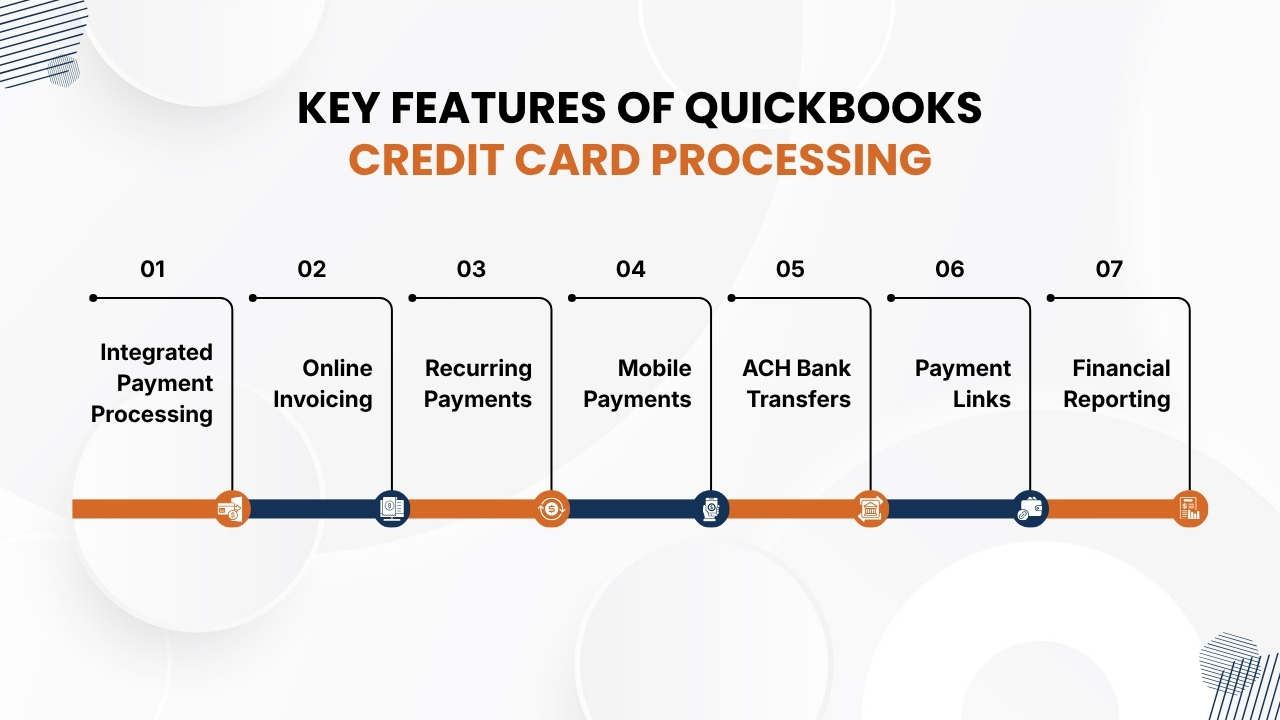
QuickBooks Payments offers a lot of features that helps businesses to simplify payment acceptance, automate financial tasks, and increase cash flow.
QuickBooks Payments by combining payment processing with accounting tools helps businesses to manage transactions more efficiently while maintaining financial records.
Below are the important features of QuickBooks Payments:
1. Integrated Payment Processing
QuickBooks Payments can be smoothly integrated with QuickBooks Online which allows businesses to process payments smoothly without switching between multiple applications.
Each transaction is automatically recorded, so invoices are updated in real time, and payment details are synchronized with accounting records.
This automation reduces manual bookkeeping, reduces data entry mistakes, makes bank reconciliation fast, and improves overall financial accuracy.
When businesses keep payment and accounting data connected, then businesses can save time and get more time to focus on serving customers and improving operations.
Also Read: Credit Card Processing Fees: Complete Breakdown for Businesses
2. Online Invoicing
These payments enable businesses to create online invoices with secure payment buttons that makes it easier for customers to pay instantly.
With QuickBooks Payments Customers can choose to make payments from several payment options such as credit cards, debit cards, ACH bank transfers. Businesses can also customize invoices with their brand names, track payment status, schedule automatic reminders, and track outstanding balances.
Due to online invoicing, payment cycles become short, which reduces need for manual follow-ups, increases cash flow, and provides a more convenient payment experience for customers.
3. Recurring Payments
QuickBooks Payments supports automated recurring billing which is essential for businesses that offer subscription-based products or ongoing services. Customers have to authorize payments once and then the system automatically charges their preferred payment method as per predefined schedule.
This feature makes QuickBooks Payments a good option for membership organizations, maintenance companies, SaaS providers, consulting firms, and other recurring-service businesses.
While automated billing highly reduces admin work of staff, reduces chances of missed payments, increases customer convenience, and offers a stable, predictable revenue stream that supports long-term financial planning.
4. Mobile Payments
QuickBooks supports mobile payment processing through compatible card readers and smartphones which allows businesses to accept payments wherever they operate.
This feature is essential for contractors, consultants, field service professionals, and businesses that operate beyond a traditional office setup. Hence, businesses can accept payments securely at customer locations, job sites, trade shows, events, and other remote locations.
Due to mobile payments businesses can collect funds instantly after completing a service, reducing unpaid invoices, increasing cash flow, and providing a more professional customer experience.
Also Read: How Credit Card Processing Works Step by Step
5. ACH Bank Transfers
In addition to accepting card payments, QuickBooks lets businesses receive payments through ACH bank transfers, which often have lower processing expenses than traditional credit card transactions.
ACH payments are commonly used for large invoices, B2B transactions, recurring billing, and high-value payments. Offering ACH payments as a payment option gives customers more flexibility during making payments and helps businesses to reduce expenses of payment processing.
It is beneficial for organizations that handle large numbers of transactions or receive recurring monthly payments.
6. Payment Links
Through QuickBooks Payments businesses can create secure payment links which customers can use to pay online without needing to visit a physical location or accessing a website.
While these payment links can be shared through email, SMS, and customer portals that make payment collect simple and convenient.
Customers just have to click the link, enter payment details, and complete the transaction securely. Payment links are essential for freelancers, consultants, contractors, and service-based businesses that regularly send invoices or request remote payments.
7. Financial Reporting
QuickBooks Payments has strong reporting and analytics tools that offer visibility into business finances in real-time. Due to integrated dashboards users can track revenue, outstanding invoices, payment history, customer balances, and cash flow from a single location.
It allows businesses to generate detailed reports, analyze payment patterns, track payment collections, and find ways to improve financial performance.
These insights support better budgeting, forecasting, and strategic decisions that help business owners to have complete control over financial operations and plan confidently for future growth.
Benefits of Using QuickBooks Credit Card Processing
QuickBooks Payments helps businesses to make payment collection smooth while improving financial management and operational efficiency.
When QuickBooks Payments integrates payment processing with accounting software, businesses can save time, reduce manual labor, and offer a better experience to customers.
1. Faster Payments
Through QuickBooks Payments customers can pay invoices instantly using credit cards, debit cards, or ACH bank transfers. Due to faster payment processing, reduces outstanding invoices, increases cash flow, and provides businesses with quick access to working capital.
2. Simplified Accounting
Every payment gets automatically synced to QuickBooks Online. It removes chances of duplicate data entry and also reduces bookkeeping mistakes.
While automated reconciliation keeps financial records accurate while saving valuable time of accounting teams.
Also Read: Best Credit Card Processing Companies for Small Businesses
3. Better Customer Experience
It offers multiple payment methods and thereby offers a convenient and smooth checkout experience to customers.
Through QuickBooks Payments customers can pay instantly and securely which leads to higher customer satisfaction, quicker invoice payments, and stronger relationships with customers for the long-term.
4. Improved Financial Visibility
It provides real-time dashboards and detailed financial reports that helps businesses to track revenue, payment history, cash flow, and outstanding invoices. Through these insights businesses can support informed decisions and better financial planning.
5. Increased Productivity
Automation reduces admin tasks as there is no need for manual entering payments, invoice tracking, and reconciliation. It allows employees to spend more time serving customers, improving business operations, and focusing on business growth.
QuickBooks Credit Card Processing Fees
Understanding the pricing structure of QuickBooks Credit Card Processing is essential for managing management payment costs and choosing the right solution.
While QuickBooks Payments offers transparent pricing, businesses should evaluate all associated fees based on their transaction volume and payment methods.
1. Credit Card Processing Fees
Such payments primarily charge a percentage-based fee for processed transactions through the platform. The exact rate is based on the way payment is accepted like online invoices, eCommerce transactions, manually entered card payments, or in-person card swipes.
Businesses that process a large number of transactions should estimate their monthly processing expenses to understand the overall impact on profits instead of focusing only on individual transaction rates.
2. ACH Bank Transfer Fees
These payments support ACH bank transfers that usually cost less than credit card transactions. ACH payments are beneficial for businesses that send high-value invoices or receive recurring payments.
Professional service providers, contractors, healthcare practices, and B2B organizations use ACH payments to reduce processing expenses while offering customers a convenient payment option.
3. Monthly Service Costs
In addition to transaction fees, businesses may incur monthly expenses based on their QuickBooks subscription plan and payment processing features.
These fees can differ based on the tools and services selected. Evaluating monthly costs along with the available features helps to determine whether the platform provides good value for your business.
Also Read: Payment Processing Solutions for High-Risk Businesses
4. Chargeback Fees
When customers dispute a payment, QuickBooks may apply chargeback fees. Businesses can reduce the chances of chargebacks by maintaining accurate records, issuing detailed invoices, and communicating clearly with customers regarding purchases and payment terms.
5. Additional Fees
Businesses should also consider potential extra fees which include international transaction fees, currency conversion costs, instant deposit fees, payment hardware expenses, and optional software add-ons.
Understanding all possible fees helps to create a more accurate budget and prevents unexpected payment processing expenses.
QuickBooks Credit Card Processing: Features
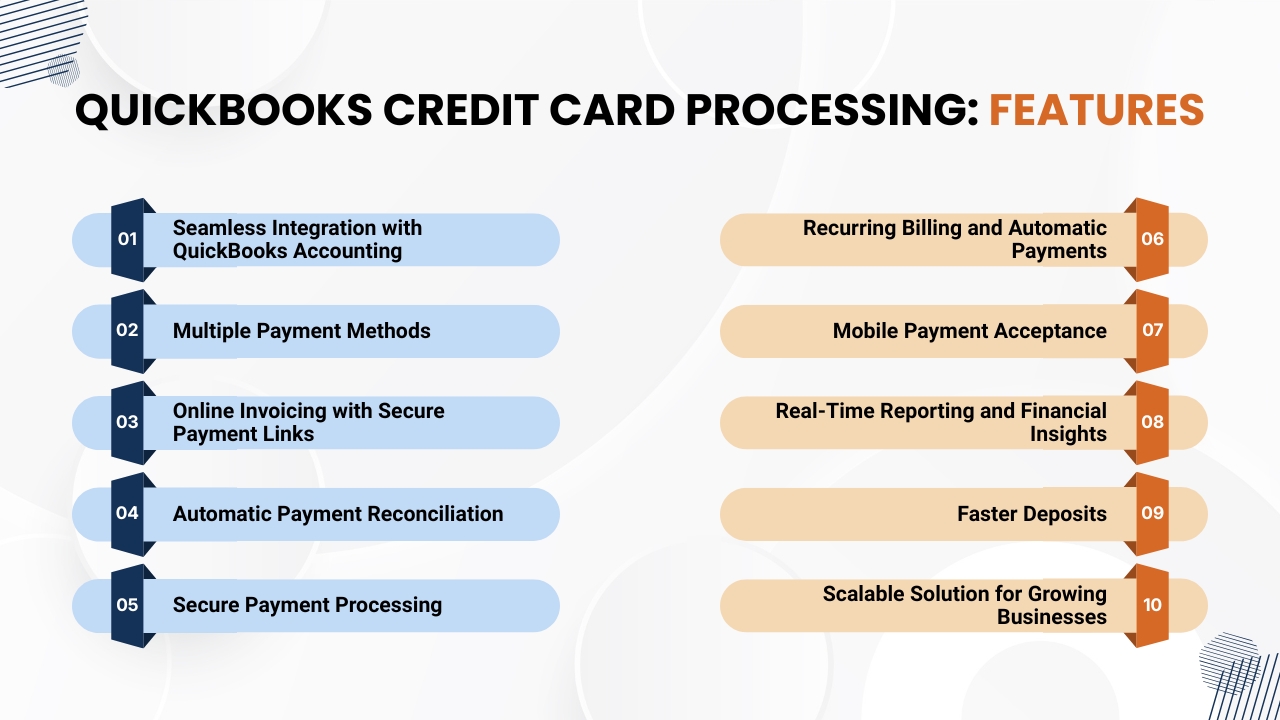
It is a detailed payment solution that enables businesses to accept credit card, debit card, and ACH payments that keep their accounting records synchronized.
Whether you are a freelancer, small business owner, retailer, or service provider, QuickBooks provides features which improve operational efficiency, increase cash flow, and improve the customer payment experience.
1. Seamless Integration with QuickBooks Accounting
QuickBooks Credit Card Process can be integrated with QuickBooks Online and QuickBooks Desktop. This lets businesses ensure that every payment received is automatically recorded and aligned with the appropriate customer invoice or sales receipt.
It removes chances of duplicate data entry, reduces accounting mistakes, and ensures that financial records remain accurate. Due to automatic synchronization of data, bank reconciliation and tax preparation are much easier.
2. Multiple Payment Methods
QuickBooks supports a lot of payment methods, which allows businesses to offer customers more flexibility. Businesses can accept:
- Credit cards
- Debit cards
- ACH bank transfers
- Online invoice payments
- Mobile payments
- Digital wallet payments (where supported)
Offering multiple payment options improves customer satisfaction while increasing the chances of receiving payments quickly.
3. Online Invoicing with Secure Payment Links
These payments allow businesses to create invoices and send them online with embedded payment links. It allows customers to securely pay invoices from computer, tablet, or smartphone using their preferred payment method.
As businesses can automate invoice reminders, it helps them to reduce late payments and increase cash flow rather than spending time on payment collections.
Also Read: Best Credit Card Processing Solutions for Small Businesses
4. Automatic Payment Reconciliation
Payment reconciliation is a time-consuming accounting task for businesses. QuickBooks payments makes this process instant by matching incoming payments with invoices and updates accounting records in real time.
This automation of payments reduces the need for manual work, improves bookkeeping and better financial management.
5. Secure Payment Processing
Security is an important feature of QuickBooks Credit Card Processing. These platforms use encryption, secure payment gateways, fraud monitoring tools, and compliance with payment security to help protect customer payment details.
These security features reduce the risk of fraud transactions while giving customers confidence while making payments.
6. Recurring Billing and Automatic Payments
Businesses with subscription-based services or recurring invoices can schedule automatic payments. These features are essential for consultants, membership organizations, healthcare providers, property management companies, and other service-based businesses.
Implementing automated recurring billing reduces admin work, missed payments, and creates more predictable revenue.
7. Mobile Payment Acceptance
QuickBooks allows businesses to accept payments on the go using its mobile app and compatible card readers. Such payments are useful for contractors, field service professionals, delivery businesses, food vendors, and businesses that operate beyond a physical office.
Accepting payments instantly at the point of service improves customer convenience and increases cash flow.
Also Read: How Long Credit Card Transactions Take to Process: A Complete Guide for Businesses
8. Real-Time Reporting and Financial Insights
These payments provide real-time dashboards which display sales performance, cash flow, outstanding invoices, and customer payment history.
It offers real-time reporting and financial insights that allows business owners to generate financial reports instantly, identify payment patterns, track revenue, and make informed decisions using accurate financial data.
9. Faster Deposits
QuickBooks Payments helps businesses to receive payments quickly after transactions are processed. Faster deposits improve cash flow, which allows businesses to pay suppliers, employees, and operating expenses more efficiently.
As businesses have instant access to revenue, quickbooks payments is an essential payment option for growing businesses with consistent cash flow needs.
10. Scalable Solution for Growing Businesses
When business expands, QuickBooks Credit Card Processing can grow along with it. As this platform supports high transaction volumes, additional users, and integrations with different QuickBooks features and third-party business applications.
Such flexibility lets businesses continue using the same payment systems when the business operation expands, preventing the need for frequent platform changes.
Best Alternatives to QuickBooks Credit Card Processing
Although QuickBooks is a convenient solution for businesses already using QuickBooks accounting software, it may not meet every organization’s needs.
Based on your transaction volume, industry, budget, and desired features, several payment processors provide more flexibility, advanced integrations, or more competitive pricing.
Below are some of the best alternatives to QuickBooks Credit Card Processing.
1. AcePay
It is a payment processing solution essential for businesses who want their payments to be secure, flexible, and scalable. This platform supports credit and debit card payments, ACH transfers, digital invoicing, recurring billing, payment links, and mobile payments.
It has advanced security features such as PCI DSS compliance, SSL encryption, and tokenization which help businesses to protect customer data.
It allows businesses for real-time reporting and can be smoothly integrated with accounting and business management tools that make AcePay a good option for small businesses, eCommerce stores, subscription-based companies, professional service firms, and growing organizations who want all features in a single platform.
2. Stripe
Stripe is a popular payment processor for online businesses and technology companies. This platform offers strong APIs, customizable checkout options, subscription billing, and also support for international payments in different currencies.
This platform also has features like fraud prevention tools, recurring payment management, and high developer resources that makes it an ideal for SaaS businesses, online markets, startups, and companies who want customized payment solutions.
3. Square
It is a popular platform due to its easy to use features. This platform combines point-of-sale(POS) systems, invoicing, inventory management, and customer management tools.
This lets businesses accept payments in-store, online, or through mobile devices. Square is a popular platform among retailers, restaurants, salons, food trucks, and service providers because of its easy setup and business management features.
4. PayPal
It is a worldwide popular payment platform that is trusted by millions of businesses and customers. Implementing PayPal enables merchants to accept credit cards, debit cards, PayPal balances, and digital wallet payments securely during online checkout.
Due to simple integration and strong brand name, PayPal is a good payment option for freelancers, small businesses, online retailers, and businesses serving international customers.
5. Helcim
This platform provides transparent interchange-plus pricing with no long-term contracts or hidden fees. Helcim has features such as payment processing, invoicing, recurring billing, virtual terminals, and customer management tools.
Due to its competitive pricing structure, this platform is a good option for medium sized businesses and merchants processing higher monthly transaction volumes who want predictable processing expenses.
Conclusion
QuickBooks Credit Card Processing offers businesses an efficient way to accept payments while integrating smoothly with QuickBooks accounting software.
Due to its features such as online invoicing, ACH payments, recurring billing, mobile payment support, and automated reconciliation helps businesses to simplify financial management and increase cash flow.
Businesses that already use QuickBooks Payments, it offers a convenient payment solution that reduces manual work and makes daily operations smooth.
However, choosing the right payment processor is based on your business size, transaction volume, industry, and long-term goals. Companies that look for more payment flexibility, advanced reporting, wider integrations, or scalable payment tools may benefit from exploring alternatives.
They must check processing fees, security standards, integration capabilities, customer support, and available payment methods that help them to make informed decisions.
AcePay is a strong alternative as it combines secure payment processing with features like payment links, online invoicing, recurring billing, ACH payments, mobile payment acceptance, and real-time analytics.
This platform provides businesses with flexibility, security, and operational efficiency that makes it suitable for startups, growing businesses, and also for established businesses.
As digital payments keep increasing, it is essential for businesses to invest in a secure and scalable payment solution that helps your businesses to improve customer satisfaction, make financial operations smooth, increase revenue opportunities, and remain competitive in a highly digital market.
If you still have any query about QuickBooks Credit Card Processing, their features and alternatives, then you may book a free demo at AcePay and we are more than happy to assist you.
In today’s digital economy, customers expect businesses to provide fast, secure, and convenient online payment solutions.
Whether you are running an eCommerce store, subscription service, SaaS platform, nonprofit organization, or professional service businesses, then it has become essential for businesses to accept credit card payments online for increasing sales and improving customer experience.
Consumers today want to make payments with credit cards, debit cards, digital wallets, and online payment methods because they are quick, secure, and accessible from anywhere.
Modern online payment processing solutions enable businesses to accept payments from customers through websites, mobile apps, payment links, online invoices, and virtual terminals.
These platforms provide advanced security features like fraud protection, recurring billing, payment analytics, and smooth integration with shopping carts, and accounting software.
As the number of online shopping and digital services keep increasing, choosing the right payment gateway and payment processor is essential for achieving success in business.
Platforms like AcePay make the payment process simple by offering secure credit card payment processing, several payment options, digital invoicing, recurring billing, and real-time reporting.
As AcePay supports Visa, Mastercard, American Express, Discover, and many digital, it helps businesses to offer a smooth checkout experience while also protecting sensitive customer data through advanced security features.
This blog will walk you through everything you need to know for accepting credit card payments online, that includes the way payment processing works, the technology used, available payment methods, pricing models, security standards, and tips for selecting the best payment solution.
So if you are launching your first online store or expanding your current payment infrastructure, then this blog will help you to make informed decisions which increase customer satisfaction, seamless operations, and drive long-term business growth.
Also Read: Best Credit Card Processing Companies for Small Businesses
What Are Online Credit Card Payments?
These payments allow customers to buy products or avail services online using a debit card, credit card, or digital wallet. Instead of using a physical payment terminal, customers enter payment details through a secure checkout page, mobile app, or payment link.
Then the transaction is processed through a payment gateway and payment processor securely. It ensures fast and secure online payments.
Businesses of different industries use online payment solutions to improve conveniences of customers, seamless transactions, and increase sales.
Online credit card payments are widely used by:
- eCommerce websites
- Subscription-based services
- Online marketplaces
- Educational platforms
- Healthcare providers
- Nonprofit organizations
- Professional service firms
- Travel and hospitality businesses
Modern online payment systems support multiple payment methods like credit cards, debit cards, Apple Pay, Google Pay, PayPal, Buy Now, Pay Later(BNPL) services and bank transfers, which helps businesses to reduce cart abandonment and provide a smooth checkout experience.
How Businesses Accept Credit Card Payments Online
Accepting credit card payments online involves several secure technologies working together to authorize, process, and settle transactions.
Below are the six important steps involved in the online payment process.
1. Customer Places an Order
The process begins with a customer choosing products or services and moves ahead to the secure checkout page. Then the customers make payments using a credit card, debit card, or digital wallets such as Apple Pay or Google Pay.
2. Payment Information Is Encrypted
After the customer enters their payment details, then the payment gateway encrypts the sensitive card details before transmitting it. Such encryption secures payment details from unauthorized access during the transaction.
3. Payment Gateway Processes the Request
The encrypted payment information is securely forwarded to the payment processor, which works as a bridge between the businesses, card networks, and financial institutions to facilitate the transaction.
Also Read: How Credit Card Processing Works Step by Step
4. Authorization by the Issuing Bank
The payment processor then sends the transaction request to the customer’s issuing bank. The bank then verifies the card’s validity, available funds or credit, fraud indicators, and security credentials before approving or declining the transaction.
5. Payment Confirmation
Once approved, the business receives instant confirmation, while the customer receives an order confirmation and a digital receipt. The order management system is automatically updated.
6. Settlement and Fund Transfer
After authorization, the transaction is settled, and the funds are then transferred to the merchant account before being deposited into the business’s bank account as per the payment provider’s settlement schedule.
Why Businesses Should Accept Credit Card Payments Online
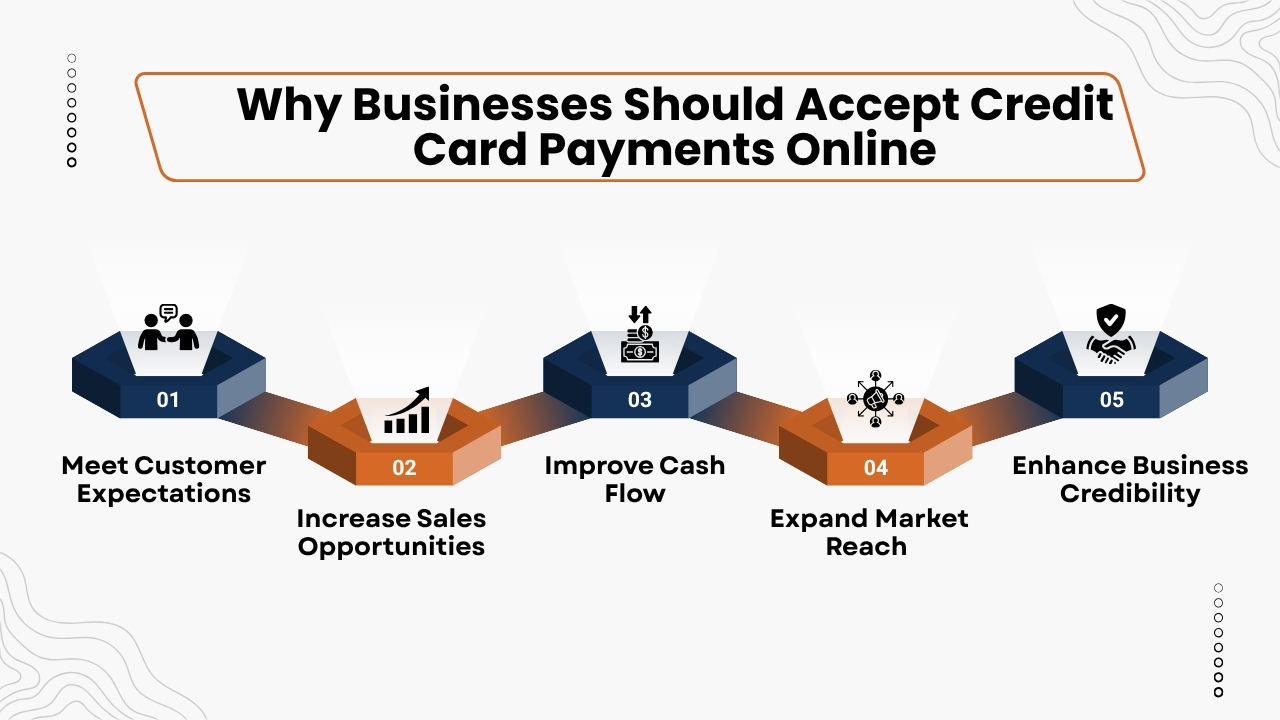
Accepting credit card payments online has become essential for businesses who are willing to grow, improve customer satisfaction, and remain competitive in today’s digital market.
Below are five important reasons to offer online payment options.
1. Meet Customer Expectations
Modern customers want their payment solutions to be secure, convenient, and flexible while they shop online. Businesses accepting multiple payment options like credit cards, debit cards, and digital wallet, improves the customer experience, and encourages customers to complete purchases.
2. Increase Sales Opportunities
Such payments reduce checkout friction and make it easier for customers to complete purchases. Businesses that accept cashless payments often experience more conversion rates, high average order values, and increased customer retention.
3. Improve Cash Flow
These payments can be processed faster than cheques or bank transfers. Many payment providers provide either next-day or same-day funding that helps businesses to receive cash instantly and maintain good cash flow.
Also Read: Credit Card Processing Fees: Complete Breakdown for Businesses
4. Expand Market Reach
Implementing credit card payments online helps businesses to sell products and services to customers across different cities, states, and countries. Such wider reach creates new growth opportunities for businesses and also supports business expansion.
5. Enhance Business Credibility
Implementing a secure online checkout process increases customer trust and improves your brand’s reputation. Businesses use trusted payment solutions and protect sensitive customer details are more likely to earn customer trust and encourage them for repeat purchases.
Benefits of Accepting Credit Card Payments Online
Implementing online credit card payment processing provides many operational and financial benefits to businesses. Whether improving customer satisfaction, increasing revenue, online payment solutions helps businesses to operate effectively and remain competitive.
1. Faster Payments
With online credit card payments enables customers to buy products quickly, and thereby removing delays due to invoices, cheques, or cash transactions.
Faster payments improves cash flow, which helps businesses to manage daily expenses, inventory purchases, and business growth more effectively.
2. Better Customer Experience
When businesses provide multiple payment options like credit cards, debit cards, Apple Pay, Google Pay, and digital wallets, it offers more convenience to customers.
Offering a smooth and secure checkout process increases customer satisfaction, encourages them for repeat purchases, and builds long-term customer loyalty.
3. Increased Revenue
Providing a simplified checkout experience to customers reduces chances of cart abandonment because it lets customers easily complete transactions.
Businesses that accept several online payment methods often achieve higher conversion rates, increased average order values, and more sales.
4. Improved Payment Security
Modern payment processors use advanced security technologies like SSL encryption, tokenization, fraud monitoring, and PCI DSS compliance to protect sensitive payment details. These measures reduce fraud risks and increase trust of customers.
5. Automated Business Operations
Many online payment platforms can be integrated into accounting software, CRM systems, inventory management tools, and eCommerce platforms.
Such integrations automates payment tracking, financial reporting, that reduces manual tasks for staff and also improves overall business efficiency.
Different Ways Businesses Accept Credit Card Payments Online
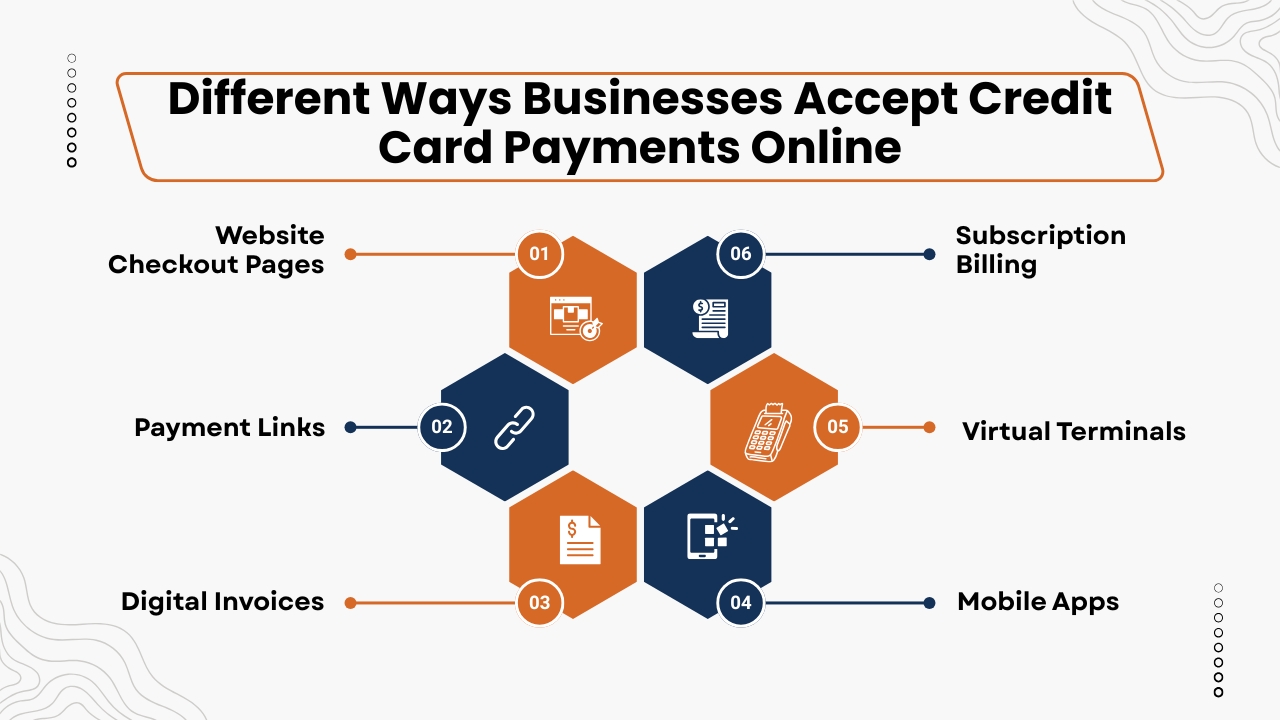
Businesses today have several options for accepting online credit card payment. The right method is based on your business model, customer preferences, and the type of products or services you sell.
Having a flexible payment solution helps businesses to increase customer satisfaction while improving conversation rates.
1. Website Checkout Pages
Website checkout pages are a popular and secular way for businesses to accept credit card payments online. Through these website checkout pages customers can add products or services to their shopping cart, proceed to checkout, and enter their payment details securely.
Then the payment gateways encrypt the details and processes the transactions that ensures a safe, quick, and smooth payment experience.
These pages should be mobile friendly, easy for users to navigate, and optimized to reduce cart abandonment while increasing conversion rates.
Website checkout pages are ideal for:
- eCommerce stores
- Retail businesses
- Wholesale suppliers
- Digital product sellers
- Businesses seeking a secure and user-friendly online checkout experience
Businesses that offer a smooth checkout process can increase customer satisfaction, build their trust, and increase completed purchases.
2. Payment Links
Payment links offer a simple and convenient way for businesses to accept credit card payments online without creating a dedicated eCommerce website.
A payment processor generates a secure payment URL which businesses can share with customers through different digital channels. Customers simply click the link, enter their payment details, and complete the transaction instantly and securely.
This method is a good option for businesses that need a flexible, low-cost payment solution while providing a smooth payment experience to customers.
Payment links can be shared through:
- SMS
- Social media platforms
- QR codes
These links are especially useful for freelancers, consultants, service providers, and businesses that regularly send invoices which enables faster collections, improved cash flow, and more convenience to customers.
3. Digital Invoices
Digital invoices make it easy for businesses to request and receive payments online. Many payment providers enable businesses to create professional invoices with a secure payment button which enables customers to pay instantly using their preferred method.
This approach simplifies the billing process, reduces paperwork, and shortens payment cycles. It also improves the customer experience by providing a fast, secure, and convenient way to complete transactions.
Digital invoicing is especially beneficial for:
- Contractors
- Marketing agencies
- Law firms
- Healthcare providers
- Accounting firms
Automating invoicing and payment collection, helps businesses to reduce need for manual follow-ups, payment delays, improve cash flow, and spend more time to focus on customer service and business growth.
Also Read: Best Credit Card Processing Solutions for Small Businesses
4. Mobile Apps
These apps provide businesses with a convenient way to accept credit card payments online while offering a smooth user experience. By integrating secure online payment processing into a mobile application, customers can safely save their payment information, complete purchases in just a few taps, and manage subscriptions without leaving the app.
This smooth checkout process improves convenience, encourages customers for repeat purchases, and improves customer loyalty.
Mobile payment apps are commonly used by:
- Food delivery services
- Subscription-based businesses
- Fitness platforms
- Online education providers
- Travel companies
Integrating payment processing into a mobile app helps businesses to increase customer engagement, simplify transactions, reduce checkout friction, and offer a fast, secure, and user-friendly payment experience across mobile devices.
5. Virtual Terminals
It enables businesses to accept credit card payments online by manually entering a customer’s payment details through a secure web-based dashboard.
This payment method is a good option for businesses that process phone orders, remote payments, or transactions handled by customer support teams.
Virtual terminals remove the need for costumes to be physically present which make payment collection more flexible while maintaining a high level of security.
Virtual terminals are commonly used by:
- Hotels
- Medical offices
- Professional service firms
- Travel agencies
By using virtual terminals, businesses can securely process remote transactions, improve customer convenience, faster payment collection, and offer a reliable payment solution for customers who prefer to place orders or make payments over the phone.
6. Subscription Billing
It is an automated payment solution which is designed for businesses with recurring revenue models. After customers provide authorization once, the payment platform automatically charges their credit or debit card according to a predefined schedule.
This removes the need for manual invoicing which ensures timely payments and offers customers with a convenient, smooth billing experience. Automated billing also helps businesses to maintain consistent cash flow and reduce admin tasks.
Subscription billing is ideal for:
- SaaS companies
- Membership websites
- Streaming services
- Gym memberships
- Maintenance plan providers
Automating recurring payments enables businesses to improve revenue predictability, reduce missed or late payments, increase customer retention, and streamline billing operations, which allows teams to focus on delivering high-quality products and services.
Understanding Online Credit Card Processing Fees
For selecting a cost-effective payment solution, it is essential to understand online credit card processing fees. Processing expenses may differ based on the provider, pricing model, transaction volume, and additional services offered. Evaluating all fees helps businesses to avoid unexpected expenses and achieve maximum profits.
1. Transaction Fees
Most payment providers charge a percentage of each transaction along with a fixed fee. Common pricing models are flat-rate pricing, interchange-plus pricing, and tiered pricing.
Businesses should compare these models based on monthly transaction volume and average order value to find the most economical option.
2. Monthly Subscription Fees
Some providers charge monthly fees which include access to payment dashboards, customer support, reporting tools, software updates, and fraud monitoring services.
Compare the monthly expenses with the features offered to ensure that you receive the best value for your investment.
3. Payment Gateway Fees
Certain payment processors charge separately for using their payment gateway. These fees include monthly gateway subscriptions, per-transaction gateway charges, or one-time setup fees.
Many modern payment providers combine gateway services into pricing plans, reducing additional expenses.
4. Chargeback Fees
When a customer disputes a transaction, the payment processor may charge a chargeback fee to cover the fees for the investigation process.
Businesses can reduce chargebacks by maintaining accurate transaction records, offering clear refund policies, and sending detailed order confirmations.
5. Hardware Costs
Although most online businesses operate digitally, some businesses also accept in-person payments using mobile card readers or smart POS devices. In such cases, businesses should consider hardware expenses, such as card readers, payment terminals, receipt printers, and accessories, while evaluating the total expenses of a payment processing solution.
Security and PCI DSS Compliance
It is essential for every business to protect their customer payment details if they accept online payments through credit cards. Modern payment providers use several security features to protect transactions, reduce fraud, and build customer trust.
1. PCI DSS Compliance
The Payment Card Industry Data Security Standard(PCI DSS) establishes security needs for businesses that store, process, or transmit cardholder data.
Businesses selecting a PCI-compliant payment provider helps them to secure sensitive payment details, reduces security risks, and ensures compliance with industry regulations.
2. SSL Encryption
SSL encryption protects customer payment details when it is transmitted between the browser and the payment gateway. Websites that offer SSL protection provide a padlock icon in the browser that helps customers to gain trust that their personal and financial details are protected.
Also Read: Payment Processing Solutions for High-Risk Businesses
3. Tokenization
It involves replacing sensitive credit card numbers with unique, randomly generated tokens. So that even if any fraudsters gain access to stored data, then the tokens cannot be used without the actual card details, providing more security.
4. Advanced Fraud Detection
Modern payment platforms use smart fraud prevention tools like Address Verification Service(AVS), CVV verification, device fingerprinting, AI-based fraud detection, and velocity checks to monitor transactions in real and find if there is any suspicious activity before fraud happens.
5. Two-Factor Authentication (2FA)
Many payment providers support two-factor authentication(2FA), which requires users to verify their identity through an additional authentication step.
Such additional security helps businesses to avoid unauthorized account access and protects both businesses and customers from cyber frauds.
Best Online Credit Card Payment Providers
Choosing the right payment provider is crucial for delivering a secure, smooth checkout experience while managing expenses effectively. The best providers provide reliable payment processing, multiple payment options, strong security, and integrations with popular business tools.
1. AcePay
AcePay is a popular choice for businesses who want a secure and scalable online payment solution. It lets businesses accept credit cards, debit cards, digital wallets, and contactless payments through websites, payment links, online invoices, recurring billing, real-time reporting, and business management tools to make payment collection smooth.
Key Features:
- Secure online payment processing
- Payment gateway integration
- Recurring billing
- Digital invoicing
- Payment links
- Real-time analytics
- PCI DSS-compliant security
- Support for Visa, Mastercard, American Express, and Discover
Best For:
- eCommerce businesses
- Subscription services
- Professional service providers
- Nonprofits
- Small and medium-sized businesses
2. Stripe
Stripe is a popular payment which is well known for its strong APIs and flexible integrations. It supports global payments, subscription billing, digital wallets, and advanced developer tools, which makes it ideal for businesses with custom payment requirements.
Best For:
- SaaS companies
- Online marketplaces
- Technology businesses
- International merchants
3. PayPal
PayPal provides a trusted payment experience that supports credit cards, debit cards, PayPal balances, and PayPal Pay Later. It has gained more recognition and increased customer trust during checkout.
Best For:
- Small businesses
- Freelancers
- Online retailers
4. Square
It provides an easy-to-use payment platform with online checkout, payment links, invoicing, and mobile payment capabilities. Square can be integrated with inventory management and customer relationship tools.
Best For:
- Small businesses
- Restaurants
- Retail stores
- Service providers
5. Authorize.net
It is a long-established payment gateway providing fraud detection, recurring billing, virtual terminals, and support for multiple payment methods.
Authorize.net is suitable for businesses requiring reliable and secure online payment processing.
Best For:
- Growing businesses
- Professional services
- eCommerce companies
How to Choose the Right Online Payment Solution
Selecting the right online payment solution goes beyond comparing transaction fees. The ideal online payment platform should align well with your business needs, provide more security, integrate with your current platforms, and offer a smooth payment experience for your customers.
1. Understand Your Business Model
Start by identifying your business requirements. Consider whether you sell physical products, digital products, professional services, subscription plans, or accept donations.
Your payment processing needs will differ based on your business type, sales volume, and preferred payment methods.
2. Compare Total Costs
Evaluate the overall expenses of the payment solution instead of focusing only on transaction rates. Compare transaction fees, monthly subscription charges, payment gateway fees, chargeback fees, currency conversion costs, and any hardware expenses if you also accept in-person payments.
Also Read: How Long Credit Card Transactions Take to Process: A Complete Guide for Businesses
3. Evaluate Security Features
Choose a provider that prioritizes payment security by offering PCI DSS compliance, SSL encryption, tokenization, fraud monitoring, and two-factor authentication(2FA). These security features help protect sensitive customer details, reduce fraud risks, and build customer trust.
4. Consider Integration Capabilities
A modern payment platform should integrate smoothly with existing business tools that includes shopping carts, CRM software, accounting platforms, ERP systems, and marketing automation software.
These integrations reduce manual work, improve efficiency, and simplify financial management.
5. Review Customer Support
Reliable customer support is essential when payment issues impact sales or customer satisfaction. Search for providers that provide 24/7 support, live chat, email assistance, phone support, and detailed documentation to ensure quick issue resolution and detailed documentation to ensure instant issue resolution and uninterrupted business operations.
Conclusion
Accepting credit card payments online has become crucial for running a business successfully in today’s digital economy. Today customers expect fast, secure, and convenient payment options, if they are shopping through an eCommerce website, paying an invoice online, subscribing to a service, or completing a purchase through a mobile app.
Implementing a reliable online payment processing solution, businesses can improve customer satisfaction, increase conversion rates, increase cash flow, and increase their reach to customers around the world.
Choosing the right payment platform needs careful evaluation of factors like pricing, security, payment methods, integrations, scalability, and customer support.
Businesses should also prioritize providers that comply with PCI DSS standards and provide advanced security features such as SSL encryption, tokenization, fraud detection, and two-factor authentication to protect sensitive payment information and reduce fraud risks.
Platforms like AcePay help businesses to simplify online payment acceptance with secure payment processing, support for multiple payment methods, recurring billing, payment links, digital invoicing , smooth integrations, and real-time reporting.
All these capabilities help businesses to smooth operations while delivering a smooth and reliable checkout experience.
As digital payments continue to evolve, investing in a modern online payment solution will help businesses stay competitive, build customer trust, and support long-term growth.
By adopting secure, flexible, and scalable payment technologies, organizations can confidently meet changing customer expectations and drive sustainable business success.
If you still have any query about how businesses accept credit card payments online then you may book a free demo at AcePay and we are more than happy to assist you.
In today’s quickly changing service economy, customers expect businesses to accept secure, fast, and convenient payments whenever services are delivered.
Whether you are a contractor, plumber, electrician, HVAC technician, landscaper, delivery professional, or mobile healthcare provider, it is essential to have a reliable mobile credit card processing solution which is no longer optional instead it is essential for better customer satisfaction and increasing cash flow.
With the right mobile payment processing system, field businesses can accept credit card payments, debit card payments, contactless payments, and digital wallets, directly from their smartphone, tablet, or
mobile credit reader, and thereby removing the need for paper invoices and chances of delayed payments.
Modern mobile payment solutions do more than just process transactions. These solutions can be integrated with mobile POS systems, invoicing software, customer management tools, inventory tracking, and reporting dashboards which make daily operations smooth and improve business efficiency.
It allows technicians to collect payments on-site, through which businesses can produce excellent invoices, improve cash flow, and provide a faster and more professional customer experience.
Choosing the right provider is equally crucial. AcePay provides a detailed mobile credit card processing solution which is designed to help field businesses to accept secure payments anytime, anywhere.
With support for EMV chip cards, Tap to Pay, Apple Pay, Google Pay, recurring billing, digital invoicing, and advanced payment security, AcePay allows businesses to simplify payment collection while protecting sensitive customer data.
This Mobile Credit Card Processing Guide for Field Businesses to explore everything that you need to know about choosing the best mobile payment processing solution in 2026.
You will learn about how mobile merchant services work, the important features to look for, pricing models, payment security, industry-specific benefits, and practical tips for choosing the right platform.
Whether you are running a small business owner or managing a growing field service team, this blog will help you make informed decisions and maximize the value of mobile credit card processing for your business.
Also Read: How Credit Card Processing Works Step by Step
What Is Mobile Credit Card Processing?
Mobile credit card processing is a payment technology that allows businesses to accept credit and debit card payments through a smartphone, tablet, or portable card reader instead of a traditional payment terminal.
It enables field businesses to secure transactions virtually from anywhere if they have a Wi-Fi or internet connection on mobile phones, which makes it a good option for contractors, delivery services, home repair professionals, and other mobile service providers.
As it allows businesses to accept payments on-site, helps businesses to improve cash flow, reduce delays due to invoicing, and provide customers with a faster and more convenient payment experience.
A typical mobile credit card processing system includes:
- Mobile payment application for processing transactions
- Portable card reader : which accepts chip, swipe, and contactless payments
- Smartphone or tablet to run the payment app
- Internet connection (Wi-Fi or cellular) for secure transaction processing
- Payment processor to authorize and complete transactions
- Merchant account to securely receive customer payments
Altogether these components enable fast, secure, and reliable payment processing whenever business takes place.
How Mobile Credit Card Processing Works
Mobile credit card processing enables field businesses to accept secure payments quickly and efficiently. Though the transaction only takes a few seconds, several important steps happen behind the scenes to authorize, process, and settle the payment.
1. Customer Selects a Payment Method
The process starts when the customers choose their preferred payment option. Modern mobile payment systems support many payment methods such as credit cards, debit cards, EMV chip cards, contactless cards, and digital wallets such as Apple Pay, Google Pay, and Samsung Wallet.
Most businesses also support Tap-to-Pay solutions that allow customers to complete transactions by tapping their card or mobile phones.
2. Payment Data Is Encrypted
Once the customer taps, inserts, or swipes their card, then the mobile card reader encrypts the customer payment details and then sends it through a secure network.
Such encryption protects sensitive cardholder data from unauthorized access that helps to ensure that every transaction remains secure.
3. Authorization and Verification
Then the encrypted payment request is sent to the payment processor, which forwards it to the customer’s issuing bank. The bank then verifies the card’s validity, checks available funds, performs fraud detection, and completes security verification. If all checks are successful, then the transaction is approved within seconds.
4. Payment Confirmation
Once approved, then the customer receives instant confirmation about this transaction. The business may instantly email or text a digital receipt, print a receipt if required, update customer records, and close the service order rather than waiting for manual payment processing.
5. Settlement and Fund Deposit
The approved transaction is settled through the payment network, and then the funds are transferred to the business’s merchant account. Based on the payment provider, businesses may receive their funds through same-day or next-day deposits, which improves cash flow and simplifies financial management.
Also Read: Credit Card Processing Fees: Complete Breakdown for Businesses
Why Mobile Credit Card Processing Matters for Field Businesses
Field businesses like contractors, plumbers, electricians, HVAC technicians, landscapers, and delivery services work directly at customer locations instead in traditional retail stores.
It creates unique payment challenges, such as businesses often depend on paper invoices, cash checks, or bank transfers. These payment methods can delay cash flow, increase admin work, and need additional followups to collect outstanding payments.
While mobile credit card processing helps to overcome these challenges by allowing businesses to accept secure payments instantly after completing a job. Key benefits include:
- Instant on-site payment collection
- Reduced dependence on paper invoices and checks
- Faster cash flow and improved working capital
- Lower administrative and collection efforts
- Enhanced customer convenience with multiple payment options
- A more professional and efficient payment experience
Industries That Benefit from Mobile Credit Card Processing
Mobile credit card processing is an important solution for businesses that provide services beyond a traditional storefront. Accepting secure payments on-site, businesses can improve cash flow, reduce invoicing delays, and improve customer convenience.
Below are some of the industries that benefit the most from mobile payment processing.
1. Home Contractors
General contractors can accept deposits before beginning a project and collect the remaining balance instantly after completing the work. This reduces chances of payment delays and improves cash flow.
2. HVAC Companies
This allows HVAC technicians to process payments on-site after installing or repairing heating and cooling systems. This removes the need to send invoices and speeds up payment collection.
3. Electricians
Electricians often provide emergency repair services where instant payment is expected. While mobile credit card processing allows them to accept secure payments before leaving the customer’s property.
4. Plumbers
It allows plumbers to instantly collect payments after completing repairs or installation and thereby offering a smoother customer experience.
5. Landscaping Businesses
Landscaping professionals frequently visit multiple client locations each day. Mobile payment solutions simplify billing, which makes it easy to accept payments after every service.
Also Read: Best Credit Card Processing Companies for Small Businesses
6. Cleaning Services
Residential and commercial cleaning companies can process one-time payments or set up recurring billing for regular customers which improves payment consistency and reduces admin work.
7. Pest Control Companies
Pest control providers offering scheduled maintenance plans can automate recurring payments, ensuring that there are timely collections and reducing manual invoicing.
8. Mobile Mechanics
Mobile mechanics perform vehicle repairs at homes, workplaces, or roadside locations. With portable payment systems allow customers to pay instantly after the service is completed.
9. Delivery Businesses
Courier and delivery companies can securely accept card payments upon delivery, providing customers greater payment flexibility while reducing cash handling.
10. Healthcare Professionals
Home healthcare providers, mobile clinics, and other healthcare professionals can securely process patient payments on-site. Mobile payment processing improves convenience, improves the patient experience, and ensures faster payment collection while maintaining secure transactions.
Benefits of Mobile Credit Card Processing
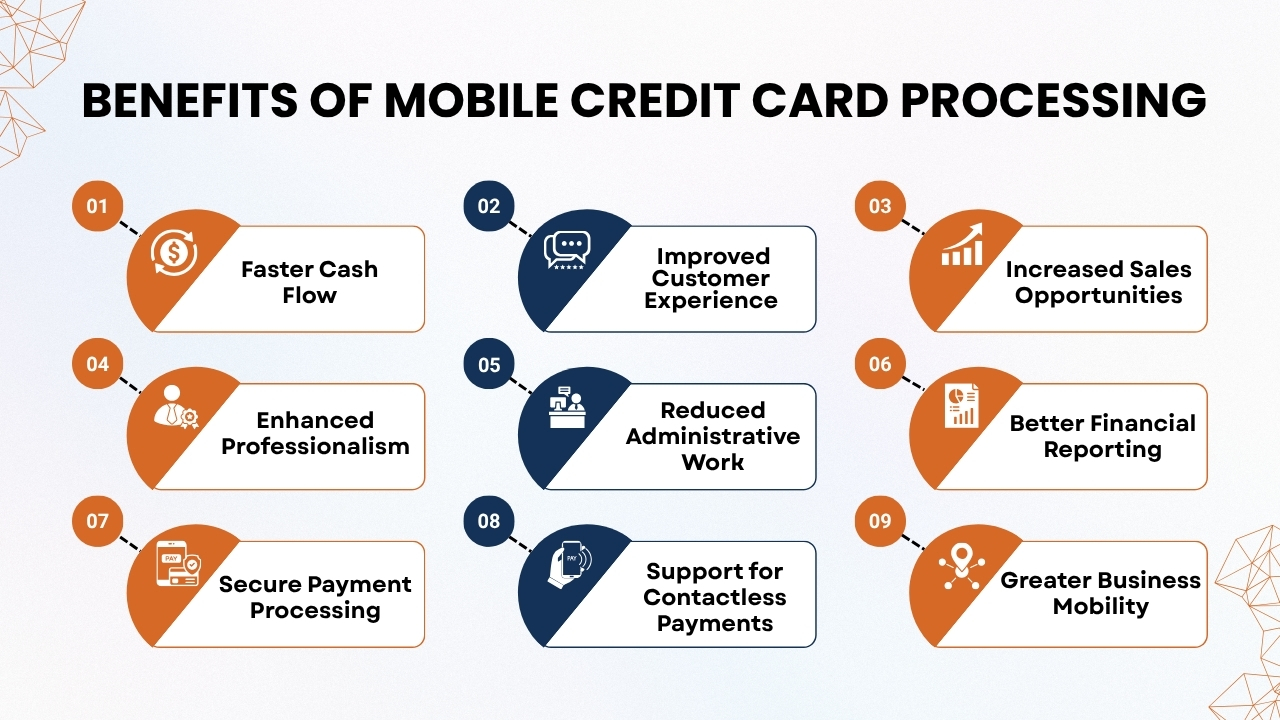
Mobile credit card processing offers more than just the ability to accept payments on the go. This helps field businesses to improve operational efficiency, improve customer relationships, and maintain profitable cash flow.
Below are the key benefits of using a mobile payment solution.
1. Faster Cash Flow
One of the biggest benefits of mobile credit card processing is it gives faster access to revenue. This lets businesses not wait for days or weeks for customers to pay invoices, rather collect payments quickly after completing a service.
Faster payments improve cash flow, which makes it easier to cover payroll, purchase inventory, and manage everyday operating expenses.
2. Improved Customer Experience
Customers today expect their payment options to be convenient and flexible. Mobile payment solutions enable businesses to accept credit cards, debit cards, Tap-to-pay, contactless payments, Apple Pay, Google Pay, and other digital wallets.
Offering multiple payment options increases customer convenience, and gives them a smoother checkout experience, and also increases the number of repeat business.
3. Increased Sales Opportunities
Often customers that spend more while paying with cards rather than cash. By accepting multiple payment methods, businesses can increase average transaction values, encourage upselling, and reduce lost sales due to limited payment options. A smooth payment experience also helps to improve customer retention and long-term loyalty.
4. Enhanced Professionalism
Using a modern mobile payment system builds a professional image for your business. As customers receive instant payment confirmations and digital receipts rather than handwritten invoices or delayed billing. It shows efficiency, builds trust, and improves your company’s reputation.
5. Reduced Administrative Work
Traditional invoicing needs printing, mailing, tracking payments, sending reminders, and manually updating financial records. Mobile payment platforms automate most of these tasks through digital invoicing, electronic receipts, automated payment tracking, and accounting software integration which saves time and reduces admin mistakes.
Also Read: Best Credit Card Processing Solutions for Small Businesses
6. Better Financial Reporting
Most mobile payment solutions include real-time dashboards which provide valuable business insights. Business owners can track daily sales, weekly revenue, monthly transaction summaries, refund history, tax reports, and payment patterns.
Having access to accurate financial data helps businesses to make informed decisions and improve overall financial management.
7. Secure Payment Processing
Security is an important feature of modern mobile payment systems. Implementing advanced technologies like end-to-end encryption, tokenization, EMV chip processing, fraud detection, and PCI DSS compliance that helps to protect sensitive customer payment information. These security measures reduce fraud risks while also increasing trust of customers.
8. Support for Contactless Payments
Contactless payments keep gaining popularity as they are fast, secure, and convenient. While mobile payment systems support contactless cards, Apple Pay, Google Pay, and Tap-to-Pay smartphones, which allows businesses to meet changing customer preferences and offer quicker checkout experiences.
9. Greater Business Mobility
Field businesses operate in different locations which include customer homes, construction sites, outdoor events, and temporary workspaces. Mobile credit card processing allows businesses to accept secure payments virtually anywhere with a Wi-Fi or cellular connection.
This flexibility improves productivity, shortens payment cycles, and enables businesses to deliver exceptional service without being connected to a physical payment terminal.
Key Features to Look for in a Mobile Credit Card Processing Solution
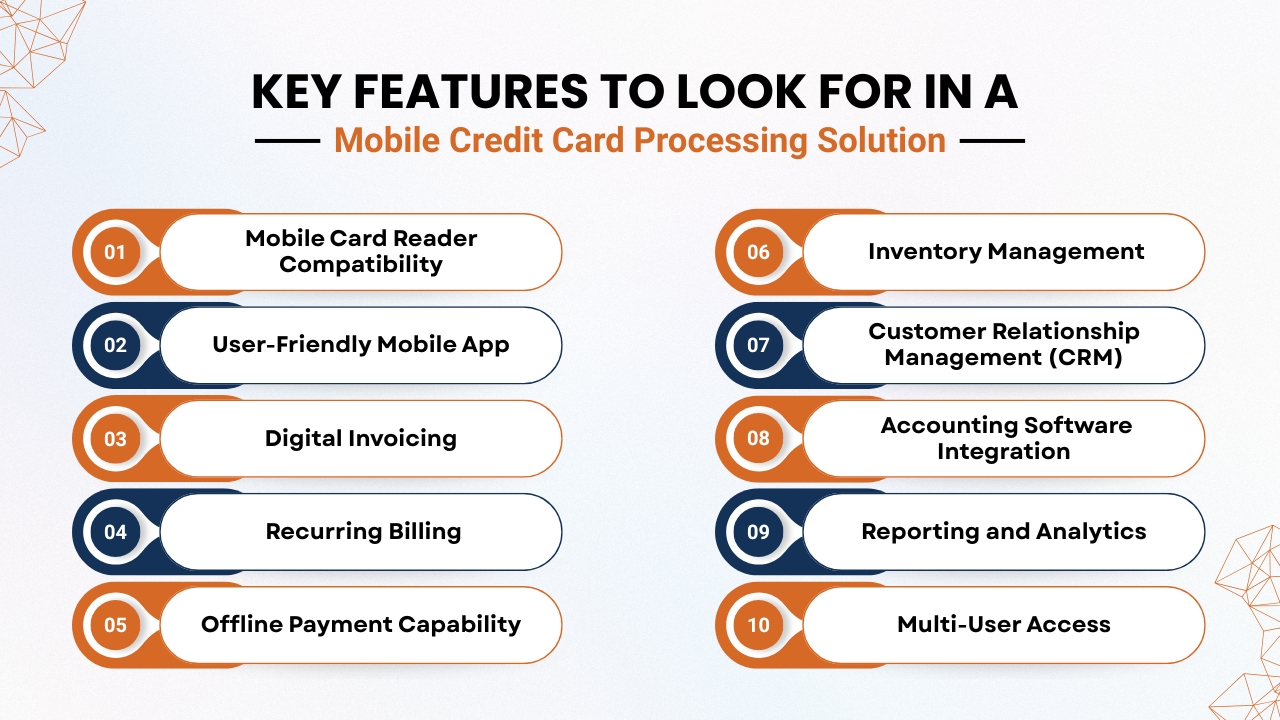
Choosing the right mobile credit card processing solution is essential for improving efficiency, improving customer satisfaction, and supporting business growth.
The best platforms offer more than payment acceptance which include features that smooth operations and simplify business management.
1. Mobile Card Reader Compatibility
Choose a mobile card reader that supports EMV chip cards, magnetic stripe cards, contactless (NFC) payments, Apple Pay, Google Pay, and Samsung Wallet. Because accepting payment options provides more convenience to customers and reduces lost sales.
2. User-Friendly Mobile App
Having a simple and user-friendly mobile app helps employees to process payments, issue refunds, send digital receipts, apply discounts, and monitor daily sales and thereby improving efficiency in the field businesses.
3. Digital Invoicing
They must search for a solution that allows them to create professional invoices, send payment links, automate payment reminders, and track invoice status. While digital invoicing makes payment collection instant and also reduces paperwork.
4. Recurring Billing
Recurring billing is an ideal solution for businesses that offer maintenance contracts or subscription-based services. It automates scheduled payments, improves cash flow, and reduces manual billing tasks.
5. Offline Payment Capability
For businesses that are operating in remote areas or locations with poor internet connectivity, offline payment functionality allows transactions to be securely stored and processed once the connection is restored.
6. Inventory Management
Integrated inventory management instantly updates stock levels after each sale, which makes it easier to track products like plumbing supplies, HVAC parts, electrical components, and cleaning materials.
Also Read: How Long Credit Card Transactions Take to Process: A Complete Guide for Businesses
7. Customer Relationship Management (CRM)
Having built-in CRM features helps businesses to manage customer profiles, purchase history, service records, saved payment methods, and loyalty programs that enables them to offer personalized customer service.
8. Accounting Software Integration
They must smoothly integrate with accounting software such as QuickBooks, Xero, FreshBooks, and Sage, reducing the need for manually entering data and simplified bookkeeping and financial reporting.
9. Reporting and Analytics
Detailed reporting dashboards give insights into daily sales, monthly revenue, average transaction values, employee performance, refund trends, and top-selling services that support better business decisions.
10. Multi-User Access
Businesses with multiple technicians should select a platform that provides role-based access. This lets administrators assign permissions, track transactions, track employee sales, and generate performance reports while maintaining security and accountability.
Types of Mobile Credit Card Readers
Choosing the right mobile credit card reader is essential for offering secure, fast, and convenient payment experiences. Different types of readers are designed to meet the requirements of various field businesses, based on transaction volume, mobility, and payment preferences.
1. Swipe Readers
It is one of the most affordable and portable payment devices. They read the magnetic stripe on payment cards and are easy to set up and use. Although they are cost-effective, they offer lower security than newer technologies and are becoming less common as chip and contactless payments gain popularity.
2. EMV Chip Readers
It processes payments using the embedded microchip found in modern credit and debit cards. It provides more protection against fraud, supports PCI compliance, and increases customer trust by providing a more secure payment method.
3. Contactless (NFC) Readers
These readers allow customers to complete transactions by either tapping a contactless card or mobile phones.It supports Apple Pay, Google Pay, Samsung Wallet, and contactless credit cards, providing quick, secure, and more convenient checkout experience.
4. Bluetooth Mobile Readers
These readers can be connected wirelessly to smartphones or tablets, offering good portability, design, easy setup, and long battery life. It is a good option for technicians and service professionals who navigate between several job sites.
5. Smart Mobile POS Devices
These devices combine payment processing with advanced business features like inventory management, receipt printing, barcode scanning, customer management, and reporting. These are all-in-one handheld terminals which are ideal for businesses who are looking for a complete portable point-of-sale solution.
Understanding Mobile Credit Card Processing Fees
Before selecting a mobile credit card processing provider, it is essential to understand the different fees that may affect your overall expenses. Comparing pricing structures helps businesses to select a solution that fits their budget and payment volume.
1. Transaction Fees
Most payment processors charge a percentage of each transaction along with a fixed fee. Common pricing models are flat-rate, interchange-plus, and tiered pricing.
Businesses have to choose the model that best suits their average transaction size and monthly sales volume.
2. Monthly Fees
Some providers charge monthly subscription fees which include reporting tools, customer support, software updates, and additional business features. They compare these costs with the value of the services included.
3. Hardware Costs
Businesses may need to purchase mobile card readers, portable payment terminals, receipt printers, or accessories. Some providers include hardware with qualifying plans.
4. Chargeback Fees
If a customer disputes a payment, processors may charge a chargeback fee. It is essential to keep detailed transaction records and digital receipts can help to reduce disputes.
5. PCI Compliance Fees
Some providers charge annual or monthly PCI compliance fees to support payment security standards. Hence, it is essential to always verify whether these fees are included in the provider’s pricing plan before signing up.
Also Read: Payment Processing Solutions for High-Risk Businesses
How to Choose the Best Mobile Credit Card Processing Solution
Selecting the right mobile credit card processing solution needs evaluating not just transaction fees. The best provider should support daily operations, improve customer experiences, and expand as your business grows.
1. Understand Your Business Needs
They must begin by assessing business requirements. Consider the number of employees who will process payments, whether they will send invoices after each service, provide recurring services, sell products, or need accounting software integration. It is essential for businesses to understand these needs as it helps to choose a solution which aligns with your operations.
2. Compare Pricing Structures
Review the total cost of each provider instead of focusing only on transaction rates. Compare transaction fees, monthly subscription expenses, hardware expenses, PCI compliance fees, chargeback fees, early termination charges, and software expenses to find the best overall value.
3. Evaluate Customer Support
Check whether they have reliable customer support because it helps to reduce downtime. Businesses must select a provider that offer multiple support channels that includes phone, email, live, chat, knowledge bases, and training resources for quickly resolving payment issues.
4. Review Hardware Options
Select a hardware which is well suitable for your work environment. Small businesses may need a smartphone and Bluetooth card reader, while larger operations may benefit from smart POS terminals, portable receipt printers, barcode scanners, or handheld devices.
5. Check Integration Capabilities
Select a payment solution that integrates with your current business software such as accounting platforms, CRM systems, scheduling tools, inventory management, payroll software, and business analytics. Because smooth integrations with existing systems reduce manual work, improve efficiency, and simplify daily operations.
Best Mobile Credit Card Processing Companies for Field Businesses
Choosing the right mobile payment provider can improve cash flow, simplify payment collection, and improve customer satisfaction.
Below are five leading companies which offer reliable mobile credit card processing solutions for field businesses.
1. AcePay
AcePay offers a secure and flexible mobile payment solution for contractors, home service providers, and other field businesses. It supports credit and debit card payments, contactless payments, digital invoicing, recurring billing, and real-time reporting, which helps businesses to accept payments anytime and anywhere.
2. Square
Square is a popular choice for small businesses because of its easy setup, transparent pricing, and portable card readers. This also includes features like invoicing, inventory management, customer directories, and a user-friendly mobile POS system.
3. Stripe
Stripe provides advanced payment processing while also supporting mobile payments, digital wallets, recurring billing, and customizable payment solutions. It is ideal for businesses that need flexible integrations and scalable payment infrastructure.
4. Clover
Clover combines mobile payment processing with powerful POS features which includes inventory tracking, employee management, reporting, and customer engagement tools. Its portable devices are well suited for businesses operating in the field.
Conclusion
Mobile credit card processing has become an essential tool for field businesses looking to improve efficiency, increase cash flow, and provide a smooth customer experience.
By accepting secure payments on-site, businesses can remove delays associated with invoices and cheques while providing customers with the convenience of paying through credit cards, debit cards, contactless payments, and digital wallets.
Choosing the right solution needs careful evaluation of pricing, security, hardware, software integrations, and customer support. A reliable platform should not just process payments instantly but also simplify invoicing, reporting, and day-to-day business management.
Solutions like AcePay help field service businesses to make payment collection smooth with secure mobile processing, flexible payment options, and valuable business tools which support long-term business growth.
As payment technology keeps evolving with innovations like Tap-to-Pay, AI-driven fraud detection, and cloud-based management platforms, businesses that invest in modern mobile payment solutions will be more equipped to meet customer expectations and stay competitive.
Whether you are an independent contractor or managing a growing field service team, implementing the right mobile credit card processing system can strengthen your operations, enhance customer satisfaction, and support sustainable business success.
If you still have any query about Mobile Credit card process guide for field businesses then you may book a free demo at AcePay and we are more than happy to assist you.
Choosing the best credit card processing solutions for small businesses is an important decision that business owners can make today.
As today, customers expect fast, secure, and convenient payment options, whether they shop in-store, online, or through mobile devices.
With a reliable credit card processing solution businesses can accept payments smoothly which improves customer satisfaction, increases sales, and simplifies daily operations.
With a lot of credit card processing companies being available, choosing the right provider can be challenging. While every solution has different pricing models, transaction fees, payment methods, security features, and business tools.
Where some providers offer low-cost payment processing, while other providers offer advanced features like point-of-sale(POS)systems, recurring billing, invoicing, inventory management, and detailed reporting.
Choosing the right payment processor for small businesses depends on industry, transaction volume, budget, and long-term growth plans.
The best credit credit card processing solutions provide secure payment features, which includes EMV chip card acceptance, contactless payments, mobile payment processing, digital wallets, and PCI DSS compliance to protect sensitive customer data.
Many modern platforms can be integrated into accounting software, eCommerce stores, and customer relationship management(CRM)systems, that help businesses to make operations smooth and improve efficiency.
Through this blog, we will walk you through the best credit card processing solutions for small businesses, compare their features, pricing, pros and cons, and explain features to consider before making a decision.
Whether you are running a retail store, restaurant, service-based business, or online shop, this detailed blog will help you choose a small business payment processing solution that offers secure transactions, competitive rates, and the flexibility required to support your business as it expands.
Also Read: How Credit Card Processing Works Step by Step
Why Small Businesses Need a Reliable Credit Card Processor
It is essential for small businesses to use a reliable credit card processor if they want to provide a smooth and secure payment experience to their customers.
As today’s customers expect businesses to offer different payment methods like credit cards, debit cards, contactless payments, and digital wallets.
So small businesses have to provide multiple payment options to customers which increases customer satisfaction, convenience, and also helps businesses to stay competitive in a highly digital market.
A dependable payment processor helps small businesses:
- Increase their sales by offering multiple payment options to customers
- Improving customer convenience by providing fast and flexible checkout
- Building customer trust through secure and reliable transactions
- Accepting online and mobile payments to reach more customers
- Reducing cash handling and reducing manual errors
- Speeding up the checkout process for a better customer experience
- Improving payment security with fraud protection and PCI compliance
- Supporting business growth with scalable payment solutions
Without having modern payment options, businesses have risks of losing customers to competitors that offer faster, safer, and more convenient ways to make payments.
Benefits of Credit Card Processing for Small Businesses
Using a credit card processing solution has many benefits that help small businesses to improve operations, increase revenue and provide a better customer experience.
advantages which help small businesses to improve operations, increase revenue, and deliver a better customer experience.
1. Faster Payment Processing
Online payments are processed faster than cash or cheques, which reduces checkout times for users and makes transactions smoother. While faster payments increase efficiency and improves the overall customer experience.
2. Higher Sales Opportunities
Often customers spend more when they make payments through credit cards or digital wallets. Accepting multiple payment methods increases average transaction values, and reduces lost sales due to limited payment options.
3. Better Customer Experience
Modern payment processors accept credit cards, debit cards, contactless payments, mobile wallets, online payments, and QR code payments. Providing flexible payment options increases customer convenience and encourages customers for repeat business.
4. Improved Cash Flow
Many payment providers deposit funds within one or two business days, while some payment providers provide same-day funding. When businesses have quick access to revenue helps them to manage expenses and maintain cash flow smoothly.
5. Enhanced Payment Security
Implementing advanced security features such as encryption, tokenization, fraud detection, secure payment gateways, and PCI DSS compliance helps to protect sensitive customer data and reduce the risks of fraud.
6. Easy Reporting and Business Insights
With built-in dashboards, businesses have access to sales reports, transaction history, refunds, chargebacks, and customer insights that help business owners to monitor their performance and make informed business decisions.
Also Read: Payment Processing Solutions for High-Risk Businesses
Key Features to Look for in a Credit Card Processing Solution
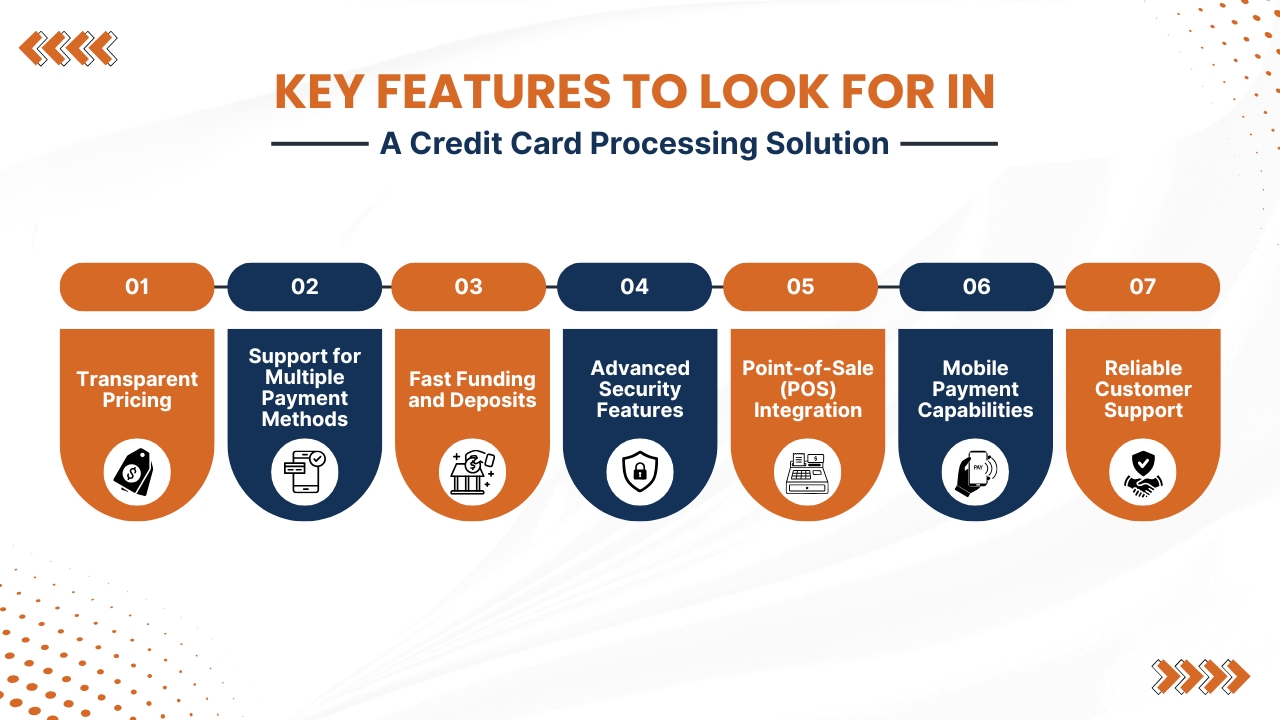
Choosing the right credit card processing solution needs more than comparing transaction fees. The best provider provides the features that your business needs today while supporting future growth.
1. Transparent Pricing
Select a provider that clearly explains all expenses before you sign up. Businesses must review monthly fees, transaction fees, PCI compliance fees, payment gateway fees, and early termination fees.
With such transparent pricing, small businesses can avoid unexpected charges and manage your budget more effectively.
2. Support for Multiple Payment Methods
A reliable processor should accept credit cards, debit cards, EMV chip cards, contactless payments, mobile wallets, online payments, and recurring billing.
Offering multiple payment options improves customer convenience and increases the chance of completed sales.
3. Fast Funding and Deposits
Small businesses must inquire about how fast payments are deposited into your business account. While some provide same-day funding, while others take one to three business days. While faster deposits improve cash flow and help to cover operating expenses more efficiently.
4. Advanced Security Features
It is essential to implement security features for secure customer payment details. Small businesses must search providers that offer PCI DSS compliance, end-to-end encryption, tokenization, fraud monitoring, and secure payment gateways to reduce the chances of fraud and data breaches.
5. Point-of-Sale (POS) Integration
Small businesses must select a processor that integrates with your POS system, inventory management software, accounting platforms, CRM tools, employee management systems, and eCommerce systems.
While smooth integration with existing systems reduces manual work, improves accuracy, and makes business operations smooth.
6. Mobile Payment Capabilities
Businesses without a traditional storefront should select a processor that supports mobile card readers, smartphone payments, and tablet-based POS systems.
While mobile payment solutions help small businesses to accept secure payments from anywhere.
7. Reliable Customer Support
There can be payment issues at any time, so it is essential for small businesses to have excellent customer service. Businesses must look for payment providers that provide 24/7 customer support, live chat, phone assistance, email support, and an online knowledge base which ensures that customer problems are quickly resolved and there are uninterrupted business operations.
Types of Credit Card Processing Solutions
Small businesses can choose from several credit card processing solutions, based on their business model, payment volume, and sales channels.
1. Traditional Merchant Account Providers
Traditional merchant account providers offer dedicated merchant accounts with customized pricing and advanced payment features. Such providers are suitable for established businesses with high monthly transaction volumes.
Important benefits include steady pricing, more scalability, advanced reporting, and access to dedicated account support, that makes a strong choice for growing businesses.
2. Payment Service Providers (PSPs)
Payment Service Providers(PSPs) simplify payment processing by letting multiple businesses share a single merchant platform.
Many popular payment service providers such as Stripe and Square allow quick setup, with no long-term contracts, easy online management, and flexible pricing that makes them ideal for startups and small businesses.
3. Mobile Payment Processors
Mobile payment processors are an excellent option for businesses that accept payments on the go, that includes food trucks, consultants, delivery services, and event vendors.
These processors work with smartphones, tablets, and portable card readers, which enables secure payments from virtually anywhere.
4. eCommerce Payment Processors
Online businesses rely on eCommerce payment processors that integrate smoothly with websites and shopping carts. These solutions support secure online checkout, recurring subscription billing, fraud protection, digital wallets, and international payments that provide a smooth and secure online shopping experience.
Also Read: Best Credit Card Processing Companies for Small Businesses
Common Credit Card Processing Fees
Understanding credit card processing fees helps small businesses to compare providers, estimate costs, and choose the most effective payment solution.
1. Interchange Fees
These fees are charged by the customer’s card-issuing bank for every transaction. Interchange fees may differ based on the card type, industry, transaction method, and risk level. As the fees are set by the card networks, they are generally non-negotiable.
2. Assessment Fees
Card networks like Visa and Mastercard charge assessment fees for processing transactions. Although these fees are usually small, they apply to every card payment and are included in the total processing cost.
3. Processor Markup
Payment processors charge a markup for handling transactions. Pricing models may include flat-rate pricing, percentage plus a fixed fee, interchange-plus pricing, or subscription-based pricing, based on the provider.
4. Monthly Service Fees
Some processors charge monthly fees for account maintenance, payment gateways, POS software, reporting tools, and additional business features. However, many modern providers offer basic plans with no monthly fee.
5. Chargeback Fees
When a customer disputes a transaction, then the business may be charged a chargeback fee. Selecting a processor with strong fraud prevention and security features help them to reduce chargebacks and protect your revenue.
Also Read: Credit Card Processing Fees: Complete Breakdown for Businesses
Best Credit Card Companies for Startups and Small Businesses
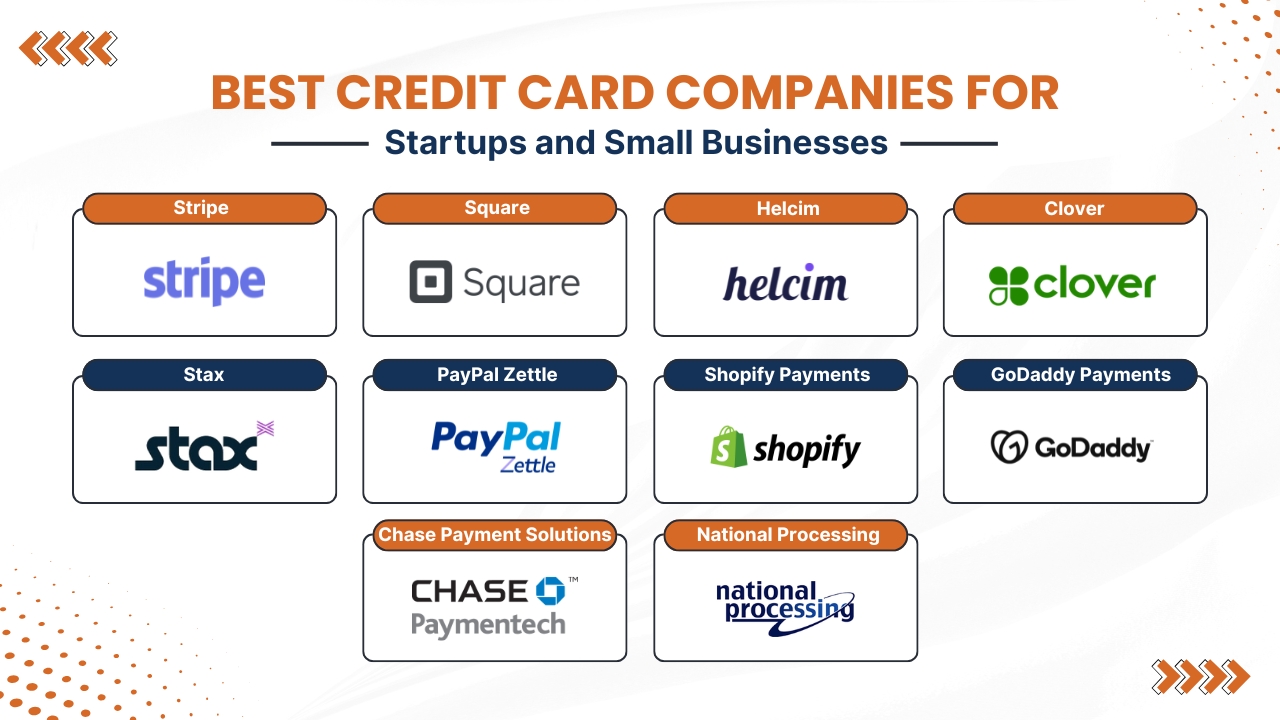
Choosing the best credit card processing solution for your small business is based on many factors like industry, monthly transaction volume, preferred pricing model, and the features that your businesses require.
Some providers specialize in online payments, while other providers provide complete point-of-sale(POS) systems, inventory management, and business reporting.
Below are ten of the best credit card processing solutions for small businesses, along with their important features, advantages, disadvantages.
1. Stripe
Stripe is one the best online payment processors for businesses that sell products or services online. It provides a customizable payment platform with powerful APIs that makes it a favorite payment solution among eCommerce stores, SaaS companies, subscription businesses, and digital markets.
This payment solution supports payments in more than 135 currencies and accepts important credit cards, debit cards, Apple Pay, Google Pay, and other digital wallets.
Key Features
- Global payment acceptance
- Recurring billing and subscription management
- Advanced fraud protection
- Custom checkout pages
- Detailed analytics and reporting
- International payment support
Pros
- Easy integration with websites and apps
- No monthly fee for the standard plan
- Excellent developer tools
- Highly scalable for growing businesses
Cons
- Can be challenging for non-technical users
- Limited in-person payment capabilities
- Chargeback management may require additional effort
Best For:
- Online stores
- SaaS companies
- subscription-based businesses
- digital product sellers.
2. Square
It is a payment solution among startups and local businesses due to its simple setup and affordable hardware. This payment solution combines payment processing, free POS software, and business management tools into a single platform.
Whether you are running a retail store, cafe, salon, or food truck, this payment solution provides an easy way to accept card and contactless payments.
Key Features
- Free POS software
- Inventory and employee management
- Customer loyalty programs
- Contactless and mobile payments
- Online store integration
- Affordable card readers
Pros
- Quick and easy setup
- No monthly fee for the basic plan
- User-friendly dashboard
- Ideal for first-time business owners
Cons
- Flat-rate pricing can become expensive for high-volume merchants
- Fewer customization options than some competitors
Best For:
- Retail stores
- restaurants
- cafes
- salons
- food trucks
- startups
3. Helcim
Helcim is well known for its transparent interchange-plus pricing. It is an excellent choice for businesses who are looking to reduce payment processing costs.
Unlike many providers, Helcim has no monthly fees or long-term contracts and instantly reduces rates when transaction volume increases.
Key Features
- Interchange-plus pricing
- Online payment gateway
- Virtual terminal
- Invoicing
- Subscription billing
- Inventory and customer management
Pros
- Transparent pricing structure
- Automatic volume discounts
- Excellent customer support
- No monthly or cancellation fees
Cons
- Better suited for businesses with moderate to high sales volumes
- Limited hardware options compared to larger providers
Best For:
- Growing businesses looking for lower long-term processing costs.
4. Clover
Clover offers payment processing with a powerful POS system that makes it an exceptional business management solution. It provides modern hardware, customizable software, and an app marketplace that allows businesses to expand functionalities when businesses grow.
Key Features
- Smart POS terminals
- Inventory management
- Employee scheduling
- Customer loyalty programs
- Gift card support
- Online ordering
- Sales reporting
Pros
- Modern and attractive hardware
- Flexible POS solutions
- Strong reporting and analytics
- Supports multiple industries
Cons
- Monthly software subscription fees
- Hardware can be costly
- Pricing varies by reseller
Best For:
- Restaurants
- retail stores
- hospitality businesses
- and service providers
5. Stax
It provides a subscription-based pricing model rather than charging higher percentage markups on every transaction. Businesses with large monthly payment volumes often save money through this pricing structure.
Key Features
- Membership-based pricing
- Payment gateway
- Virtual terminal
- Mobile payments
- ACH payment processing
- Invoicing
- Business analytics
Pros
- Lower costs for high-volume businesses
- Transparent pricing
- Excellent reporting tools
- No long-term contracts
Cons
- Monthly membership fee
- Not cost-effective for businesses with low transaction volumes
Best For:
- Businesses process high monthly payment volumes.
6. PayPal Zettle
It combines PayPal’s trusted payment platform with easy-to-use tools for in-person and online sales. Businesses can accept card payments, digital wallets, QR code payments, and send invoices from one account. Being a familiar brand also increases customer confidence during checkout.
Key Features
- Online checkout
- Mobile card readers
- QR code payments
- Digital wallet support
- Invoicing
- Buy Now, Pay Later options
- Business reporting
Pros
- Trusted global payment brand
- Quick account setup
- Supports international payments
- Simple checkout experience
Cons
- Some accounts may experience payment holds
- Processing fees may be higher than some competitors
Best For:
- Freelancers
- consultants
- online sellers
- and small retailers
7. Shopify Payments
It is built specifically for businesses using the Shopify eCommerce platform. Shopify Payments removes the need for third-party gateways and provides a smooth checkout experience for online shoppers. This platform also supports multi-currency payments and fraud protection.
Key Features
- Native Shopify integration
- Shop Pay support
- Fraud analysis
- Multi-currency payments
- Online and in-store payment processing
- Subscription support
Pros
- No additional gateway fees when using Shopify Payments
- Fast and simple setup
- Excellent eCommerce integration
- Streamlined checkout process
Cons
- Available only to Shopify merchants
- Limited flexibility outside the Shopify ecosystem
Best For:
- Businesses operating Shopify-based online stores.
8. GoDaddy Payments
It offers an affordable payment solution for businesses already using GoDaddy’s website builder or commerce platform. It also supports online and in-person payments and provides eligible merchants with same-day funding, helping improve cash flow.
Key Features
- Online payments
- Virtual terminal
- Mobile payment app
- Contactless payments
- Payment links
- Same-day funding for eligible users
Pros
- Competitive pricing
- Easy integration with GoDaddy websites
- Fast deposits
- Simple dashboard
Cons
- Fewer advanced features than larger competitors
- Best suited for businesses already using GoDaddy products
Best For:
- Small businesses with GoDaddy websites or online stores
9. Chase Payment Solutions
It combines merchant services with one of the largest financial institutions in the United States. Businesses benefit from secure payment processing, fraud protection, and a variety of payment acceptance options, which makes it suitable for companies who are looking for a traditional merchant account.
Key Features
- In-store payments
- Online payment processing
- Mobile payment support
- POS integration
- Fraud monitoring
- Business reporting
Pros
- Backed by a trusted financial institution
- Strong security and fraud protection
- Supports multiple payment channels
- Suitable for expanding businesses
Cons
- Pricing varies depending on business requirements
- Approval process may take longer than PSPs
Best For:
- Businesses seeking a full-service merchant account with banking support.
10. National Processing
It provides customized merchant accounts with competitive interchange-plus pricing and industry-specific payment solutions. It provides payment processing for retail, restaurants, healthcare, professional services, and eCommerce businesses while maintaining transparent pricing and responsive customer support.
Key Features
- Retail payment processing
- Restaurant payment solutions
- eCommerce payment support
- Mobile payments
- Virtual terminal
- ACH payment processing
Pros
- Transparent pricing
- Excellent customer support
- Industry-specific solutions
- No hidden fees
Cons
- Pricing depends on business type and processing volume
- Requires a merchant account application
Best For:
- Retail stores
- restaurants
- healthcare providers
- professional service firms
- businesses looking for customized payment processing solutions
Also Read: How Long Credit Card Transactions Take to Process: A Complete Guide for Businesses
Understanding Credit Card Processing Pricing Models
Choosing the right credit card processing pricing model can highly affect your business costs. The best option depends on your transaction volume, business size, and payment processing needs.
1. Flat-Rate Pricing
With flat-rate pricing, businesses pay the same fee for every transaction, regardless of the card type used. This model is simple, predictable, and easy to understand, making budgeting easier for new businesses. However, it can become more expensive as sales volume increases. This type of pricing is best for startups and small businesses with lower monthly transaction volumes.
2. Interchange-Plus Pricing
This model separates the interchange fee from the processor’s markup, providing greater pricing transparency. It often results in lower processing expenses for businesses with consistent sales, although monthly statements can be more detailed. This type of pricing is best for established businesses with moderate to high transaction volumes.
3. Tiered Pricing
Tiered pricing groups transactions into qualified, mid-qualified, and non-qualified categories, each with different rates. While commonly offered by traditional merchant account providers, it can be difficult to understand and predict overall expenses. This type of pricing is best for businesses familiar with their processor’s pricing structure.
4. Subscription (Membership) Pricing
Businesses pay a monthly membership fee plus a small markup above interchange expenses. This model provides transparent pricing and reduces transaction fees, making it cost-effective for companies with high payment volumes. This type of pricing is best for businesses processing a large number of transactions each month.
Conclusion
Choosing the best credit card processing solutions for small businesses is an important investment that can improve payment efficiency, customer satisfaction, and long-term growth.
The right payment processor should offer transparent pricing, strong security, flexible payment options, and seamless integration with your existing business tools.
Whether you operate a retail store, restaurant, online business, or service-based company, selecting a solution that matches your transaction volume and business needs can help reduce costs and streamline operations.
Before making a decision, compare pricing models, processing fees, funding times, customer support, and available features.
Providers such as Stripe, Square, Helcim, Clover, Stax, PayPal Zettle, Shopify Payments, GoDaddy Payments, Chase Payment Solutions, and National Processing each offer unique advantages for different business types.
By carefully evaluating your options, you can choose a reliable credit card processing solution that supports secure transactions, enhances the customer experience, and helps your small business grow with confidence.
If you have any query about Best Credit Card Processing Solutions for Small Businesses then you may book a free demo at AcePay and we are more than happy to assist you.
Credit card payments have become essential for modern commerce which allows businesses to accept fast, convenient, and secure transactions both online and offline.
While payments appear to happen instantly to customers, the actual credit card transaction process has many steps happening behind the scenes before funds are deposited into a merchant’s account.
Understanding how long credit card transactions take to process is essential for businesses that rely on steady cash flow, accurate financial planning, and efficient payment management.
The actual credit card processing timeline involves authorization, batching, clearing, and settlement. Where every phase involves communication between the issuing bank of the customer, the card network, the payment processor, and the merchant account provider.
Although most transactions are completed within 1-3 business days, processing times can differ based on factors such as the payment method used, the merchant’s industry, bank policies, weekends, holidays, and potential fraud reviews.
For business owners, if there is delay in payment processing can affect cash flow, stock purchasing, and overall operations. Hence, it has become essential for businesses to select a reliable payment provider.
Modern payment providers help AcePay help businesses streamline the credit card payment process with advanced technology, secure transaction handling, and faster funding options which helps to improve operational efficiency.
Through this blog, we will walk you through each phase of credit card transaction processing, explore the factors which affect settlement times, discuss common reasons for payment delays, and offer practical tips that help businesses to improve their payment operations.
Merchants by understanding the complete process can manage customer expectations, improve financial planning, and ensure a smooth payment experience for both businesses and their customers.
Also Read: Credit Card Processing Fees
The Four Main Stages of Credit Card Processing
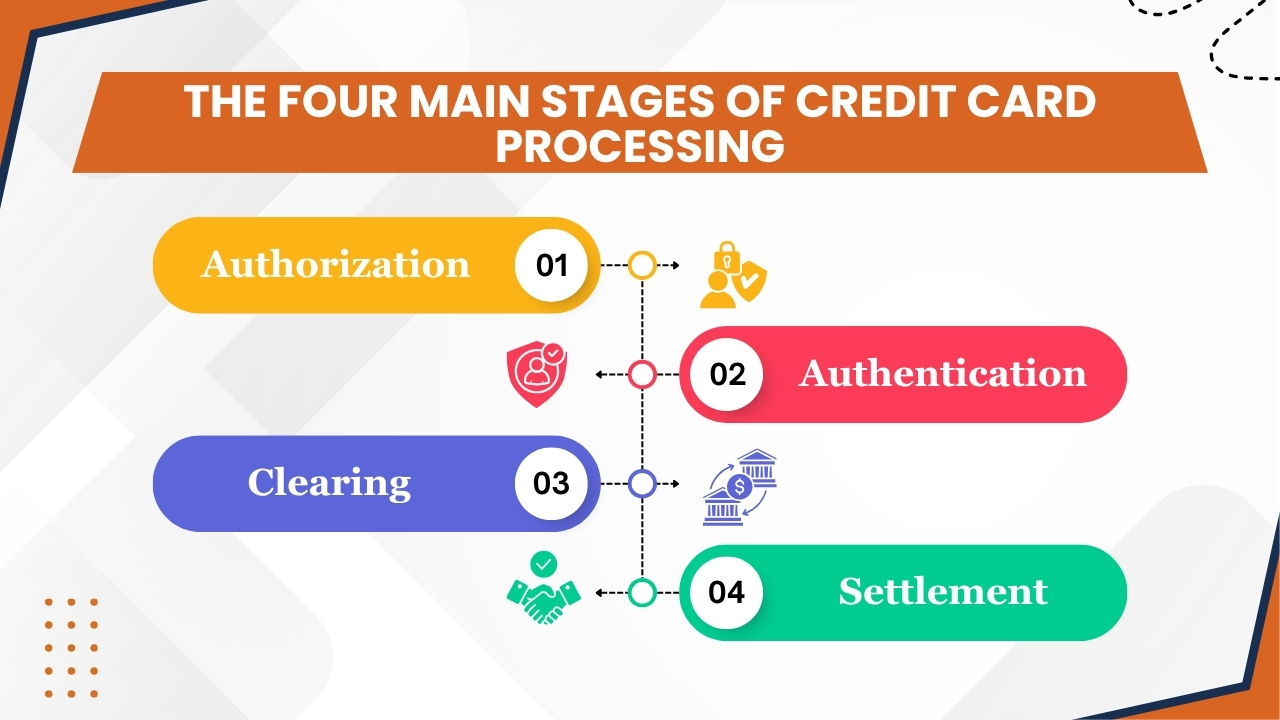
Understanding the time taken for credit card transactions begins with understanding the four crucial phases involved in every payment.
Although the entire process may appear to be happening instantaneously to customers, there are several important phases behind the scenes before funds are deposited into a merchant’s account.
1. Authorization
Authorization is the first stage of the credit card processing cycle. It begins when a customer swipes, taps, inserts, or enters their card details online, then the payment system of the merchant sends a transaction request through the payment processor and card network to the issuing bank.
The issuing bank then checks the transaction by checking the available credit limit, card validity, account status, security credentials, and potential fraud indicators.
And if everything meets the required criteria, the bank then approves the transaction and places a temporary hold on the necessary funds.
This stage usually takes only a few seconds which allows customers to receive near-instant approval. But, authorization does not transfer money to the merchant instead it simply reserves the fund for the transaction.
2. Authentication
Authentication works as an additional security layer designed to check the identity of the cardholder and reduce the risk of fraud transactions. This step is crucial for online and card-not-present transactions.
It may include CVV verification, Address Verification Service (AVS) checks, one-time passwords (OTP), two-factor authentication, and 3D Secure protocols.
In most cases, authentication happens simultaneously with authorization and does not noticeably affect transaction speed. However, when a transaction requires additional verification, processing times may experience minor delays while extra security checks are completed.
3. Clearing
After authorizing a transaction, the next stage is clearing. In this phase, transaction details are gathered, verified, and prepared for settlement.
Here, card issuers, acquiring banks, and payment networks, review transaction data, match transaction details, and coordinate settlement processing.
Most merchants submit authorized transactions in batches at the end of the business day instead of processing each transaction individually.
As a result, the timing of such batch submissions can highly affect how quickly a transaction progresses to the next stage.
4. Settlement
The final stage of the credit card transaction process is settlement. In this stage, funds move from the issuing bank through the card network to the acquiring bank, which then the funds are deposited into the merchant’s account.
Applicable processing fees are deducted before the funds become available. Based on the payment processor, banking schedules, weekends, holidays, and merchant account settings, settlement usually happens in 1-3 business days.
Once settlement is completed, the transaction is fully processed and the merchants get access to the funds.
Also Read: How Restaurant Credit Card Processing Works Step By Step
Typical Credit Card Processing Timelines
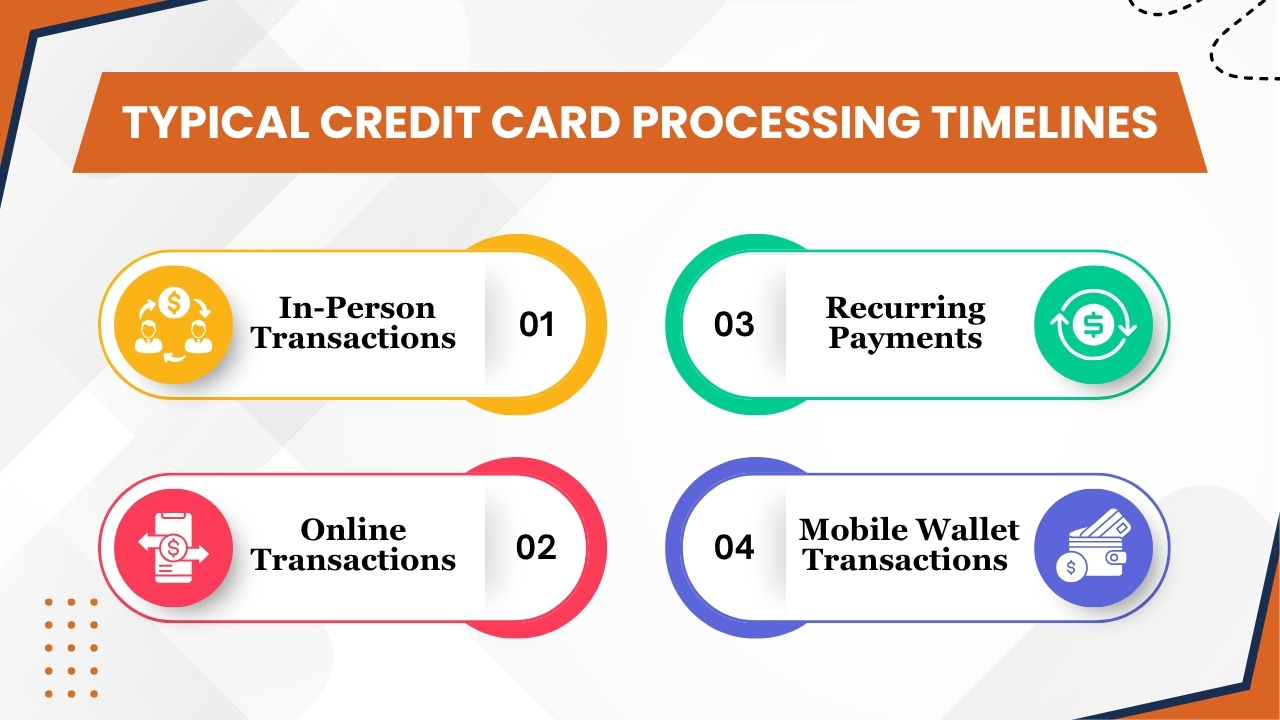
Though every credit card transaction has the same general processing phases, the amount of time required to complete the process can be different based on how the payment is made.
Due to factors like fraud risk, verification requirements, payment methods, and processor capabilities all affect how quickly merchants receive their funds.
Below are the most common transaction types and their usual processing timelines:
1. In-Person Transactions
Card-present transactions are generally the fastest and most efficient type of credit card payment. As the customer physically provides the card during the transaction these payments have a lower risk of fraud and require fewer verification checks.
Common examples include:
- EMV chip card payments
- Contactless tap-to-pay transactions
- Mobile wallet purchases at physical terminals
- Traditional magnetic stripe card swipes
When a person initiates an in-person transaction, authorization usually happens within a few seconds. The issuing bank quickly verifies the card details, available credit, and security details before approving the payment. Once approved, the transaction is added to the merchant’s batch for processing.
Most payment processors submit batches at the end of every business day. After the batch is transmitted, the transaction moves through clearing and settlement.
In most cases, merchants receive access to their funds within 1-2 business days. Businesses using advanced processors or same-day funding programs may receive deposits even faster.
Because of lower risk of fraud and smooth verification requirements, card-present transactions usually experience the shortest overall processing timelines.
2. Online Transactions
Online payments are also known as card-not-present transactions, usually requiring additional security checks compared to in-person purchases.
As the physical card is not available for verification, payment processors and issuing banks perform extra verification processes to reduce fraud and protect both merchants and consumers.
Additional security measures often include:
- Address Verification Service (AVS)
- CVV verification
- Fraud detection screening
- Risk analysis algorithms
- 3D Secure authentication
- Behavioral monitoring tools
Although authorization still occurs within seconds in most cases, these additional checks can occasionally introduce minor delays. Transactions that cause fraud alerts may undergo manual review before approval.
After authorization, online payments move through the standard clearing and settlement process. Most e-commerce businesses need funds within 1-3 business days, based on their payment processor and banking relationships.
High-risk industries or merchants with high chargeback rates may experience longer settlement periods. Despite all these factors, modern payment technology has highly improved the speed of online processing which allows most transactions to be completed efficiently.
3. Recurring Payments
These types of payments are mostly used for subscription services, memberships, software-as-a-service(SaaS) platforms, streamlining services, and automated billing programs.
As payment details of customers are securely stored and verified during the initial transaction, recurring charges often move through the authorization process more smoothly than first-time purchases.
Examples of recurring billing include:
- Subscription memberships
- Monthly software fees
- Streaming service payments
- Automated utility payments
- Fitness club memberships
- Maintenance service agreements
Whenever a recurring payment is scheduled, the processor instantly submits the transaction on the designated billing data. As customer details have already been validated, authorization usually happens quickly and with less interruptions.
However, recurring transactions still proceed through clearing and settlement like any other payment. Merchants can usually expect settlement within 1-3 business days.
Delays may happen when a card has expired, available credit is insufficient, or account details have changed. Businesses that depend on recurring billing often benefit from automated account updater services that help to maintain uninterrupted payment processing and reduced failed transactions.
4. Mobile Wallet Transactions
Mobile wallet payments have become more popular in recent years because of the speed, convenience, and enhanced security that it offers. Many services such as Apple Pay, Google Pay, and Samsung Wallet are letting customers make purchases without physically providing a credit card.
Mobile wallet transactions offer several advantages:
- Tokenized payment credentials
- Enhanced encryption
- Biometric authentication
- Reduced fraud risk
- Faster checkout experiences
- Improved authorization success rates
As mobile wallet payments are usually considered as card-present transactions while used in physical stores, they often follow processing timelines as same as EMV chip and contactless card payments.
Authorization usually happens within seconds, and transactions are added to the merchant’s batch for end-of-day processing.
Settlement usually happens within 1-2 business days, based on processor capabilities and banking schedules. The advanced security features built into digital wallets help to reduce fraud activities and reduce declines that happen because of security concerns.
As a result, most businesses experience strong approval rates and efficient processing while accepting mobile wallet payments.
Overall, though transaction timelines may differ slightly based on payment method, most credit card transactions are authorized almost instantly and settled within 1-3 business days.
Understanding these timelines helps businesses to better manage cash flow, plan operations, and set realistic expectations for fund availability.
Also Read: Restaurant Credit Card Processing Companies for Small Businesses
Why Some Transactions Remain Pending
One of the most common concerns among consumers and merchants is seeing a credit card transaction listed as “pending”. A pending transaction indicates that the payment has been authorized by the issuing bank, but the transfer of funds has not been fully completed through the clearing and settlement process.
It means the bank has approved the purchase and reserved the necessary funds, but the transaction is still moving through the payment network before reaching the merchant’s account.
Pending transactions are a normal part of credit card processing and it does not necessarily indicate a problem. Most transactions remain pending for a short duration while payment processors, card networks, and financial institutions complete the required verification and settlement procedures.
Based on the circumstances, pending transactions usually clear within 1-5 business days.
Several factors can cause a transaction to remain in pending status:
- Merchant Batch Processing Schedules – Many businesses submit transactions in batches at the end of the business day instead of processing them individually.
- Fraud Review Procedures – Transactions indicated of having security concerns may undergo additional verification before settlement.
- Weekend and Holiday Transactions – Banks and payment processors may not process settlements on non-business days, which cause temporary delays.
- Bank Processing Delays – Different banks have different settlement schedules and processing times.
- Large Transaction Amounts – High-value purchases may require additional verification before funds are released.
- International Payments – Cross-border transactions usually involve multiple banks, currencies, and compliance checks that can extend processing times.
For merchants, a pending transaction indicates that the payment has been approved and is going through the normal processing cycle.
However, the funds are not yet available for use until settlement is completed. Businesses by understanding why transactions remain pending can help to manage cash flow expectations and provide the right information to customers who may have queries about their payment status.
Also Read: Payment Processing Solutions for High-Risk Businesses
Factors That Affect Processing Speed
Although most credit card transactions are authorized within seconds, the time required for funds to move from authorization to settlement can differ highly.
Several factors influence how instantly a transaction progresses through the payment ecosystem.
Understanding these factors helps businesses to improve the way they manage cash flow, anticipate potential delays, and select payment solutions which support faster funding.
1. Issuing Bank Policies
The issuing bank plays a major role in determining transaction processing speed. Every bank has its own risk management procedures, authorization protocols, and internal processing schedules. Before approving a transaction, the issuing bank verifies account information, available credit, card status, and potential fraud indicators.
Some banks use highly automated systems that can approve transactions almost instantly, while others may apply more extensive security reviews. High-value purchases, unusual spending patterns, or transactions from unfamiliar locations may trigger additional verification procedures. These reviews can temporarily slow authorization and settlement timelines.
Issuing bank policies may also influence how quickly transactions move through clearing and settlement. Some financial institutions process transactions multiple times throughout the day, while others operate on fixed schedules. As a result, identical transactions can settle at different speeds depending on the cardholder’s bank.
Key impacts include:
- Authorization review requirements
- Fraud monitoring procedures
- Internal settlement schedules
- Risk management policies
- Account verification processes
Because merchants have little control over issuing bank operations, understanding these factors helps explain why transaction speeds may vary between customers.
Factors That Affect Processing Speed
Although most credit card transactions are authorized within seconds, the time required for funds to move from authorization to settlement can differ highly.
Several factors influence how instantly a transaction progresses through the payment ecosystem.
Understanding these factors helps businesses to improve the way they manage cash flow, anticipate potential delays, and select payment solutions which support faster funding.
1. Issuing Bank Policies
The issuing bank plays a major role in determining transaction processing speed. Every bank has its own risk management procedures, authorization protocols, and internal processing schedules. Before approving a transaction, the issuing bank verifies account information, available credit, card status, and potential fraud indicators.
Some banks use highly automated systems that can approve transactions almost instantly, while others may apply more extensive security reviews. High-value purchases, unusual spending patterns, or transactions from unfamiliar locations may trigger additional verification procedures. These reviews can temporarily slow authorization and settlement timelines.
Issuing bank policies may also influence how quickly transactions move through clearing and settlement. Some financial institutions process transactions multiple times throughout the day, while others operate on fixed schedules. As a result, identical transactions can settle at different speeds depending on the cardholder’s bank.
Key impacts include:
- Authorization review requirements
- Fraud monitoring procedures
- Internal settlement schedules
- Risk management policies
- Account verification processes
Because merchants have little control over issuing bank operations, understanding these factors helps explain why transaction speeds may vary between customers.
3. Transaction Type
The type of transaction being processed has a direct impact on how quickly it moves through the payment system. Different payment methods have different levels of risk that affect the amount of verification required.
Card-present transactions usually process more quickly as the physical card is available at the point of sale. While the ability to verify the card through EMV chips, contactless technology, or magnetic stripe data reduces fraud concerns and simplifies authorization.
Examples of faster-processing transaction types include:
- EMV chip transactions
- Contactless payments
- Mobile wallet purchases
- In-store card payments
On the contrary, card-not-present transactions usually require additional security measures as the card is not physically available.
Examples include:
- E-commerce purchases
- Online subscriptions
- Phone orders
- Mail-order transactions
These transactions often involve extra verification procedures such as:
- CVV validation
- Address verification
- Risk scoring
- Behavioral analysis
- 3D Secure authentication
Due to additional checks being required, online transactions may experience longer processing times than in-person purchases. As businesses primarily operate online should account for these differences while estimating settlement timelines.
While estimating payment settlement timelines, online merchants should take these processing differences into consideration.
4. Fraud Prevention Reviews
Fraud prevention is a crucial component of modern payment processing. Banks, card networks, and payment processors continuously track transactions to identify suspicious activity and protect both merchants and consumers.
When a transaction raises fraud-related concerns, additional validation procedures may be necessary to continue processing.
Common triggers include:
- Unusually large purchases
- Multiple transactions in a short period
- Purchases from unfamiliar locations
- High-risk merchant categories
- Inconsistent customer behavior patterns
- Cross-border purchases
In most cases, these reviews happen automatically and are completed within seconds. However, transactions that need manual verification may experience longer delays.
Although fraud reviews can temporarily slow processing, they offer crucial protection against chargebacks, financial losses, and unauthorized transactions.
Advanced fraud detection systems help to balance both transaction speed and security by identifying genuine threats while reducing unnecessary disruptions to legitimate purchases.
Merchants can reduce fraud-related delays by implementing strong security practices, tracking transaction activity, and working with processors which offer advanced fraud prevention tools.
5. International Payments
Cross-border transactions usually need more processing steps than domestic payments. While a payment involves multiple countries, banks have to coordinate across different banking systems, frameworks, and currencies.
International transactions often require:
- Currency conversion
- Additional fraud screening
- Compliance verification
- Anti-money laundering checks
- Cross-border authorization reviews
- International settlement procedures
Each additional step increases processing complexity and may extend settlement timelines.
Currency conversion alone can introduce delays because exchange rates must be verified and applied before settlement can occur. Furthermore, international transactions frequently involve intermediary institutions that help facilitate payment transfers between countries.
Factors affecting international payment speed include:
- Country-specific banking regulations
- Currency exchange requirements
- Regional compliance standards
- International banking networks
- Cross-border fraud controls
As a result, international payments often take longer to settle than domestic transactions. Businesses that regularly serve international customers should anticipate slightly extended processing times and plan cash flow accordingly.
Also Read: Best Credit Card Processing Companies for Small Businesses
6. Weekends and Holidays
Banking schedules have a significant impact on settlement timing. While authorization systems often operate continuously, many settlement activities occur only during standard banking business days.
Transactions initiated on weekends or public holidays or public holidays may not enter the settlement process until the next business day.
This delay does not necessarily indicate a problem within the transaction; instead it reflects the operating schedules of banks and financial institutions.
Common scenarios include:
- Friday evening transactions settling on Monday
- Holiday purchases settling after banking operations resume
- Extended holiday weekends creating additional delays
- International holidays affecting cross-border payments
Merchants often notice increased settlement times during periods when banking activity is reduced. Although modern payment technology has improved processing efficiency, many financial institutions still depend on business-day settlement schedules.
Including weekends and holiday periods in financial planning helps businesses to better predict when funds will become available. To better manage expectations, businesses should include weekends and holiday periods in financial planning which helps businesses to better predict when funds will become available.
It is essential to understand these timelines which help to avoid any type of confusion and improve financial planning.
Ultimately, transaction processing speed depends on a lot of factors such as bank policies, processor technology, transaction characteristics, security reviews, international requirements, and banking schedules.
Understanding these factors, helps businesses to make informed decisions, improve payment operations, and select payment solutions which support faster, more reliable access to funds.
Conclusion
Understanding how long credit card transactions take to process is essential for businesses which depend on consistent cash flow and efficient payment operations.
Although most transactions are authorized within seconds, the complete journey from authorization to settlement usually takes 1-3 business days.
Different factors like transaction type, issuing bank policies, fraud prevention measures, international processing requirements, and banking schedules can all affect how quickly funds become available.
Understanding the four stages of credit card processing such as authorization, authentication, clearing, and settlement, lets business owners better anticipate payment timelines and manage their financial operations more effectively.
Knowing why certain transactions remain pending and what factors may cause delays can also help merchants to set realistic expectations and improve customer communication.
Selecting the right payment processing partner plays a crucial role in optimizing transaction speed and reliability. Modern providers like AcePay use advanced payment technology, smart transaction routing, strong security measures, and smooth settlement processes to help businesses process payments efficiently.
Due to faster funding, enhanced fraud protection, and improved transaction visibility can cause stronger cash flow management and a better overall payment experience.
While digital payments continue to evolve, businesses that understand the credit card processing lifecycle and invest in reliable payment solutions will be better positioned to improve operational efficiency, maintain healthy cash flow, and deliver a smooth payment experience for their customers.
If you still have any query about how long credit card transactions take to process then you may book a free demo at AcePay and we are more than happy to assist you.
In today’s quickly changing digital market, being able to accept electronic payments is essential for small and large businesses.
Whether you are running retail stores, restaurants, online merchants, and service providers, customers would expect the convenience to be able to make payment with credit and debit cards.
Though card payments can increase sales and improve customer satisfaction, it also has credit card processing fees that directly affect the profits of the company.
Hence, it is essential for businesses to understand these costs to improve operations, control expenses, and increase profits.
Every card transaction involves multiple parties, which includes issuing banks, card networks, acquiring banks, and payment processors.
As a result, merchants have to pay different payment processing fees such as interchange fees, assessment fees, and processor markups.
These charges often differ based on transaction type, card brand, industry, and pricing structure. Without having a clear understanding of merchant processing fees, businesses may end up paying more than necessary.
Modern payment providers like AcePay may streamline the payment acceptance process by delivering versatile payment options, clear pricing structures, and efficient tools which help businesses to manage transactions easily.
Despite the provider that businesses choose, it is essential to understand how credit card transaction fees are calculated is essential for making informed financial decisions.
This blog will walk you through a complete breakdown of credit card processing fees, by explaining the crucial components that make up processing expenses, the different pricing models available, common hidden charges, and practical strategies for reducing expenses.
When businesses have a deeper understanding of merchant services fees, payment processor pricing, and transaction costs, businesses can improve cash flow, increase profits, and choose payment solutions which support their long-term growth and operational goals.
What Are Credit Card Processing Fees?
It is the charges that businesses pay whenever customers use a credit card or debit card to complete a purchase. Such fees help to cover the expenses for authorizing, processing, securing, and settling electronic payment transactions.
Although card payments provide convenience and faster checkout experiences, behind multiple banks and payment service providers are involved in transferring funds from the account of the customer to the merchant.
For most businesses, credit card processing fees are between 1.5% and 3.5% of the transaction amount. But actual costs can be different based on the card type, payment method, industry, transaction volume, and processor pricing model.
For instance, if a customer spends $100 and the processing fee is 2.9%, the merchant would receive approximately $97.10 before any additional charges
Key facts about credit card processing fees include:
- Fees are charged on nearly every card transaction.
- Costs vary based on card type and transaction risk.
- Online transactions often have higher fees than in-person payments.
- Premium rewards cards typically carry higher processing costs.
- Multiple organizations share the processing fee.
Though the payment processors appear simple to customers, several parties work behind the scenes to ensure transactions are completed quickly, accurately, and securely.
The Three Main Components of Credit Card Processing Fees
Understanding credit card processing fees starts with knowing the three primary components which make up the total costs of every card transaction.
Though merchants often see a single charge on their processing statements, that fee is usually divided among several parties involved in facilitating the payment.
The three main components are interchange fees, assessment fees, and processor markups.
1. Interchange Fees
Interchange fees are usually the largest portion of a merchant’s credit card processing expenses. These fees are paid directly to the cardholder’s issuing bank.
The issuing bank provides the customer’s credit or debit card. Issuing banks charge interchange fees to compensate for the costs and risks associated with processing card transactions.
Interchange fees help cover several expenses, including:
- Fraud prevention and fraud-related losses
- Credit risk assumed by the issuing bank
- Customer rewards and loyalty programs
- Transaction authorization and processing costs
The amount charged in interchange fees varies depending on multiple factors, such as:
- Card type (credit, debit, rewards, business, or corporate cards)
- Merchant industry
- Card-present or card-not-present transactions
- Security measures used during processing
- Transaction value and risk level
Generally, interchange fees are between 1.15% to 2.70% of the transaction amount, plus a fixed fee per transaction. As these rates are established by card networks and issuing banks, merchants have little control over negotiating these costs.
2. Assessment Fees
Assessment fees are the fees charged by card networks such as Visa, Mastercard, Discover, and American Express.
Unlike interchange fees which directly go to issuing banks, assessment fees are paid directly to the card networks that support the operation and maintenance of their payment processing systems.
These fees help support:
- Payment network maintenance
- Security and fraud prevention systems
- Technology upgrades and innovation
- Brand management and operational expenses
- Global payment processing infrastructure
Although assessment fees are just a small percentage of total processing expenses, they are still a crucial part of every card transaction.
These charges are generally calculated as a small percentage of transaction volume and are non-negotiable as they are determined by the card networks themselves.
For merchants, assessment fees may seem small when compared to interchange fees, but they contribute to the overall cost of accepting card payments.
Understanding these fees can help businesses better understand their merchant statements and accurately verify their total processing expenses.
3. Processor Markup
The processor markup is the amount of processing fee retained by the payment processor or merchant services provider.
Unlike interchange and assessment fees which are transferred to banks and card networks, processor markups represent the revenue earned by the payment processing company.
Processor markups cover a variety of services, including:
- Transaction routing and authorization
- Merchant account management
- Payment gateway functionality
- Customer and technical support
- Reporting and analytics tools
- Security and compliance services
- Risk monitoring and management
One of the important aspects of processor markups is that they are negotiable. On the basis of transaction volume, industry, and business size, merchants may be able to secure lower rates or more favorable pricing structures.
Therefore it is essential for businesses to compare providers and carefully review processing agreements before signing a contract.
Variations by Transaction Type
Credit card processing costs can be different based on how a payment is accepted.
Different transaction types have different levels of risk, security requirements, and processing expenses that directly affect the fees that merchants will pay.
1. In-Person Transactions
In-person or card-present transactions mostly have the lowest processing fees as they have less risk. These transactions occur when customers physically offer their credit or debit cards and complete purchases using EMV chip readers, contactless payment terminals, or mobile wallets.
High security features associated with these payment methods help to reduce fraud and chargeback risks.
Usual in-person processing fees stay between 1.8% to 2.6% of the transaction amount, and a small flat fee like $0.08 per transaction.
Because of low-risk associated with such transactions, card present transactions often are the most favorable interchange rates available to merchants.
2. Online or Keyed-In Transactions
Online, phone, and manually entered transactions come under card-not-present transactions. Since the customer and card are not physically present during the purchase, these transactions often have a higher risk of fraud, identity theft, and chargebacks.
To compensate for this high risk, payment processors and card networks charge higher fees.
Businesses that operate online or accept payments over the mobile phone usually pay processing fees between 2.25% to 3.0%, plus a flat transaction fee of approximately $0.25.
Implementing fraud prevention tools and strong security measures can help to reduce risk and improve transaction approval rates.
3. Debit Card Transactions
Debit card transactions generally have the lowest processing costs among electronic payment methods. As funds are withdrawn directly from the customer’s bank account, issuing banks face less financial risk as compared to credit card transactions.Most debit card processing fees lie between 0.5% and 1.5% of the transaction value.
Factors That Affect Processing Costs
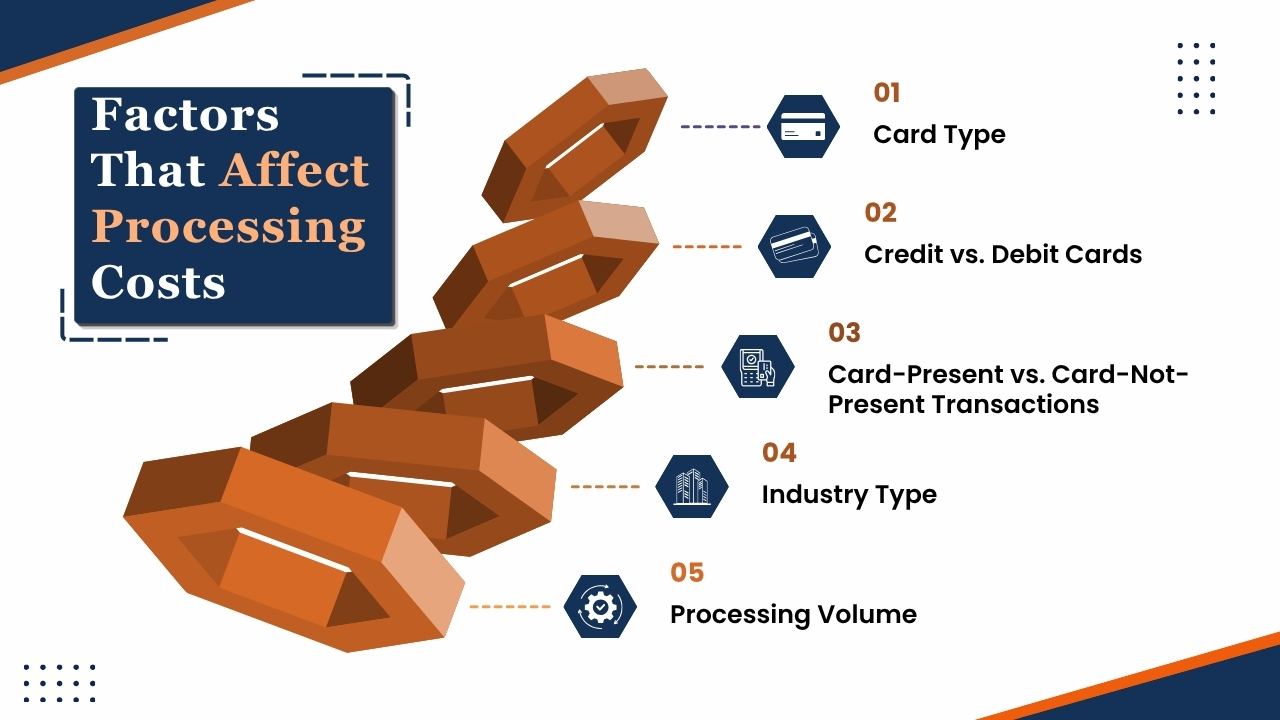
Several factors affect the credit card processing fees that businesses pay. Understanding these fees can help merchants to verify their expenses, and choose the right payment processors, and identify opportunities to reduce expenses.
1. Card Type
This type of card is used for a transaction significantly impacts processing costs. Standard debit and credit cards usually have lower fees, while premium rewards, travel, cashback, and business credit cards often have higher interchange rates.
Higher processing fees are often associated with these cards because issuing banks incur additional costs to provide cashback programs and other premium benefits to cardholders.
2. Credit vs. Debit Cards
Debit card transactions usually cost less to process when compared to credit card transactions. While debit purchases are often connected to a bank account of the customer, it involves lower risk for issuing banks.
While credit cards, on the other hand, need banks to increase credit and assume greater financial risks that usually cause higher processing fees.
3. Card-Present vs. Card-Not-Present Transactions
The method used to accept payments can also influence processing rates. In-person transactions using EMV chip readers, contactless payments, or mobile wallets usually qualify for lower fees as they provide more security and lower fraud risk.
Online, phone, and manually entered transactions are considered card-not-present payments and often have higher fees because of high exposure to fraud.
4. Industry Type
Certain industries are considered high risk by payment processors and card networks. Many businesses such as restaurants, subscription services, travel agencies, and e-commerce retailers face higher processing rates because of higher chargeback and fraud risks.
5. Processing Volume
Businesses that process large volumes of transactions often have higher chances of negotiations. Many payment processors offer reduced markups, custom pricing, or volume-based discounts to merchants with substantial monthly processing activity.
Common Credit Card Processing Pricing Models
1. Flat-Rate Pricing
Flat-rate pricing is one of the most popular and simple processing models among small businesses and startups.
Under this model, merchants pay the same price for every transaction despite the card type or transaction category. A common instance is 2.9% +$0.30 per transaction.
One of the benefits of flat-rate pricing is simplicity because business owners can easily predict processing costs as every transaction is charged at the same rate.
It is a straightforward pricing model that simplifies accounting, budgeting, and financial planning. Most modern payment service providers use flat-rate pricing as it is easy for merchants to understand instead of analyzing complex processing statements.
However, such convenience often comes with a cost. Large businesses with higher sales volumes may end up paying more than necessary because of low-risk transactions which are charged at the same rate as higher-risk transactions.
Merchants that process large numbers of debit card transactions or card-present payments may overpay when compared to other pricing models.
Although flat-rate pricing is a good option for smaller businesses who are searching for simple pricing structures, growing businesses often explore alternative pricing structures to reduce costs.
2. Interchange-Plus Pricing
Interchange-plus pricing is well known as one of the most transparent pricing models available.
Under this pricing model, businesses pay the actual interchange fee determined by card networks and issuing banks, plus a fixed markup charged by the payment processor.’
For instance, a processor may charge Interchange+0.20% +$0.10 per transaction.
One of the biggest advantages of interchange-plus pricing is transparency because merchants clearly see the amount of each fee going to the issuing bank and the amount of fee that is retained by the processor.
Such visibility makes it easier to compare providers, negotiate rates, and know the actual expenses of payment acceptance.
Interchange-plus pricing often results in lower overall processing expenses, specifically for medium and large businesses. While merchants pay the actual interchange rates, lower-risk transactions usually cost less than what they pay for flat-rate pricing.
Businesses with high processing volume can achieve sustainable savings over time.
The major disadvantage of pricing is complexity. Because merchant statements can be more difficult to understand because interchange rates vary based on card type, transaction method, and other factors.
Most payments experts consider interchange-plus pricing the most transparent and cost-effective option for businesses to process a high number of transactions.
3. Tiered Pricing
Tiered pricing organizes transactions into predefined categories based on perceived risk and processing characteristics. Usually, transactions are classified into three groups:
- Qualified transactions
- Mid-qualified transactions
- Non-qualified transactions
Qualified transactions receive the lowest rates and generally include standard debit card or basic credit card purchases processed under ideal conditions.
Mid-qualified transactions have higher fees and may involve rewards cards or manually entered payments. Non-qualified transactions receive the higher rates and often include premium rewards cards, business cards, or transactions with high risk factors.
The main attraction of tiered pricing is its simplicity in marketing. Payment processors often advertise attractive qualified rates which appear competitive at first glance.
However, most merchants find that a large percentage of their transactions come under the more expensive mid-qualified or non-qualified categories.
Hence, with tiered pricing makes it difficult for businesses to accurately predict expenses. Such lack of transparency may cause confusion while reviewing monthly statements, and some merchants may end up paying more than expected.
Businesses who are considered tiered pricing must carefully review contract terms and understand how transactions will be categorized before making a decision.
4. Subscription Pricing
Subscription pricing, sometimes known as membership pricing, has become popular among businesses that have high transaction volumes.
Instead of paying a higher markup on every transaction, merchants pay a fixed monthly subscription fee along with a small per-transaction markup.
Under this pricing model, businesses typically pay:
- A monthly membership fee
- Interchange and assessment fees
- A small fixed transaction fee or markup
The biggest advantages of subscription pricing is cost savings for businesses that process large numbers of transactions.
Though the profits of the processor happen primarily because of monthly membership fee rather than percentage-based markups, merchants can highly reduce overall processing expenses.
This pricing model is highly attractive for retailers, restaurants, wholesalers, and other businesses with substantial monthly sales volume.
It offers greater transparency than many traditional pricing structures. Merchants can clearly see the percentage of their costs goes toward interchange fees and what percentage goes to the processor.
However, this model may not be a good option for smaller businesses with lower transaction volumes. This monthly membership fee can exceed the savings generated from payment processing costs.
For this reason, businesses should carefully analyze their processing volume and compare total projected expenses before selecting a subscription-based pricing plan.
Hidden Fees Businesses Should Watch For:
While evaluating credit card processing costs, many businesses focus only on transaction costs and overlook additional charges which may appear on their monthly merchant statements.
These hidden fees can significantly increase the total expenses of payment processing and reduce overall profits if they are not carefully monitored.
Common hidden fees include PCI compliance fees, which cover security requirements for handling cardholder data, and monthly account fees charged simply for maintaining a merchant account.
Businesses may also encounter gateway fees for online payment processing, batch fees for settling daily transactions, and statement fees for generating account reports.
Other costs can arise from customer disputes and account management. For instance, chargeback fees are charged when customers dispute transactions, while retrieval request fees may apply when additional transaction documentation is requested.
Some processors also charge annual fees for maintaining account and early termination fees in case a merchant cancels a contract before its expiry date.
Although these annual charges may seem small individually, they can increase quickly over time. By regularly reviewing processing statements and understanding all applicable fees can help businesses to identify unwanted expenses and improve managing their overall payment processing expenses.
Strategies to Reduce Credit Card Processing Fees
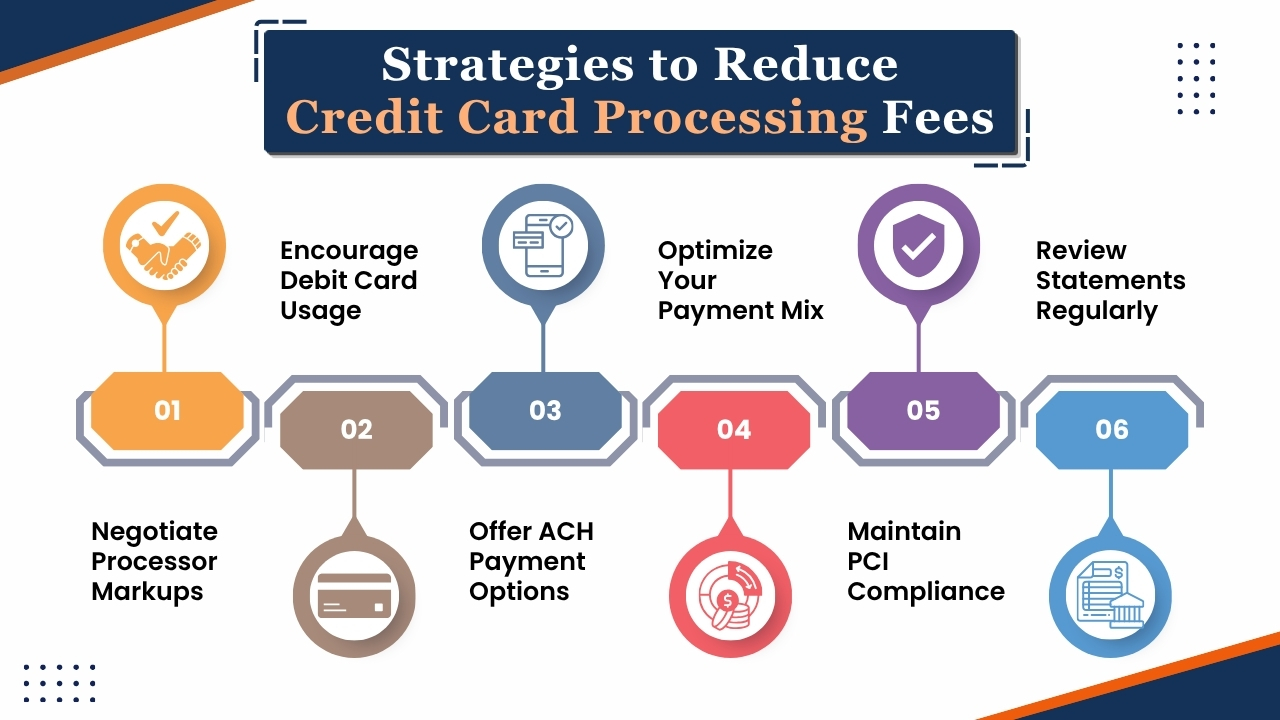
Businesses can take several proactive steps for reducing credit card processing costs without sacrificing convenience of customers.
Implementing the following strategies can help improve profits and reduce unnecessary payment expenses.
1. Negotiate Processor Markups
Many business owners assume processing rates are fixed, but the markup of processors is often negotiable. Established businesses with high sales volume and low chargeback rates may be eligible for better pricing.
While comparing multiple providers and requesting competitive quotes can help merchants to secure lower rates and more favorable contract terms.
2. Encourage Debit Card Usage
Debit card transactions usually have lower interchange fees than credit card transactions. Encouraging customers to use debit cards, mainly for large purchases, helps to reduce overall processing expenses.
Over time, even small savings per transaction can have a high impact on the business.
3. Offer ACH Payment Options
ACH (Automated Clearing House) transfers are less expensive than credit card payments. This payment method is highly beneficial for businesses that process large invoices, recurring payments, or B2B transactions.
Providing ACH as an alternative can highly reduce payment acceptance costs.
4. Optimize Your Payment Mix
Businesses can reduce processing expenses by promoting lower-cost payment methods while still offering customers with multiple payment options.
A balanced payment mix which includes debit cards, ACH transfers, and digital payment solutions can help to reduce overall transaction fees.
5. Maintain PCI Compliance
Meeting Payment Card Industry (PCI) security requirements helps businesses to avoid any expensive penalties due to non-compliance.
Maintaining a secure payment system reduces the risk of data breaches and fraud expenses.
6. Review Statements Regularly
Monthly reviews of merchant statements can reveal billing errors, unnecessary fees, and unexpected rate increases.
While regular audits help businesses to identify saving opportunities and ensure that they are paying only the fees mentioned in the processing agreements.
Conclusion
Credit card processing fees are an effective part of accepting electronic payments. Understanding the crucial components of processing costs such as interchange fees, assessment fees, and processor markups, businesses can have greater transparency into where their money is going and how payment expenses affect overall profits.
Different factors, such as card type, transaction method, industry, and processing volume can highly affect the rates that merchants may pay.
Additionally, selecting the right pricing model such as flat-rate, interchange-plus, tiered, or subscription-based can have a high impact on long-term costs.
Businesses should also pay attention to hidden fees like PCI compliance charges, gateway fees, and chargeback costs that can increase their effective processing rate if left unchecked.
While the good fact is that many processing costs can be managed through strategic actions like negotiating processor markups, encouraging lower-cost payment methods, maintaining PCI compliance, and reviewing merchant statements regularly.
Payment providers like AcePay can also help businesses simplify payment acceptance while offering transparent pricing and modern payment solutions.
Ultimately, understanding and actively managing credit card processing fees helps businesses to reduce costs, improve cash flow, and improve operational efficiency, and make more informed financial decisions which support long-term growth and success.
If you have any query about credit card processing fees then you may book a free demo at AcePay and we are more than happy to assist you.
Choosing the best credit card processing companies for small businesses in 2026 is an important decision for small businesses who want to manage payments efficiently, control expenses, and support long-term growth.
While most consumers today make payments using credit cards, debit cards, mobile wallets, and contactless payments, small payments need reliable and cost-effective payment solutions to have a competitive advantage.
If you are running a retail store, restaurant, eCommerce website, then it is essential to depend on the right credit card processing company that can improve customer experiences, streamline operations, and support business growth.
However, as so many payment processing companies are available, for businesses finding the best solution can be challenging for companies.
So it has become crucial for businesses to verify different factors like transaction fees, payment security, POS integrations, funding speed, customer support, and scalability while choosing the payment solution.
While some providers specialize in online payments, others in in-person transactions, and subscription billing.
Among the leading companies, AcePay has become a strong choice among small businesses that search for flexible payment options, competitive pricing, and modern payment technologies.
Beyond well-known providers such as Stripe, Square, PayPal, Clover, and Helcim. AcePay provides essential tools that help businesses to accept payments securely and also manage transactions efficiently.
This blog will walk you through the best credit card processing companies for small businesses in 2026, and compare their features, pricing structures, and benefits.
Whether you are launching a startup, or upgrading your existing payment system, or searching for lower processing costs, it is essential to understand the advantages of each provider that help you select the right merchant service provider for your business.
When businesses select the best credit card processing solution, then it automatically leads to an increase in sales, improves customer satisfaction, and prepares your business for future success.
How to Choose the Right Credit Card Processor
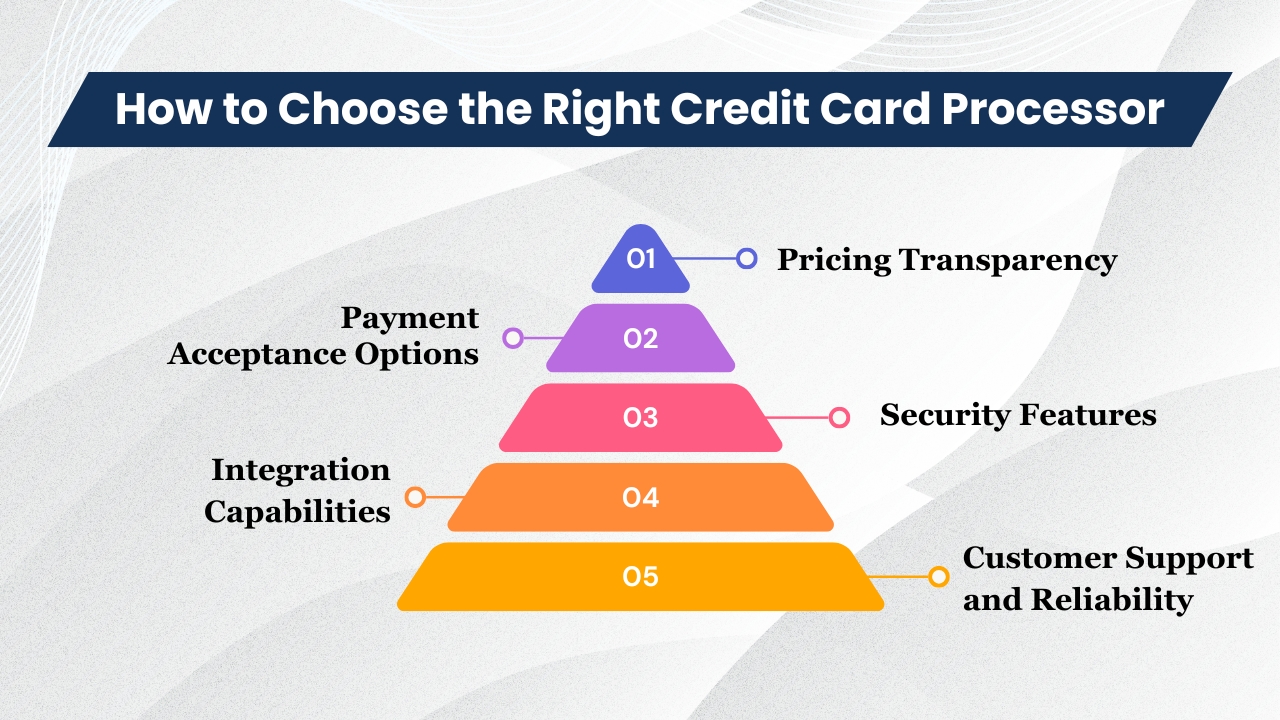
Before comparing providers, consider the following criteria:
1. Pricing Transparency
An important factor that businesses need to consider while selecting a credit card processor is pricing. Because most providers advertise to have low transaction fees, but include additional charges which will increase the overall total expenses.
Hence, businesses should carefully verify transaction fees, monthly service charges, PCI compliance fees, chargeback fees, equipment rental expenses, and any early account termination penalties.
Knowing the complete pricing structure, allows businesses to avoid any unwanted expenses and allows businesses to accurately estimate processing costs.
Selecting a provider with transparent pricing can help to improve business profits and simplify financial planning.
2. Payment Acceptance Options
Though customers expect flexible payment options while making payments. So a reliable credit card processor must support different payment options like credit cards, debit cards, contactless payments, mobile wallets such as Apple Pay and Google Pay, online payments, and recurring billing for subscription-based services.
Providing multiple payment options to customers improves purchasing experience, encourages more completed transactions, and helps businesses to reach more audiences through online and in-store channels.
3. Security Features
Protecting payment details of customers is crucial for maintaining trust of customers and avoiding fraud.
Hence, businesses should select processors that offer strong security features such as PCI compliance, encryption, tokenization, fraud monitoring tools, and chargeback management systems.
These features protect customer data, reduce the risk of frauds, and financial losses which happen due to fraud transactions or data breaches.
4. Integration Capabilities
A credit card processor should integrate and work smoothly with the business tools that are already in use.
When payment solutions have strong integration capabilities, payment systems can easily integrate with POS systems, accounting software, eCommerce platforms, inventory management solutions, and customer relationship management(CRM) systems.
When payment systems can be effectively integrated with existing systems, it reduces the need to manually enter sales data, improves operational accuracy, and ensures smooth business processes that saves time and resources.
5. Customer Support and Reliability
It is essential for businesses to consider providers which offer reliable customer support through phone, email, or live chat.
While the payment solutions offer quick technical support can help businesses to resolve transaction problems, system outages, or account problems efficiently.
So having reliable customer support ensures smoother business operations and reduces any disruptions which affect sales and customer experience.
Top Credit Card Processing Companies for Small Businesses
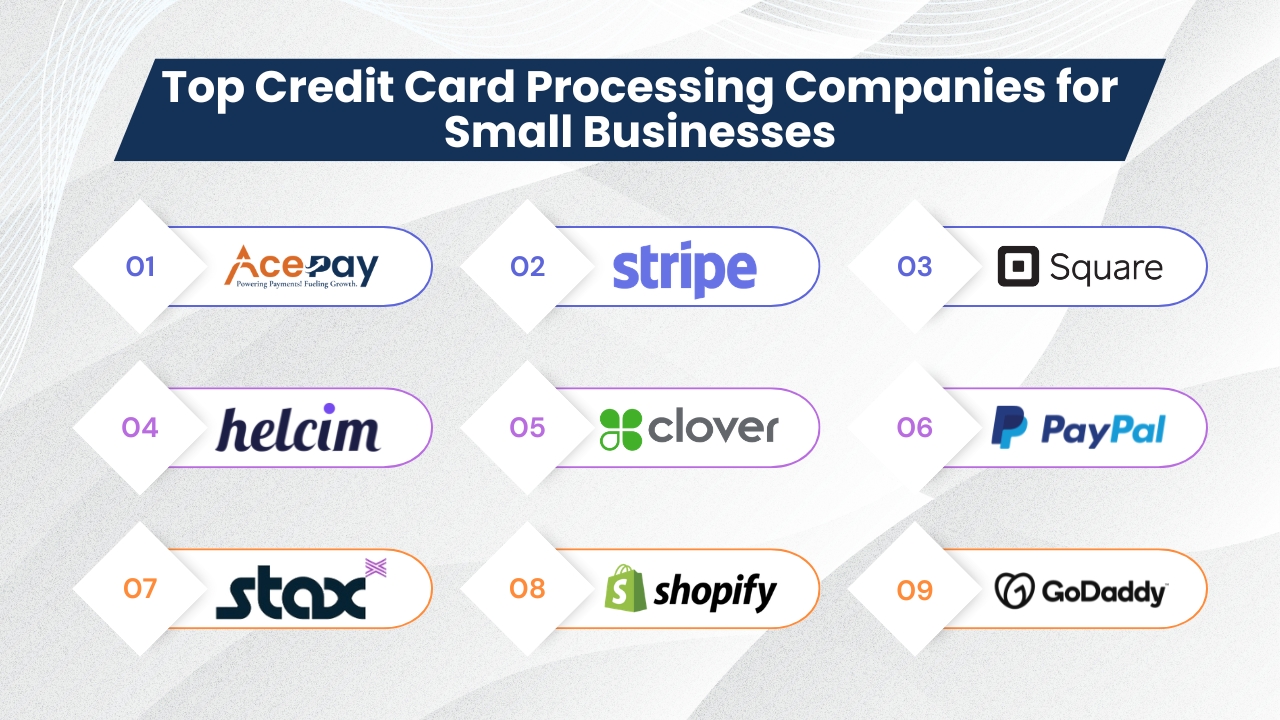
1. AcePay
It is a flexible payment processing provider which helps businesses to accept payments securely and efficiently. It supports retail stores, online merchants, service-based businesses, and mobile vendors.
AcePay offers affordable pricing, ease of use, and scalable features that makes it a reliable choice for growing companies and small businesses that are looking for a payment processing processor which supports long-term success.
Key Features
- Credit and debit card processing
- Mobile payment acceptance
- Contactless payment support
- Virtual terminals
- Online payment solutions
- Recurring billing options
- Fraud prevention tools
- Business reporting and analytics dashboards
Pros
- Competitive processing rates
- Easy-to-use platform
- Supports multiple payment methods
- Scalable for growing businesses
- Flexible integration capabilities
Cons
- Some features may not be available for all business types
- Pricing may require a custom quote depending on business needs
Best For
- Small businesses
- Retail stores
- Service providers
- Online businesses
- Startups seeking scalable payment solutions
AcePay offers multiple payment options, strong security features, and business management tools in a single platform.
Because its ability to support different business models makes AcePay a good choice for companies who want to streamline payment operations, improve customer convenience, and support long-term growth.
2. Stripe
It is well-known for its innovative payment technology. Stripe is a preferred choice for online retailers, startups, and digitally focussed businesses.
It offers advanced infrastructure that lets businesses accept payments from customers world-wide either through websites, mobile apps, and digital platforms.
This payment processing provider is well known for its flexibility, advanced customization options, and developer-friendly tools which makes it a suitable choice for businesses that need payment solutions that can grow with their evolving requirements.
Key Features
- Global payment processing
- Subscription billing and recurring payments
- Advanced APIs and developer tools
- Marketplace and platform payments
- Mobile wallet support
- Built-in fraud protection and security
Pros
- Excellent solution for online and eCommerce businesses
- Supports international transactions and multiple currencies
- Highly customizable payment experience
- Strong integrations and developer resources
- Scales easily as businesses grow
Cons
- Initial setup may require technical knowledge
- Customer support response times can be slower compared to some competitors
- Advanced features may be overwhelming for beginners
Best For
- eCommerce stores
- SaaS and software companies
- Subscription-based businesses
- Online marketplaces and digital platforms
It is a good option for businesses that prioritize online sales, automating tasks, and worldwide expansion. Because of its wide range of tools and capabilities it makes it an excellent payment processing solution for businesses that want to grow and manage their operations effectively.
3. Square
It is widely used by small businesses, startups, and retail stores because it offers a simple convenient way to process card payments and manage sales.
Being known for its simple implementations, affordable pricing, and cost-effective solution, this platform enables businesses to process payments, manage inventory, track sales performance, and strengthen customer relationships through a single system.
Because of its simple onboarding process, Square is an excellent option for new business owners who have less technical expertise.
Key Features
- Free point-of-sale (POS) software
- Mobile card readers for on-the-go payments
- Inventory management tools
- Employee management features
- Customer analytics and reporting
- Integrated payment processing
Pros
- Easy and quick onboarding process
- There is no long-term contracts required
- Transparent and predictable pricing
- Provides user-friendly interface
- Good option for businesses with less technical expertise
Cons
- Processing fees can become expensive for high-volume merchants
- Limited customization compared to some advanced payment platforms
- Certain advanced features may require additional services
Best For
- Retail stores
- Food trucks
- Cafes and coffee shops
- Startups and small businesses
It offers a unified platform that combines payment processing, business management features, and operational tools, that makes it an ideal choice for companies who want a simple, efficient, and flexible way to manage transactions and daily operations.
4. Helcim
Helcim is a payment processing company that over the years has a strong reputation for transparent pricing, competitive rates, and customer-friendly policies.
Unlike other payment processors that have complex fee structures, Helcim focuses on transparent pricing through its interchange-plus model which allows businesses to clearly understand payment processing costs and services.
Such transparency allows business owners to manage expenses in a better way and avoid any unexpected fees. It offers many tools that support payment acceptance and business management.
It offers built-in invoicing, customer relationship management, and recurring billing features which makes it a good solution for service-based businesses and companies who are searching for affordable payment processing.
Key Features
- Interchange-plus pricing model
- Online invoicing and payment collection
- Subscription and recurring billing
- Customer management tools
- Payment processing reporting and analytics
Pros
- No hidden fees or long-term contracts
- Competitive processing rates
- Easy-to-understand pricing structure
- Helpful business management tools
- Strong focus on transparency
Cons
- Limited hardware options compared to larger providers
- Fewer third-party integrations
- May not offer as many advanced features as some competitors
Best For
- Cost-conscious businesses
- Professional service providers
- Consultants and freelancers
- Small to medium-sized businesses
It is a good payment provider solution for businesses that need predictable costs, transparent pricing, and straightforward payment processing without any unnecessary fees or complex contracts.
5. Clover
It offers an integrated payment processing and POS system which allows businesses to handle sales, smooth daily operations, and manage customer relationships from a single platform.
This offers advanced POS hardware and flexible software solutions that offer businesses with the tools essential to manage sales, operations, and customer experiences efficiently.
Because its adaptable platform helps businesses to customize features and workflows as per their specific industry requirements while ensuring smooth and efficient daily operations.
It offers both payment acceptance and advanced business management features which help merchants to streamline sales, inventory control, employee management, and customer engagement.
Due to its scalable design businesses can grow their operations confidently without requiring to switch to a different payment or management system while their businesses expand.
Key Features
- Smart payment terminals and POS hardware
- Inventory tracking and management
- Customer loyalty and rewards programs
- Employee scheduling and management tools
- Sales reporting and business analytics
- Industry-specific software solutions
Pros
- Robust and reliable hardware ecosystem
- Solutions tailored to different industries
- Scalable platform for growing businesses
- User-friendly interface and management tools
- Strong reporting and operational features
Cons
- Pricing may vary depending on the reseller
- Initial hardware investment can be significant
- Some advanced features may require additional costs
Best For
- Restaurants and food service businesses
- Retail stores
- Multi-location operations
- Growing small and medium-sized businesses
It is an excellent choice for businesses searching for a comprehensive POS platform that combines payment processing, business operations management, and the flexibility to support future growth through a single integrated system.
6. PayPal
PayPal is one of the most known and trusted payment platforms in the world. As this platform has millions of customers all over the world, it allows businesses and individuals to send, receive, and manage payments securely online.
As this platform is well recognized, it lets businesses increase trust of customers during checkout which can cause higher conversion rates and high customer satisfaction.
Designed to support online retailers, freelancers, and service providers, the platform offers flexible payment solutions, including smooth checkout experiences, recurring payment management, and invoicing tools that adapt to a lot of business needs.
Because of its worldwide reach and support for multiple currencies makes this platform useful for businesses that serve international customers.
Key Features
- Online checkout and payment processing
- Professional invoicing tools
- Subscription and recurring payment support
- Buy Now, Pay Later (BNPL) options
- Multi-currency and international payments
- Fraud monitoring and security protection
Pros
- High level of customer trust and recognition
- Easy and quick implementation
- Extensive global reach
- Supports various payment methods
- Suitable for businesses of all sizes
Cons
- Higher fees for certain transactions
- Account reviews and temporary holds may occur
- Limited customization compared to some advanced processors
Best For
- Freelancers and independent professionals
- Online sellers and eCommerce businesses
- Service providers
- Businesses with international customers
PayPal is an excellent option for businesses who need trusted, easy-to-use payment solutions with strong acceptance all over the world and reliable online payment capabilities.
7. Stax
It is a payment processing provider designed usually for businesses with high monthly transaction volumes.
Unlike traditional payment processors which charge a percentage of markup on every transaction, Stax uses a subscription pricing model.
It can highly reduce payment processing costs for merchants that handle large amounts of credit card transactions every month. Because of which Stax has become a popular choice for growing businesses who want to improve profits and also maintain access to advanced payment tools.
Businesses can also track performance with reporting tools and get valuable insights into sales patterns, and customer payment activity.
Stax prioritizes clear pricing which allows businesses to easily understand their payment processing costs instead of dealing with complex or confusing fee structures.
Key Features
- Membership-based pricing model
- Advanced analytics and reporting
- ACH payment processing
- Online invoicing tools
- Payment management dashboard
Pros
- Lower effective processing costs for high-volume merchants
- Transparent and predictable billing
- Comprehensive reporting and analytics
- Scalable business solutions
Cons
- Requires a monthly subscription fee
- Not cost-effective for low-volume businesses
- May be more expensive for smaller merchants
Best For
- Businesses processing over $10,000 per month
- Growing companies with high transaction volumes
- Established merchants seeking lower processing costs
Stax is an excellent option for businesses that process substantial monthly sales and want a transparent pricing model that can help to reduce long-term payment processing expenses.
8. Shopify POS
It is a flexible point of sale system essential for businesses that operate across online and unified systems.
Shopify POS is popular among retailers who want to create an omnichannel shopping experience by connecting in-store sales with online operations.
When businesses directly integrate into Shopify’s eCommerce platform, businesses can manage products, inventory, customers, and orders from a single system.
One of the advantages of this platform is that it synchronizes data along different sales channels. Whether customers purchase through a retail store, website, social media platform, or online marketplace then both the stock and sales data remain updated in real time.
This platform supports several payment methods and local currencies which makes it suitable for businesses serving both domestic and international customers.
Key Features
- Omnichannel inventory management
- Integration with Shopify online stores
- Support for multiple payment types
- Local currency and international selling support
- Customer profile and loyalty management
- Integration with marketplaces such as Amazon and Etsy
Pros
- Seamless online and offline sales integration
- Easy inventory synchronization
- User-friendly interface
- Strong eCommerce capabilities
- Scalable for growing businesses
Cons
- Advanced features may require higher-tier plans
- Works best within the Shopify ecosystem
- Additional hardware costs may apply
Best For
- Omnichannel retailers
- eCommerce-focused businesses
- Growing retail brands
- Businesses selling through multiple channels
It is an excellent choice for retailers who need a single unified platform that combines physical and online sales management while supporting long-term business growth.
9. GoDaddy Payments
It is a flexible payment processing solution that lets small businesses accept payments quickly and affordably. This platform is usually attractive to merchants who are searching for low in-person transaction fees, easy set up, and quick access to funds.
This platform integrates smoothly with business tools of GoDaddy, which makes it a convenient option for businesses that already use GoDaddy for websites, online stores, or digital marketing services.
One of the benefits of GoDaddy Payments is same-day deposits which allows businesses to access their earnings faster than many traditional payment processors.
It supports a lot of payment methods that help merchants to provide customers with flexible and convenient payment options.
Additionally, businesses can manage inventory, customize branding, and track sales performance from a centralized dashboard.
Key Features
- Low in-person transaction fees
- Free card reader hardware
- Same-day deposits available (for a 1.5% fee)
- Credit and debit card processing
- Digital wallet and QR code payments
- Online payment links
- Inventory management tools
- Branding and customization options
Pros
- Affordable pricing for small businesses
- Fast access to funds
- Easy setup and operation
- Supports multiple payment methods
- Includes useful business management features
Cons
- Same-day deposits require an additional fee
- Advanced features may be limited compared to enterprise solutions
- Best suited for small and growing businesses
Best For
- Small businesses
- Retail shops
- Service providers
- Entrepreneurs and startups
Which Processor Is Best for Your Business Type?
Selecting the right payment processor depends on the industry, transaction volume, and operational requirements.
Different providers specialize in serving specific business types, that makes it essential for businesses to select solutions which align with your business goals.
1. Retail Stores
Retail stores depend on efficient payment processing systems which support multiple payment methods such as credit cards, debit cards, and contactless transactions.
They also benefit from integrated POS solutions and inventory management tools which track stock levels, streamline operations, improve customer experiences, and support overall business growth.
Recommended Processors
- AcePay
- Square
- Clover
eCommerce Businesses
eCommerce businesses require payment processors that can securely handle online transactions, digital wallets, and recurring billing.
Because of different features such as international payment acceptance, fraud protection, smooth checkout experiences, integration with shopping platforms help online merchants to increase sales and improve customer satisfaction.
Recommended Processors
- Stripe
- PayPal
- AcePay
2. Restaurants
Restaurants benefit from payment processors which offer industry-specific POS systems, table management features, and employee scheduling tools.
Due to fast and reliable transaction processing helps to improve customer service, reduce wait times, and streamline daily operations, and support efficient management of both staff and sales.
Recommended Processors
- Clover
- Square
Professional Services
Professional service businesses require payment solutions which support invoicing, recurring billing, and customer relationship management.
Due to different features like online payments, automated reminders, expense tracking, and detailed reporting help to streamline operations, improve cash flow, and improve the overall client experience.
Recommended Processors
- Helcim
- AcePay
3. High-Volume Businesses
High-volume businesses look for payment processors that offer better transaction rates, volume-based discounts, and transparent pricing structures.
Advanced reporting, reliable processing performance, dedicated account support, and scalable solutions can help businesses to reduce expenses while efficiently managing large numbers of daily transactions.
Recommended Processors
- Stax
- Payment Depot
Conclusion
Choosing the best credit card processing company for your small business in 2026 is based on your operational needs, sales volume, budget, and growth plans.
The right provider should offer a balanced competitive pricing, reliable payment processing, strong security measures, and tools that support your everyday business activities.
Whether you are operating a retail store, eCommerce business, restaurant, or service-based company, selecting a processor with the features that align with your business model can help to improve efficiency and customer satisfaction.
Due to different factors like transparent fees, ease of integration, customer support quality, and scalability should play a crucial role while making decisions.
While payment technology continues to evolve, businesses should invest in flexible and modern payment solutions that will be better positioned to meet customer expectations and support future growth.
By carefully comparing providers can help businesses to choose a solution that delivers long-term value and supports your business success.
If you still have any query about best credit card processing companies for small businesses in 2026 then you may book a free demo at AcePay and we are more than happy to assist you.